Analog / Digital Conversion
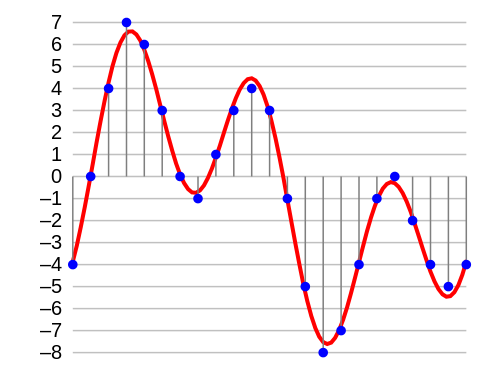
When you record a guitar into digital audio, the guitar’s analog signal is converted to digital signal for storage on your computer.
Since the analog signal can take an infinite number of values while computers have limited capacity, it is sampled according to two parameters:
Sample Rate: This is the number of times per second when measuring an analog signal (often we are at 44,100 Hz, or 44,100 times per second)
Resolution: defines the number of possible values that the measured value can take and is measured in bits.
If its resolution is 1 bit, only two values are possible: 0 and 1.
For each added resolution bit, the number of possible values is multiplied by two:
2 bits = 4 values
3 bits = 8 values
16 bits = 65,536 values
24 bits = 16,777,216 values!
During recording, therefore, we will measure the incoming signal many times per second and complete this measurement according to the number of possible values.
Hypothetical example: Our resolution means that we can only store values equal to 0 or 1. If the analog input signal is measured at 0.8, it will be rounded to 1. If it is measured at 0.2, then it will be rounded to 0.
Very simple, right?
As a result, the higher the resolution, the closer the recorded signal will be to the original signal. This is what you see in the following image:
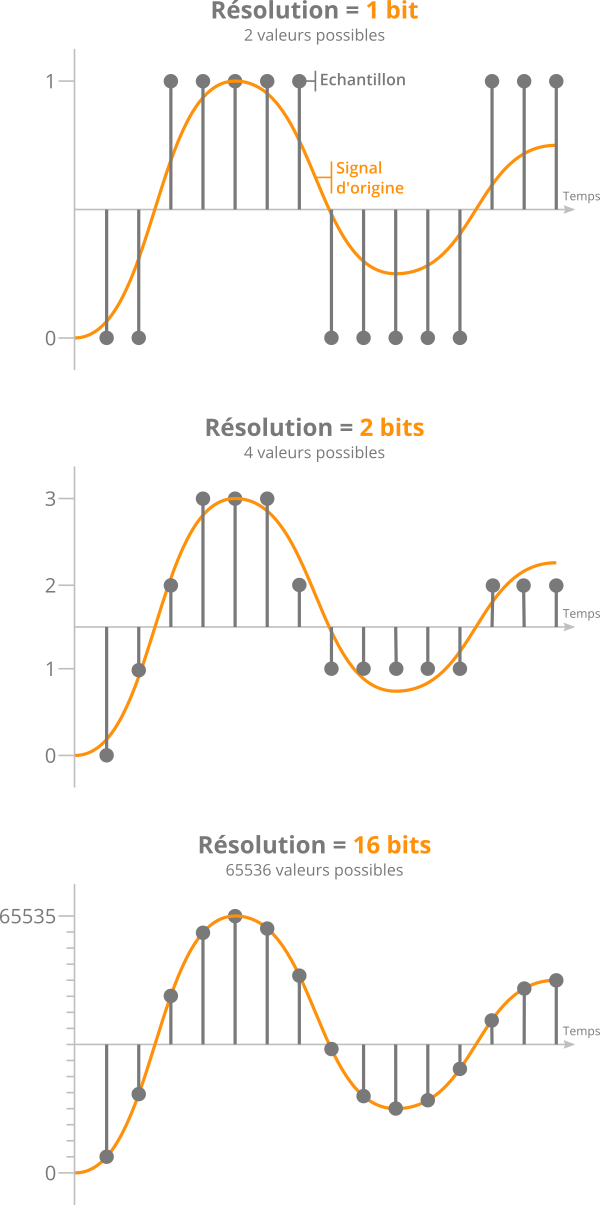
Effect of different bit resolutions on sampling precision
Also, one might think that 24-bit recording provides better quality than 16-bit. In fact, the resolution seems more accurate and the final signal more realistic.
However, this is not really what it should look like …
A history of noise
Previously, we saw that the values measured from the original signal were rounded off during analog-to-digital conversion.
If we rebuild the signal to listen to it again once the values have been rounded, we will notice that it is slightly different from the initial signal.
Quantization errors when sampling an audio sample
This phenomenon is called quantification error and it is inevitable.
If we isolate this error, we realize that it is actually noise, which is added to the signal.
If you increase the resolution (English bit depth) by adding precision bits, the error will be less, and therefore the noise will be less.
More precisely, for each bit added, the noise level is reduced by approximately -6 decibels (noise level = noise level).
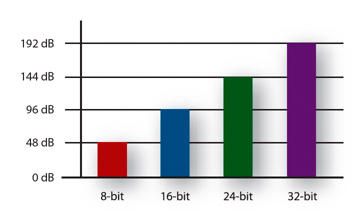
In other words, for every 1 bit of resolution added, the dynamic range over which a signal can be correctly recorded increases by 6 dB.
Therefore, we deduce the following figures:
16 bit = 16 x 6 = 96 dB dynamic range
24 bit = 24 x 6 = 144 dB dynamic range
In the end, the only difference between 16 and 24 bits lies in the noise level. And therefore, in the dynamic range available for recording, “above” the noise level.