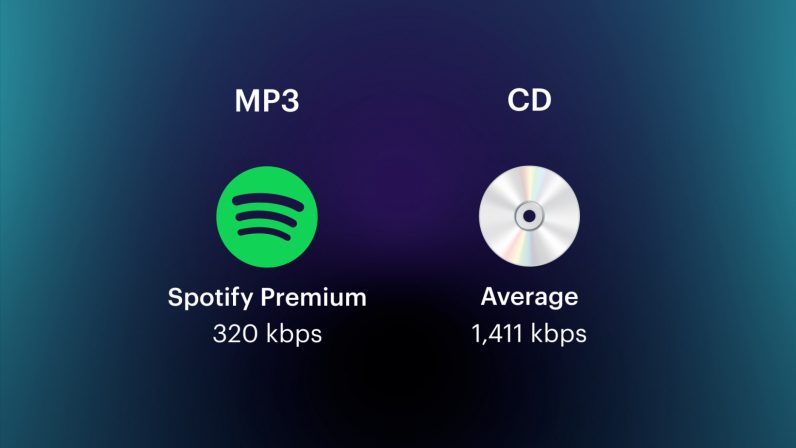
The Truth About High Bitrate Lossy Compression Part 3

For most users of the MP3 format, the problem of high quality sound is usually phrased as follows: “256 or 320? Or maybe try VBR?”
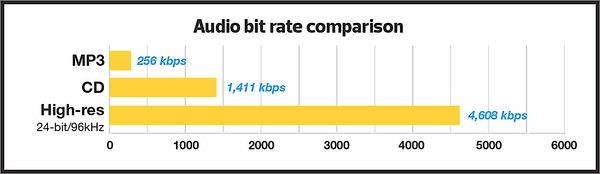
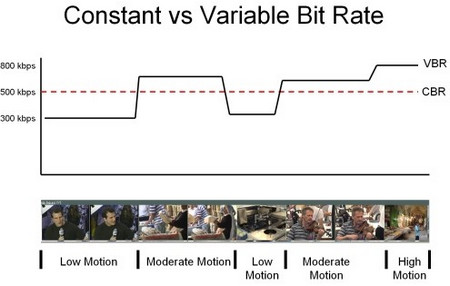
And this question haunts them day after day. Not all recordings sound good at 256; there is a strong audible and visible (measured) loss in the high frequency range. When using VBR mode (the so-called variable bit rate stream), it often happens that music sounds better by ear than 256, but this should not be taken as a general rule of thumb. Encode low-value or poor-quality records – you can’t go wrong. I have selected the VBR parameters to get the highest quality for VBR.
For the commercial LQT format, there is only one encoder proprietary to the authors: Liquifier Pro. We push them. Note that the LQT format is originally based on VBR encoding, so there are simply multiple modes for it, such as “bad”, “good”, and “excellent”. Naturally, for our tests we took the “excellent” (audiophile) mode, which results in a stream of 192 to 256, most of the time 200-220 kbps. Let me remind you that the LQT format is based on the MPEG-2 AAC family of algorithms. Also, this is the highest quality AAC implementation to date (tested on analogs).
The OGG format is a relative of the MP3 format, but it contains a different psychoacoustic model and some technical innovations that MP3 does not have. For starters, OGG initially only supports VBR mode. The user sets the approximate bit rate and the encoder tries to compress as closely as possible. The range of variation is extremely wide: 8 to 512 kbps, and it is much more discreet than MP3. The top bar is up to 512 kbit / s, whereas nowadays MP3 encoders really only “pull” up to 320. You may ask “is it possible that even 320 is not enough?” Yes, it happens, but rarely.
Roxette samples
Well, we come to the most interesting part. Let’s start with my auditory sensations.
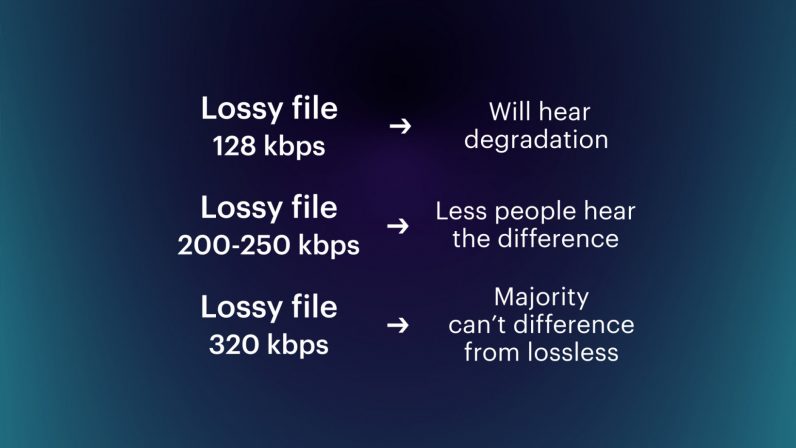
For MP3 in a 256 kbps stream, noise disturbances at high frequencies are clearly audible. Not only is a considerable part of them absent from the sound, but strong distortion, wheezing, clanging and other “charms” are also mixed in. This is a sign that 256 is clearly not enough, therefore you need to test higher. Let’s take a 320 compressed sample. The sound has changed significantly, this is a completely different matter: the upper part is in place, no differences by ear were found. For the purity of the experiment, let’s see what happens in floating flow mode. We obtain an average bit rate of 290 kbit / s, of which the conclusion suggests that 256 for the sample under study will not be enough. In fact, a sample encoded in VBR mode sounds a little better than 256, but it clearly falls short of 320. In the case of MP3, for high-quality compression, only encoding in 320 kbps mode is adequate, ie , to the maximum of opportunities.
Let’s take OGG as “modified MP3”. There are five approximate bit rates for the encoder: 128, 160, 192, 256 and 350. Well, let’s try 192 and 256. We will not take 350 bit rates, because we already know that MP3 at 320 kbps clearly transmits excellent quality, it seems that better not necessary. For 192 mode, we get an average stream of 226, and for 256 mode, up to 315 kbps. So far the precision. Such a large deviation from the reference point is a signal for sound material that is very difficult to encode; with a sample with a simpler density, the precision will be higher. To be honest, I tried to evaluate 320 MP3 and 315 OGG for a long time and came to the conclusion that they both sound almost identical to the original sound. But they are based on different psychoacoustic models and their sound coloration is different. Personally, I liked the MP3 a bit more. But, this is really a controversial issue; after all, the OGG encoder is just a beta version. When there is a release, I think it should surpass MP3 in quality. Comparing them separately to the original, I was inclined to believe that the OGG has an even closer sound to the original, but there is something wrong with the high frequencies of this encoder. Because of this, MP3 sounds a bit better. I don’t think it is necessary to say that in 350 mode (average bitrate was 365) OGG “perfectly” repeats the original.
Now we are talking about the little-known but widely advertised format as the “highest quality”: the LQT format. And most importantly, it sounds great overall, however after listening to it, I realized that I didn’t like its sound. It doesn’t distort high frequencies, like MP3 256 kbps, but it smears the sound and smears a lot. Loud sounds fade over time.