Guide to fully understand lossless formats
They end with a period followed by three or four letters. This is what happens with absolutely all the files on a computer or smartphone. Those last letters represent the format in which this file is. Today we are going to focus on one type of format, the lossless format.


What is a lossless format?
Any element in a computer has to have some type of format, or so to speak, some type of structure that is known by that computer so that it can work with the file. In a parallelism with the world of physical objects, the format would be something like the material with which said object is constructed.
Just as there are different materials with different properties, there are also different formats with different characteristics. Most of the files we use today have a compressed format, so they take up less space on our computer and are easier to send via the Internet, or to upload to any social network. However, these formats are not the highest quality, since this position would be occupied by formats without loss. These formats retain the original quality of the file, and offer the best results.
If we talk about images, the lossless formats are RAW, BMP and PNG, among others. Meanwhile, the compressed formats are JPG and GIF. However, there are certain differences with some of them. RAW, for example, stores all the light data captured by the camera’s sensor. It is a perfect format for photographers. But it would not even be for photographers who want to share a certain photograph on a social network. A RAW photo can easily take up to 25 MB, depending on the resolution of the camera. A high-quality JPG photo would be a photograph that would take two or three megabytes, although it would have less quality.
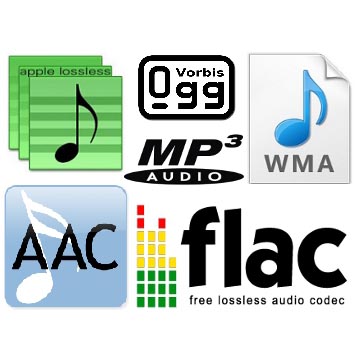
If we talk about audio, there are three main lossless formats: WAV, FLAC and ALAC. The latter is the one used by Apple in iTunes. They are formats that do not lose anything of quality with respect to the original audio. Yes we would be losing quality with the MP3 and the OGG.
And if we talk about video, there are few lossless formats that we can talk about. In fact, there is a problem, and that is that storing videos without loss would be an impossible task for anyone without a storage server nearby. That is why we usually opt for MKV, WMV, and H.264 formats. Of course, the latter is much better, since the compression process it carries is much more intelligent.
Compression, how does it work?
Now, what is this about compressed formats? As its name suggests, we are talking about formats that reduce files, and we can rely on it to fully understand how these formats work. Surely we have all been in the situation of having to pack a suitcase with just enough space, finish choosing all the clothes that we are going to take on a trip, and finally having to decide what we can do without in order to close the suitcase, because we had too many clothes. Well, that is the compression of each of the formats. They remove elements from that file, and thus make it weigh or occupy less.
Why are there different formats? Returning to the case of the suitcase, each person will make different decisions regarding those things that they can do without for their trip. It will vary from person to person. The same goes for formats. The developers of these reduce the space occupied by a file, but each of the formats removes data in a different way, so that a file compressed to JPG, can be different from one GIF, even if both are compressed. Each of them has followed a different procedure to delete the data, and that the song, image, or video, continues to play practically the same as the original version.
When to convert from compression to lossless?
The question at the top of this paragraph is especially important to anyone who has ever converted a file from a compressed format to a lossless format. And it is that, in reality, it is cheating, because you should never convert a file from a compressed format to a lossless file. Actually, nothing happens if we do, but we will not improve the quality of that file, even if it will now be available in a format in which the files are not compressed.
Of course, it is also not a good idea to convert a file in a compressed format to a different compressed format. Keep in mind that each compression process is different depending on the chosen format. In other words, each format eliminates the data it considers appropriate to maintain the quality of the image. If we have a file in a compressed format, this will mean that it no longer preserves all the original data. If we now convert it to a different compressed format, the compression process will remove new data from the file, and chances are we have a much more corrupted file.