Explain the difference between MP3 and MP4, sound quality and conversion method! Part 2


Free Download Mp4Gain
picture

Explain the difference between MP3 and MP4, sound quality and conversion method! Part 2

MP3 vs MP4

What is MP4? File format for video files
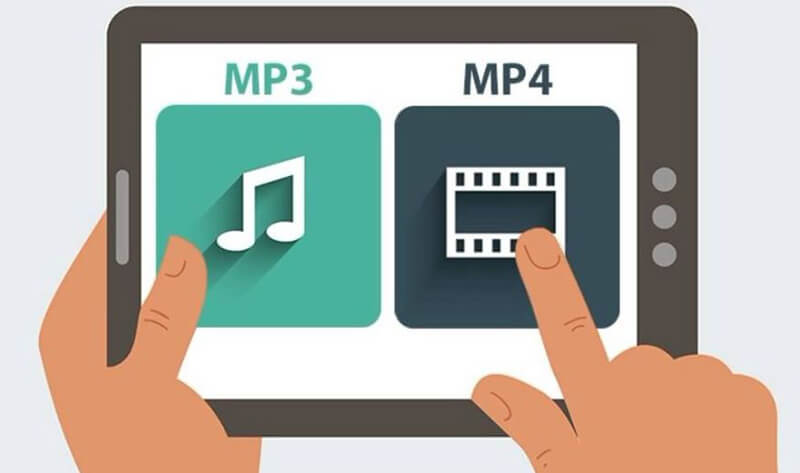
MP3 and MP4

MP4, on the other hand, is a file format. Unlike MP3, it can be used not only for audio but also to save video files. Of course, it is possible to save only video, only audio, video and audio, etc., and many people usually see formats like AAC in MP4 music.

What is the difference between MP3 and MP4?

As mentioned above, the difference is that MP3 can save only audio and mp4 can save not only audio but also video.

Is there any difference in sound quality? Which is better?
However, it is difficult to compare what is better, MP3 or MP4. The MP4 music format is AAC (.m4a), which is stored with compression with loss as mp3. Therefore, there is almost no difference in sound quality between MP3 and MP4.

If there is a difference / which is better, MP3 is best to save at a high bit rate and M4A (AAC) is better to store at a lower bit rate.

How to convert MP3 and MP4

Since there is almost no difference in sound quality between MP3 and MP4, basically the first is used only for audio and the second is used for video (video + audio).

Both formats are often used as music files, but that format may not be available according to the device that reproduces the music.

Since MP3 is a versatile file that can be played on most devices, some people may want to convert it from MP4. Based on that, I will present how to perform mutual conversion.

Convert MP3 to mp4
Some people may want to convert MP4 due to the bit rate, so first I will show you how to convert MP3 to MP4. Access the next site. Use MP4Gain and you can convert between all audio and video formats easily with a single click.

Finally
There is not a big difference in sound quality between MP3 and MP4, simply because they are used for different purposes. Basically, MP3 should be used only for audio and MP4 should be used in a video file.

In addition to the conversion methods presented here, it can also convert with each other via software, so use the conversion method that suits you most.


Free Download Mp4Gain
picture


Mp4Gain Main Window
picture


Mp4Gain Features
picture


Free Download Mp4Gain
picture

Explain the difference between MP3 and MP4, sound quality and conversion method!

Explain the difference between MP3 and MP4, sound quality and conversion method!

MP3 and MP4

Many people know that MP3 and MP4 are the main codecs for audio files. I am sure that some people do not really understand what is the difference between MP3 and MP4. In addition to the differences between MP3 and MP4, we will also explain how to convert between them.

MP3 vs MP4

1Difference between MP3 and MP4
· What are MP3 and MP4 in the first place?
· What is the difference between MP3 and MP4?
· How to convert MP3 and MP4
·Finally

Difference between MP3 and MP4

Many people know that there are MP3 and MP4 codecs for audio files, but it is possible that some people are not familiar with the details of how they differ first.

What are MP3 and MP4 in the first place?

Both MP3 and MP4 are used as formats related to music. If you divide approximately both, MP3 is for Audio and MP4 is for video.

What is MP3? File format for audio files

Although MP3 is a file format, it is also stored in an audio compression format called compression format with loss. Only the audio can be saved in mp3.

This loss compression format adjusts the data from the file by eliminating the parts that are difficult to perceive for humans, so the quality of the sound deteriorates considerably depending on the bit rate.

If you save at a high bit rate, the sound quality will be high if you are in MP3, but if you try to restore it, it will continue deteriorating.

What is MP3?

What is MP3?

MP3

“MP3” widely used in audio players. The official name is “MPEG-1 Audio Layer III”, which is the audio format for MPEG-1. The MP3 format itself is being standardized in parallel with MPEG as the video format, and in 1992 it will be standardized as “ISO / IEC IS 11172-3 (MPEG-1 Audio)”.

MP3

After that, MP3s will be distributed “as is” among enthusiasts, but this has not been a major advance since the introduction of the portable “mpman” audio player launched by SAEHAN International in South Korea in 1998. By combining this player, which can download and play music data over the Internet, with Napster, which appeared in 1999, the scene of portable audio players that used to carry cassettes, CDs, MDs, etc. it will change completely.

MP3s can also reduce the original data to less than one tenth. For example, it has become possible to compress a one-hour music CD to about 40MB and, using Napster, etc., we have established a new need for music sharing between users. After that, despite various “RIAA (Recording Industry Association of America)” procedures and the emergence of successor formats formulated by many manufacturers, MP3s remain a widely used audio. It is still used as a format.

■ MPEG

To understand the working principle of MP3, let’s first explain about “MPEG Audio” itself. A feature of MPEG Audio is that it uses auditory psychology, the lower audible limit of hearing, and the masking effect.

Let’s start with this minimum audible limit. In general, it is considered that humans can hear sounds in the range of 20 Hz to 20 kHz. Of course, this is an average value, and some people can hear a wider range, while others can only hear a narrower range, but this time I’ll drop it.

So if you can hear any sound in the 20Hz to 20KHz range, that’s not the case. The lower audible limit curve is shown in Fig. 1, and it is possible to hear even a fairly low sound around 2KHz, but at frequencies above or below it, it is heard that it is not considerably loud. .

You may have heard the term “volume curve”, which is the curve shown in Figure 1. Therefore, even if there is a sound source that sounds in a wide range from bass to treble (Fig. 2 ), the human ear has the characteristic that it can only be heard with both ends drooping (Fig. 3). By taking advantage of this and omitting all inaudible frequency data, a great deal of compression is made possible.

Masking effect

The masking effect is another phenomenon. For example, when a very loud sound is generated at a certain frequency, a specific area called “Critical Band” is created before and after that. And you won’t hear any of the other sounds included in this critical band.

When sound A is generated, the sloping area that extends to the before and after frequencies is the Critical Band. I can hear the part of the B sound that sticks out of the Critical Band without any problem, but I can’t hear the C sound that completely fits into the Critical Band.

In MPEG Audio, compression efficiency is further improved by omitting sound data that cannot be heard due to this critical band as before. By the way, the masking effect itself is effective not only in the direction of frequency but also in the direction of the time axis. In other words, not only immediately after a loud sound is generated, but also just before that, you cannot hear a small sound for some reason. This is called the temporary masking effect, but in Figure 5, sound B and sound C become inaudible. This is also effective for data compression.