Explain the difference between MP3 and MP4, sound quality and conversion method! Part 2


Free Download Mp4Gain
picture

Explain the difference between MP3 and MP4, sound quality and conversion method! Part 2

MP3 vs MP4

What is MP4? File format for video files
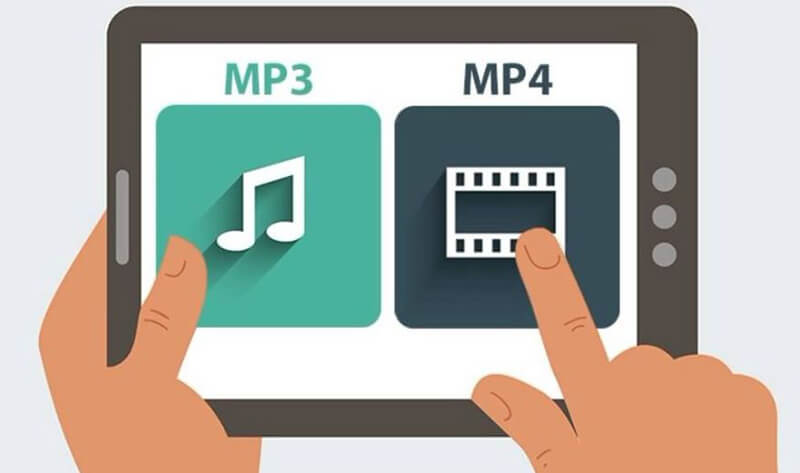
MP3 and MP4

MP4, on the other hand, is a file format. Unlike MP3, it can be used not only for audio but also to save video files. Of course, it is possible to save only video, only audio, video and audio, etc., and many people usually see formats like AAC in MP4 music.

What is the difference between MP3 and MP4?

As mentioned above, the difference is that MP3 can save only audio and mp4 can save not only audio but also video.

Is there any difference in sound quality? Which is better?
However, it is difficult to compare what is better, MP3 or MP4. The MP4 music format is AAC (.m4a), which is stored with compression with loss as mp3. Therefore, there is almost no difference in sound quality between MP3 and MP4.

If there is a difference / which is better, MP3 is best to save at a high bit rate and M4A (AAC) is better to store at a lower bit rate.

How to convert MP3 and MP4

Since there is almost no difference in sound quality between MP3 and MP4, basically the first is used only for audio and the second is used for video (video + audio).

Both formats are often used as music files, but that format may not be available according to the device that reproduces the music.

Since MP3 is a versatile file that can be played on most devices, some people may want to convert it from MP4. Based on that, I will present how to perform mutual conversion.

Convert MP3 to mp4
Some people may want to convert MP4 due to the bit rate, so first I will show you how to convert MP3 to MP4. Access the next site. Use MP4Gain and you can convert between all audio and video formats easily with a single click.

Finally
There is not a big difference in sound quality between MP3 and MP4, simply because they are used for different purposes. Basically, MP3 should be used only for audio and MP4 should be used in a video file.

In addition to the conversion methods presented here, it can also convert with each other via software, so use the conversion method that suits you most.


Free Download Mp4Gain
picture


Mp4Gain Main Window
picture


Mp4Gain Features
picture


Free Download Mp4Gain
picture

Explain the difference between MP3 and MP4, sound quality and conversion method!

Explain the difference between MP3 and MP4, sound quality and conversion method!

MP3 and MP4

Many people know that MP3 and MP4 are the main codecs for audio files. I am sure that some people do not really understand what is the difference between MP3 and MP4. In addition to the differences between MP3 and MP4, we will also explain how to convert between them.

MP3 vs MP4

1Difference between MP3 and MP4
· What are MP3 and MP4 in the first place?
· What is the difference between MP3 and MP4?
· How to convert MP3 and MP4
·Finally

Difference between MP3 and MP4

Many people know that there are MP3 and MP4 codecs for audio files, but it is possible that some people are not familiar with the details of how they differ first.

What are MP3 and MP4 in the first place?

Both MP3 and MP4 are used as formats related to music. If you divide approximately both, MP3 is for Audio and MP4 is for video.

What is MP3? File format for audio files

Although MP3 is a file format, it is also stored in an audio compression format called compression format with loss. Only the audio can be saved in mp3.

This loss compression format adjusts the data from the file by eliminating the parts that are difficult to perceive for humans, so the quality of the sound deteriorates considerably depending on the bit rate.

If you save at a high bit rate, the sound quality will be high if you are in MP3, but if you try to restore it, it will continue deteriorating.

MP3: features and alternatives

The peculiarities of the MP3 format and some clues about other solutions of equal or even higher quality.

Impossible to deny, the MP3 format is the most common and most enjoyable to listen to music on the go or, as it has been for some years, streaming. We use it everywhere now and any device can play it today.

MP3 is part of the family of audio files called “lossy”, that is, the types of formats that can also reduce the amount of data that should contain a sound, in any case try to maintain at least an acceptable quality.

The peculiarities of the MP3 format and some clues about other solutions of equal or even higher quality.
The parameters that determine the quality level of an MP3 file are: the sampling rate, bit rate, encoder and of course the source. Now let’s move on to the order.
At the origin of everything is the source, that is, the support or source from which the MP3 file can be downloaded. The higher the quality of the source, the greater the end result: purchasing MP3s from particularly reliable sites or extracting them from compact discs in good condition is the basis for a successful MP3. What becomes crucial is the encoder (the most famous and free is LAME) or the software that takes care of creating the file after properly configuring its parameters.

Portada

The sampling rate is measured in Herz and expresses the number of times per second. Second, as the analog signal is measured and digitized; for MP3 it must be as faithful as possible on a CD, ie 44 100 Hz (44.1 KHz).

Bitrate is the number of binary units flowing, measured every second. The value of the bit rate is not fixed: as it increases, the similarity to the original file will also increase proportionally. The higher the bit rate, the higher the quality, the larger the file size. The bit rate range ranges from 32 kbps to 320 kbps, the maximum that can be obtained from an MP3 file.

The ones we’ve just listed are an important part of the tricks that allow us to have an MP3 quality; however, be aware that a lost file is by no means faithful in all respects to the original source. The most famous lost alternatives are: AAC (the format Apple uses to sell music in the iTunes Store and since July to stream audio from the Apple Music service); WMA; MPC; OGG (excellent quality open source format).

If you are looking for maximum faith in digital audio, give up MP3 and its loss-free alternatives to switch to “loss-free” audio formats, ie loss-free quality. Overall, this file type compresses the original sound while keeping the number of bits intact. Needless to say, quality comes at a cost in terms of the space taken up: a lossless file takes about half of the original audio file, but “weighs” nearly three times as much as a 320Kbps MP3. Of these, the most famous and used are: FLAC; ALAC (Apple Lossless Format); BEE; WavPack. The “lossy” and “lossless” file distinctions are extremely applicable to images and videos as well, not just audio files.

On several occasions it has been said how absolutely difficult it is to distinguish an MP3 at 320 kbps, obtained under the best conditions, from its original version on CD or in lossless files; It is only possible to notice it with instruments at a certain level and with a good ear. When noted, the MP3 format is excellent for listening on the move, as highlighted above; On the other hand, to better preserve our music or listen to it on systems of a certain level, it is better to resort to lossless formats such as FLAC or ALAC.