Estimated overall bit rate

approximate indication

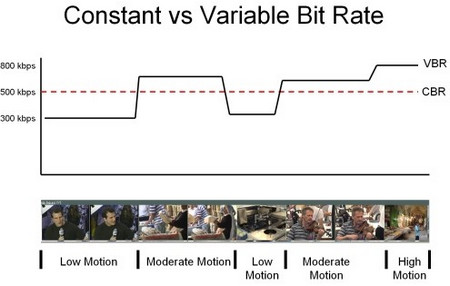
Here are some general guidelines. The value that can be smoothly reproduced varies depending on the line speed and computer specifications, but keep the following as a guide.
Video: 850 kbps
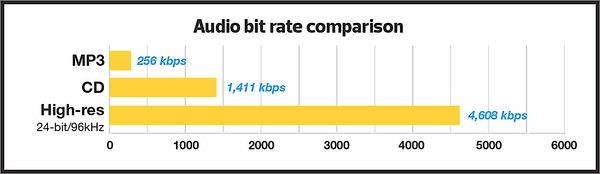
Audio: 128 kbps
Video: 700-1500Kbps (video and total audio)
Recommended bit rate for uploading videos to YouTube
Upload the video
Here are the recommended bit rates for videos used on YouTube. Values differ based on SDR video and HDR video, so check each one. We will present every resolution and frame rate you record, so set the video to upload to YouTube with the following values.
When loading an SDR video
Values for uploading SDR videos are as follows.
writes
Video bit rate / standard frame rate (24/25/30)
Video Bit Rate / High Frame Rate (48/50/60)
4K
35-45 Mbps
53-68 Mbps
2K
16 Mbps
24 Mbps
1080p
8 Mbps
12 Mbps
720p
5 Mbps
7.5 Mbps
480p
2.5 Mbps
4 Mbps
360p
1 Mbps
1.5 Mbps
When loading HDR video
Values for uploading HDR videos are as follows.
writes
Video bit rate / standard frame rate (24/25/30)
Video Bit Rate / High Frame Rate (48/50/60)
4K
44-56 Mbps
66-85 Mbps
2K
20 Mbps
30 Mbps
1080p
10 Mbps
15 Mbps
720p
6.5 Mbps
9.5 Mbps
480p
Not supported
Not supported
360p
Not supported
Not supported
Recommended audio bit rate for uploaded videos
The recommended audio settings are as follows.
writes
Audio bit rate
monaural
128 Kbps
stereo
384 Kbps
5.1
512 Kbps
How to make a video with the proper bit rate?
How to create?
I will explain how to create video with proper bitrate when editing video. Since various factors such as resolution, frame rate, computer specifications, and the media to be used determine the appropriate numerical value, it is problematic to think about every time you edit a video, and many people have so decidedly decided. appropriate.
If you refer to the bit rate guide presented above and the “How to set a suitable bit rate” explained below, it is not a difficult setting at all, so try them all.
Disadvantages of too high a bit rate
Demerit
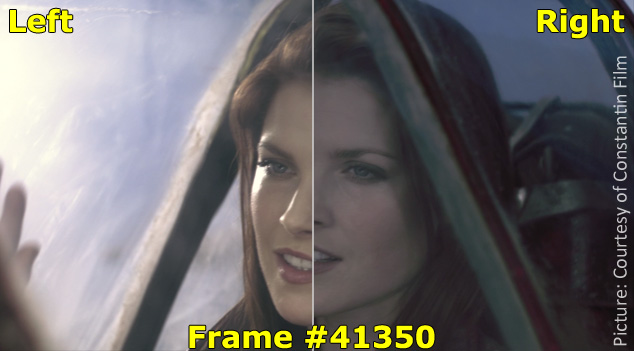
Of course, if the value is set too high, the image quality will be high, but the amount of data will be huge, and the video may be difficult for the viewer to see. Problems such as stalling or getting stuck while playing a video will occur.
Not that there is a problem with the video, but the amount of data is too large, which puts too much pressure on the viewer side. Also, if you don’t have a high-spec PC, you won’t be satisfied with the edit in the first place, and there are downsides that it will take up a lot of storage.