How does an MP3 player work?


Free Download Mp4Gain
picture

How does an MP3 player work?

Mp3 Player

MP3 player

Mp3 Player

The full name of MP3 is MPEG Audio Layer 3. The MPEG compression format is a set of standards for images and sounds formulated by the Motion Picture Experts Group.

MP3 is an audio format designed to compress sound signals. Signal compression format standard. The sampling frequency of the CD is 44.1MHz, 16bit, and the data volume is 1.4Mbps, while the corresponding MP3 data volume is only 112kbps or 128kbps, which is 1/12 of the original data volume.

That is to say, there is a very important variation in the bitrate between a CD and an mp3. With a ratio of 1/12, which is more or less the ratio between its size. However, as is well known, hate does not perceive that difference as long as the mp3 uses a bitrate of 128 kbps or higher.

A traditional CD can now store 10 times or more the capacity of music, but in the human ear, the effect of music is no different.

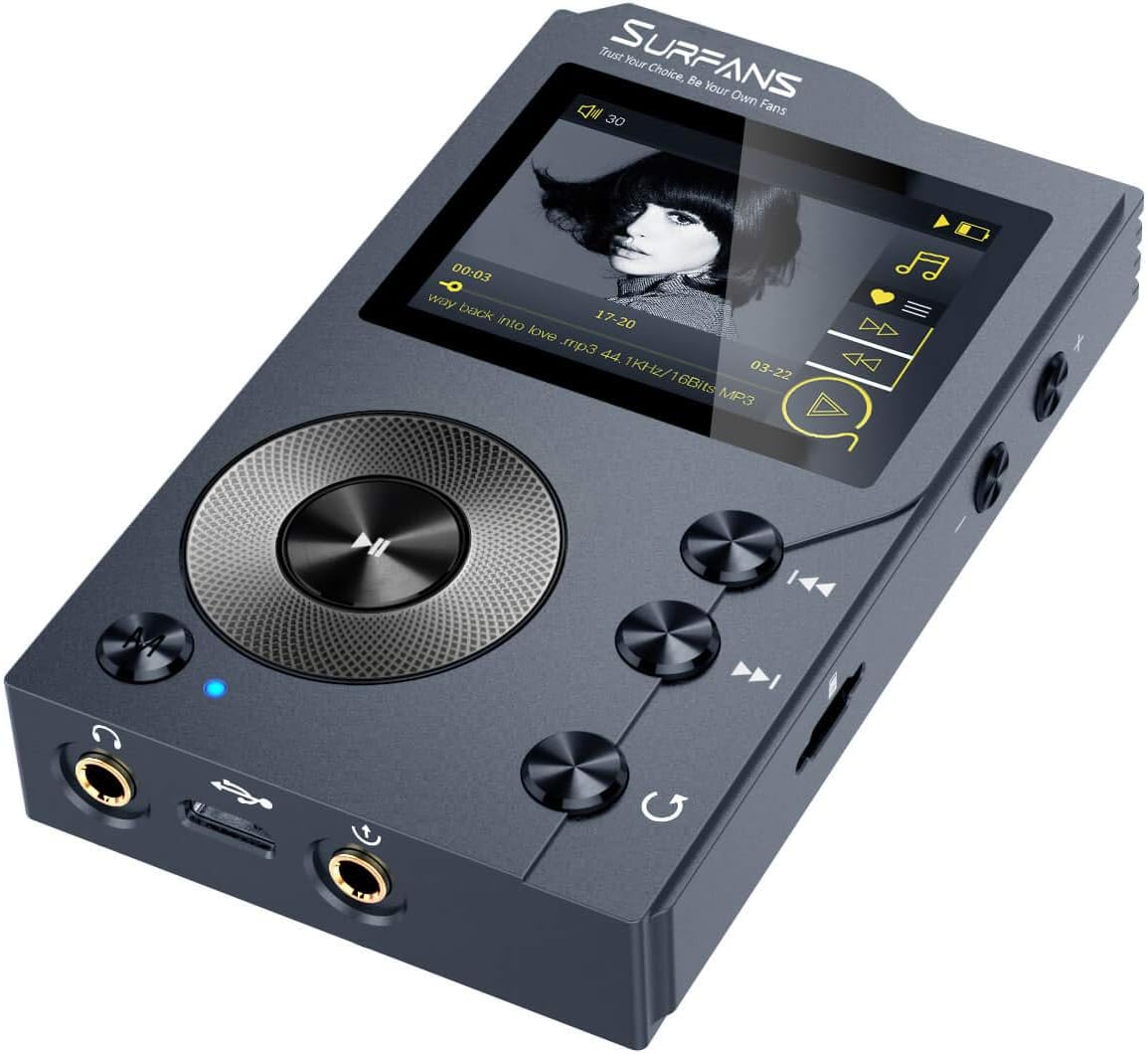
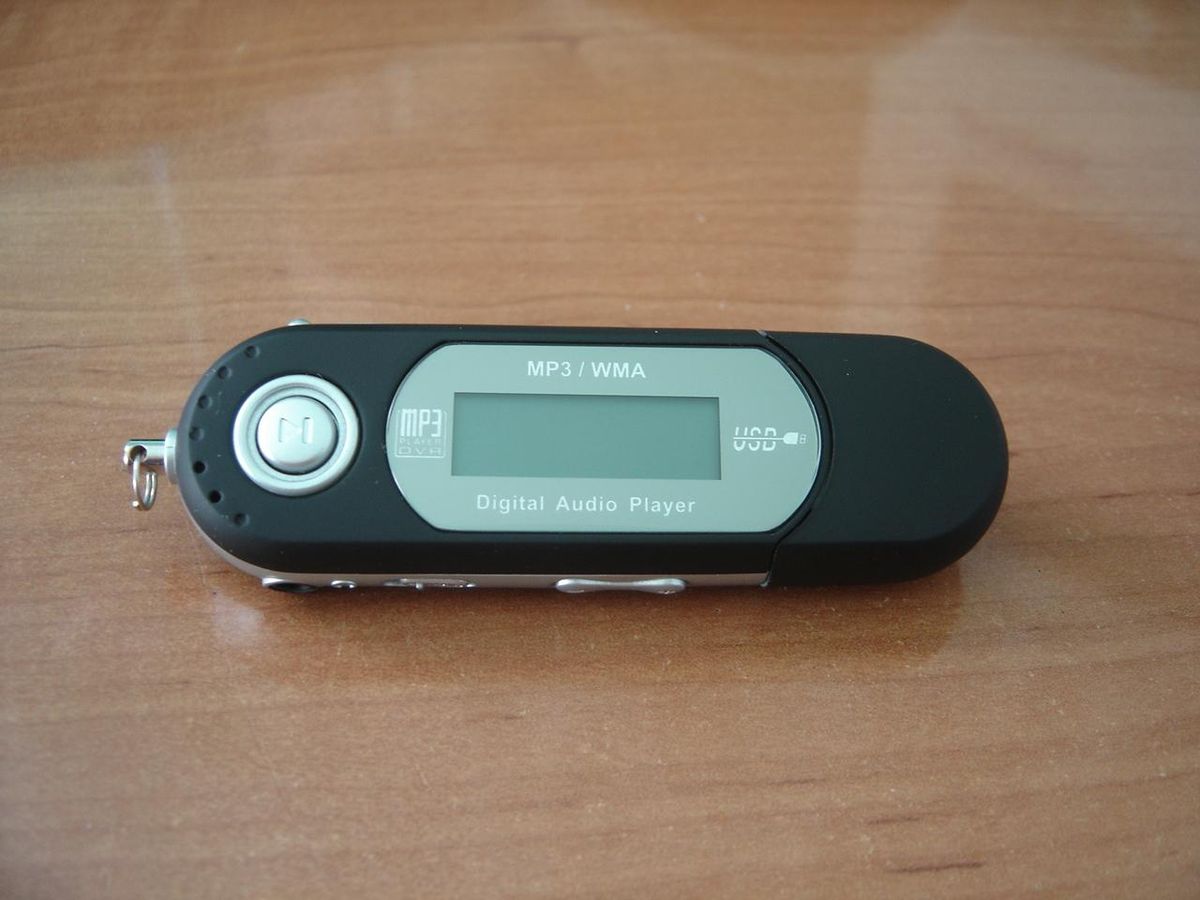
The working principle of MP3 Walkman is really very simple. It uses the control chip (CPU) to control the decoder chip and LCD screen, and the decoder chip decodes the MP3 file or WMA format file in the built-in flash memory or the external flash memory card. Then through the digital to analog conversion, and finally the output from the headphones.
MP3 players use the digital signal processor DSP (Digital Signal Processor) to complete the task of streaming processing and decoding of MP3 files. DSP is in charge of Walkman data transmission, device interface control, file decoding and playback, and other activities. The DSP can complete a variety of processing tasks in a very short time and this process consumes very little power (this is also a distinguishing feature of its suitability for portable players).
First, extract the MP3 song file from memory and read the signal in memory → decode the signal in the decoding chip → convert the decoded digital signal into an analog signal through the digital to analog converter → and then amplify the converted analog audio signal → After low-pass filtering, it goes to the headphone output and the output is the music we listen to.


Free Download Mp4Gain
picture


Mp4Gain Main Window
picture


Mp4Gain Features
picture


Free Download Mp4Gain
picture

How MP3 Players Work Part 2

How MP3 Players Work Part 2

MP3 Player

While MP3 is perhaps the most popular file format, there are other formats that can be played on MP3 players.

MP3 Player


While most MP3 players can support multiple formats, not all players support the same formats. Here are some of the file formats that can be played on different players:

WMA – Windows Media Audio
WAV – Waveform Audio
MIDI – Musical Instrument Digital Interface.
AAC Format – Advanced Audio Coding
Ogg Vorbis – free, open, patent-free music format
ADPCM – Adaptive Differential Pulse Code Modulation
ASF – Advanced Transmission Format
VQF – Vector Quantization Format
ATRAC – Sony Adaptive Transform Acoustic Coding
In the next section, we’ll cover the technology behind the player that allows you to listen to music.

this technology

Unlike early music players that required moving parts to read the data encoded on tape, MP3 players used solid-state memory. An MP3 player is nothing more than a data storage device with built-in software that can transfer MP3 files to the player. MP3 players also include tools for duplicating music from radio, CDs, radios, or websites, as well as the ability to organize and create custom playlists in the order you want to listen to them. This playlist is called a playlist.

MP3 players are a fusion of many technologies. Taken individually, none of its components is revolutionary, but together they create a consumer product never seen before.

The exact parts may vary, but the following are the basic parts of a typical MP3 player:

data port
RAM
microprocessor
Digital Signal Processor (DSP)
Show
playback control
audio port
amplifier
electricity supply
“width =
Connect the player to your computer with a USB port, FireWire port or parallel port to transfer data. USB-based players transfer data many times faster than those using parallel ports. MP3 files are saved in the player’s memory.

Memory types include:

internal flash memory
compact flash card
Brand SmartMedia
Memory card
internal micro hard drive
Except for the last one, everything else is solid state memory. The advantage of solid state memory is that there are no moving parts, which means higher reliability and no musical skipping. MP3 players contain tiny hard drives with 10 to 150 times the storage capacity of flash memory devices.

The microprocessor is the brain of the player. It can monitor user input via a DSP chip that displays information on the current song’s playback controls, LCD panel, and send address, telling you exactly how to process the audio.

“width =
In addition to storing music, MP3 players must also play music and allow the user to listen to the song that is being played. To do this, the player:

Get the song out of your memory.
Decompress MP3 encoding, by DPS, by algorithm or formula.
Convert the uncompressed bytes into sound waves through a digital-to-analog converter.
It amplifies the analog signal so that the song can be heard.
All portable MP3 players are battery powered. Most rechargeable lithium batteries are used indoors and last between 10 and 28 hours on a single charge. Many players also have AC adapters so they can be plugged into regular power outlets, and some even offer DC adapters for use in cars.

In the next section, we will learn about the different types of MP3 players.

Types of MP3 Players
Apple iPhones have 4GB or 8GB of flash memory. “width =
Apple iPhones have 4GB or 8GB flash memory.
COMPLIMENTARY CONSUMER GUIDE PRODUCTS
MP3 players as a variation of the people who buy them. The choice is based on several factors, including how you plan to use it, how much music you want to take with your MP3 player, and how much you’re willing to pay. Let’s take a look at the four basic types of MP3 players.

How MP3 Players Work

How MP3 Players Work

mp3 player

The MP3 player is the latest in the evolution of music formats that help consumers enjoy music.

Mp3 Player

Records, eight-track tapes, cassettes, and CDs – none of these music formats provided the convenience and control that MP3 players did before. With an MP3 player in their hand or pocket, consumers can create personalized playlists and take thousands of songs with them.

they go.

All the stored music and the MP3 player itself can fit in a single device that, in some cases, weighs less than an ounce. Portability is a major factor in the popularity of MP3 CD players and CD storage cases. In addition, some devices offer additional technology, such as video and photo viewing, alarm and calendar functions, and even cell phone and Internet services.

In this article, you will learn more about the technology behind MP3 players and the different types of players available. You can also find out how to get the melodies and how to use the accessories for your player. Get started by learning the MP3 file format on the next page.

content
The MP3 file format
this technology
Types of MP3 Players
fill your playlist
Accessories Your MP3 Player
The MP3 file format

The MP3 file format for music made its debut in the late 1990s, a file-sharing service, and the first portable MP3 players. MP3, or MPEG Audio Layer III, is a method of compressing audio files. MPEG is an acronym for Moving Picture Experts Group, which develops video data compression systems, including those used in DVD movies, television broadcasts, and digital satellite systems.

Using the MP3 compression system reduces the number of MP3 bytes in a song, while preserving CD-like quality sound. Every time you compress a song, its quality is degraded in order to carry more music files on a smaller storage system. A smaller file size also allows songs to download from the Internet faster.

Consider that the average song is about four minutes long. On a CD, that song uses about 40 megabytes (MB), but it uses only 4 MB if compressed into MP3 format. On average, 64 MB of storage is equivalent to an hour of music. A music listener who has an MP3 player with 1 GB (about 1000 MB) of storage space can carry about 240 songs or the equivalent of about 20 CDs. Songs stored on traditional CDs are already uncompressed, so more discs are needed to store the same number of songs. (Some CDs support MP3 files.)

Audio quality: Bitrate in MP3 files

In many cases, the term Bitrate is used, which is the bit rate per second that a multimedia file (Audio or Video) has. Currently the MP3 music format is one of the most widespread (Although there are currently other more current formats such as OGG Vorbis, AAC, Flac, Monkey Audio, …) however the audio quality is variable, this is due to the characteristics with which the MP3 in question has been compressed, including:

Mode: It can be of two types mainly:

Mono: With a single channel (The right and left channel go together, not separated which gives worse audio quality).

Stereo: Two channels (Right and Left, improve audio quality).
Sampling frequency: Audio CDs use 44,100 Hz (22,050 Hz per channel), although there are higher frequencies such as 48,000 Hz used in DVDs and lower, the higher the frequency, the higher the quality.

Bits: Audio CDs have 16 Bits (Although MP3 can be compressed at a lower quality such as 8 Bits).

Bitrate (Bit Rate per second): Audio CDs have about 1,400 Kbps (44100 Hz * 16 Bits * 2 channels), meaning that an Audio CD would have a bitrate of 1,400 Kbps (In MP3 format the maximum Bitrate is 320 Kbps, however, it is assumed that an MP3 with a 128 Kbps Bitrate has a quality similar to CD, although in many cases to achieve a quality similar to CD it is necessary to use a Bitrate of 192 Kbps, and to obtain CD quality it is necessary use 256 Kbps or 320 Kbps). Some of the most common Bitrates are:
8 Kbps Mono: Telephone Sound.
16 Kbps Mono: Better quality than shortwave.
32 Kbps Mono: Better quality than AM.
64 Kbps Stereo: Better quality than FM.
112 – 128 Kbps: Quality close to CD.
160 Kbps: Quality closer to CD.
192 Kbps: Virtually CD quality.
256 Kbps: Quality CD practically undisputed from an original CD.
320 Kbps: CD quality.

Coding method: It can be of two types:

VBR (Variable Bit Rate, Bit Rate Variable): Encodes the file in MP3 with a variable Bitrate.

CBR (Constant Bit Rate, Constant Bit Rate): Encodes the MP3 file with a fixed Bitrate.
In addition, another factor that influences the encoding of the MP3 file is the CODEC (Encoder-Decoder) used, one of the most common and the best result is LAME (Lame Ain’t an MP3 Encoder) which is also free.
One point to keep in mind is that if we recompress an MP3 file that originally has a 128 Kbps bitrate and convert them to 192 Kbps for example, audio quality is not really gained because the MP3 format has some quality loss (MP3 is a loss algorithm, also called lossy). which has occurred when converting the original file (Ex: CD Audio or a 320 Kbps MP3 to a 128 Kbps MP3) so this recompression does not make much sense since we will not gain in audio quality (As they say where there is no one can not get) and the only thing we will achieve in any case is to increase the initial size of the file.
The opposite case (Recompress a 320 Kbps MP3 file for example at 192 Kbps) if it makes some sense because in this case although we lose some audio quality we reduce the weight (Kilobytes or Megabytes) of each MP3 file somewhat.
In conclusion, it can be said that if we need to encode / compress an MP3 file with good quality, the “ideal” would be to do so:
To be able to start from an Audio CD, although an MP3 at 320 or 256 Kbps could also be valid for a recompression of the file.
In stereo mode (With two channels, right and left).
With at least 44100 Khz sampling rate and 16 Bits.
With a minimum bitrate of 192 Kbps or at most 256 Kbps (Using 320 Kbps would give higher quality but also increase the file size considerably).

Mp3 Patent: goodbye

The MP3 format that revolutionized the music industry is already free as the wind: goodbye to patents

When you download video on the internet sometimes you use AVI or MKV but do you know the differences between them? When you download video on the internet you sometimes use AVI or MKV but do you know the differences between them?


This was the first industry guy to realize that the MP3 they had rejected was killing them. This was the first industry guy to realize that the MP3 they had rejected was killing them.
Services like Spotify already have more customers than digital music buying Services like Spotify already have more customers than digital music buying

The MP3 format revolutionized the world of music. For better or worse, this audio coding format made it possible to listen to (and share) music through the Internet so that the entire industry ended up adopting this or other solutions to end up making the leap to a model in which the physical format gave prominence to downloads and streaming.

The technology, however, was subject to patents that were defended by Technicolor, but those patents – still valid for encoders, for example – expired on April 16, 2017 completely. The MP3 is now freer than ever.

Until never, MP3 patents

Those responsible for Fraunhofer IIS explained a few days ago how “on April 23, 2017, the Technicolor mp3 licensing program for certain Technicolor and Fraunhofer IIS patents and software related to the mp3 has expired.”

Fraun

In that message, all those who have licensed the technology were thanked for their support of a format that became the “defacto audio codec worldwide over the past two decades,” and highlighted that even with more efficient audio codecs, mp3 is still “very popular with consumers”. The success of MP3 was parallel to that of the legendary Winamp, the player that became that symbol of a change of air in the audio industry.

These patents have been very beneficial for their owners: it is estimated that thanks to them the Fraunhofer Society achieved revenues that reached 100 million euros in 2005. Those amounts of money made many others try to take a piece of that juicy cake, and the lawsuits and lawsuits surrounding who owned what in the MP3 segment have been frequent.

Linux distros, among the big winners

These alternatives still fail to undermine the popularity of the MP3 format, which for the purpose of patent validity can be used without restrictions in all types of scenarios.

Fedora
One of the best known cases was that of Linux distributions, in which we often found ourselves without native reproduction of MP3 content by those patents. In the Fedora documentation, for example, it was indicated how since October 11, 2016 this distribution could already include MP3 players since the patents for music reproduction had expired.

The encoding of MP3 files – creating them from a CD in Fedora, for example – was not “permissible because it requires proprietary technologies and the patent owner has not provided licenses compatible with Fedora requirements.” Neither Technicolor wanted to assign, nor Fedora (or any other distribution) to pay for those licenses.

It was possible to install a posteriori players that provided this option, but the developers of the distributions preferred to be cured in health in this section: now any “distro” may finally include native support for reproduction, but now also for coding.

The alternatives exist, but MP3 does not seem to lose strength

The MP3 format (MPEG-1 Layer 3) has undoubtedly been the “lost” audio format — we lose data in encoding — the most popular in history, but it is certainly not technically the best. The rise of the format and its deficiencies made in fact that many others tried to develop alternatives with which to conquer the market.

Mp31

Among these codecs is the AAC family of formats, which does not require the payment of licenses to stream or distribute content in that format. Of course, there are patents for the development of AAC codecs, which forces those who implement Open Source software that takes advantage of this format to distribute it only with the code, as in the case of the famous FFMpeg.