MP3 file format: Understanding Variable Bit Rate Encoding


MP3 file format
The MP3 file format revolutionized the way we listen to music and audio content. It allowed us to store high-quality audio files in a compact size, making it easier to share and transfer them. However, to achieve this level of compression, MP3 file format uses a lossy compression technique that removes certain parts of the audio data. As a result, the audio quality of MP3 files is lower than the original recording.
Variable Bit Rate Encoding
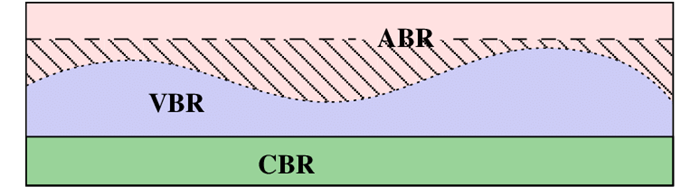
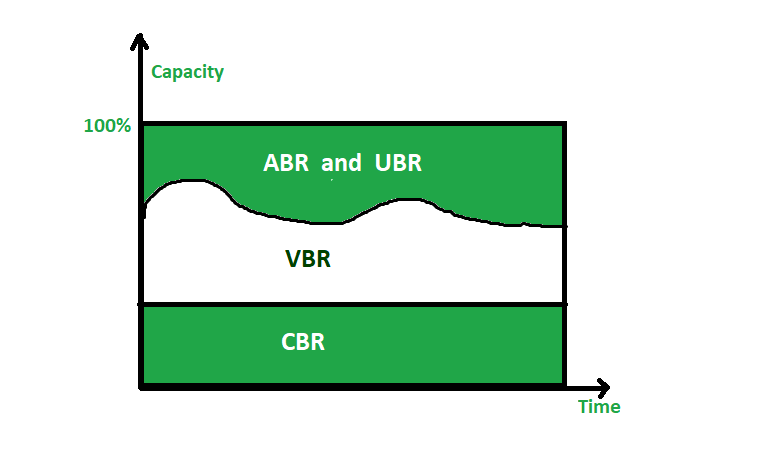
Variable Bit Rate Encoding (VBR) is a technique used by MP3 file format to achieve better compression while maintaining audio quality. Instead of using a constant bit rate for the entire file, VBR adjusts the bit rate according to the complexity of the audio. This means that more complex parts of the audio, such as music with lots of instruments, will have a higher bit rate, while simpler parts, like a solo voice, will have a lower bit rate. This results in smaller file sizes without sacrificing audio quality.
According to the book “Mastering Audio: The Art and the Science” by Bob Katz, “VBR is a much more efficient way of storing audio data…it allows us to use the bits more efficiently.” However, VBR can also be more complex to decode and can cause compatibility issues with some audio players.
Audio Quality
The goal of VBR is to maintain audio quality while reducing file size. However, the quality of the audio can still be affected by the bit rate used. A higher bit rate will result in better audio quality but also a larger file size, while a lower bit rate will result in a smaller file size but lower audio quality. It’s important to strike a balance between file size and audio quality based on your specific needs.
In the words of filmmaker George Lucas, “Sound is 50 percent of the movie-going experience.” So, whether you’re listening to music or watching a movie, the audio quality should be a top priority.
File Size
One of the main benefits of VBR is that it reduces the file size of MP3 files. However, the file size can still vary depending on the bit rate used and the length of the audio file. A longer audio file with a higher bit rate will result in a larger file size, while a shorter audio file with a lower bit rate will result in a smaller file size.
It’s important to keep file size in mind when sharing and transferring MP3 files. If the file size is too large, it may take longer to upload or download, which can be frustrating for both you and the recipient.
Audio Codecs
MP3 file format is not the only audio codec that uses variable bit rate encoding. Other codecs, such as AAC and Vorbis, also use VBR to achieve better compression and maintain audio quality. It’s important to understand the differences between these codecs and choose the one that best suits your needs.
In conclusion, MP3 file format’s variable bit rate encoding is a powerful tool that allows us to store high-quality audio files in a compact size. However, it’s important to strike a balance between file size and audio quality based on your specific needs. Whether you’re listening to music or watching a movie, the audio quality should always be a top priority.
Final Words
In conclusion, the MP3 file format is an incredibly popular and versatile format for audio files. However, the handling of variable bit rate encoding can be a complex and nuanced topic. It’s important to understand the differences between constant and variable bit rate encoding, as well as the potential trade-offs in file size and sound quality.
At the end of the day, it’s up to the individual user to determine which encoding method works best for their needs. Whether you’re a music lover who wants to store high-quality files on your device or a professional sound engineer who needs to carefully balance file size and audio fidelity, understanding the ins and outs of variable bit rate encoding is an important step.
As David Bowie once said, “I suppose for me as an artist, it wasn’t always just about expressing my work; I really wanted, more than anything else, to contribute in some way to the culture I was living in.” By understanding the technical aspects of audio file formats and encoding methods, we can better appreciate and contribute to the world of music and sound.