What is the audio bit rate?


Free Download Mp4Gain
picture

What is the audio bit rate?

BITRATRE

Relationship between “bit depth” and “sample rate” and sound quality

BITRATE

Bit rate is one of the factors that determines the quality of a video job.

Among them, the audio bit rate determines the end of the audio. Understanding the bit rate will allow you to control the sound quality and create higher quality audio.

So on this occasion, I will explain bit depth and sample rate, which are essential to talk about sound quality.

What is a bit rate?
What is a bit rate?
■ Bit rate represents high quality

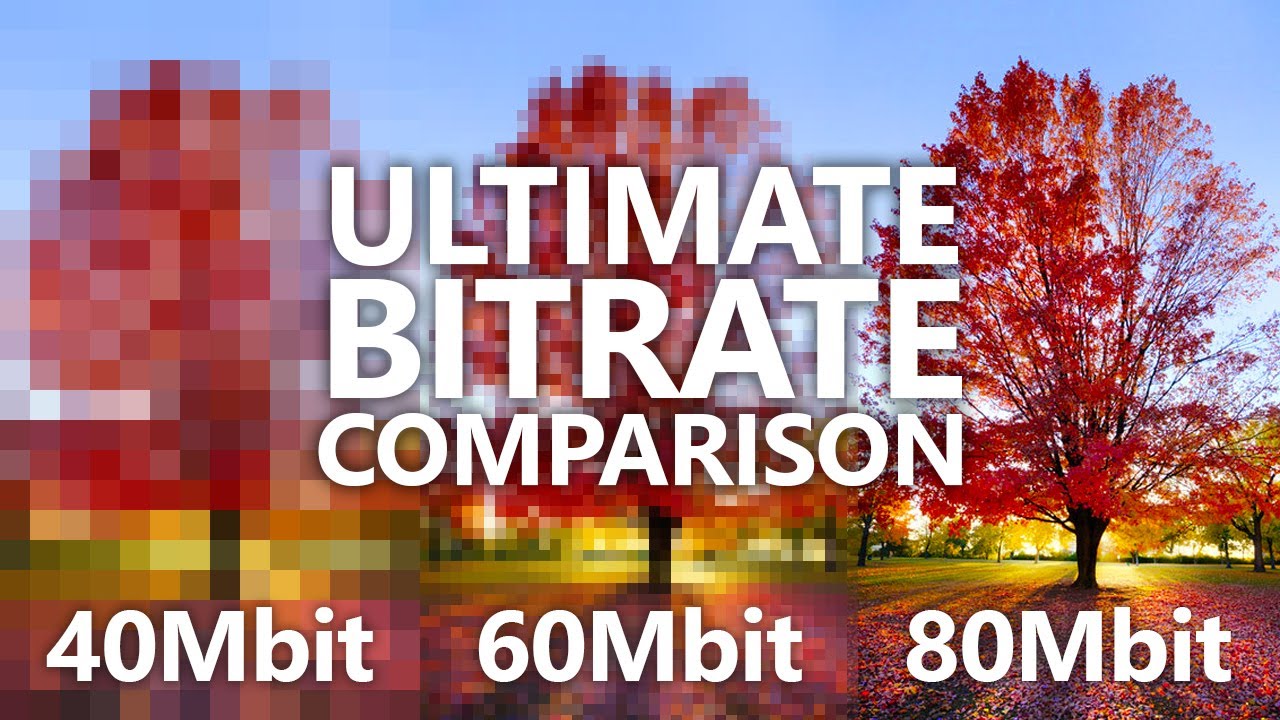
Bit rate is a numerical value that represents the amount of information in the data, and the height of the bit rate is proportional to the quality of the data.

By looking at the bit rate, you can see how much data is packed in one second. Generally, the higher the bit rate, the higher the sound quality and the more realistic the sound and video are.

■ Audio bit rate and video bit rate

In the case of video, the bit rate is divided into two types, video and audio, and the overall quality of the video is determined by the height of each bit rate.

The “video data rate” shown in the video properties is the video bit rate and the bit rate assigned to “audio” is the audio bit rate. The “total bit rate” is the total of the two types of bit rates, video and audio, and is the bit rate of all video.

However, high bit rate audio is not always good sound. This is because if the quality of the original audio data or the equipment used for recording is poor, poor quality audio will be played. For example, if the original voice contains noise, the noise part will be reproduced realistically and the voice will be difficult to hear. Similarly, if the video bit rate is low, the movement will be choppy and unnatural, or the video will be uneven.

What is the bit depth that determines the sound quality?
The bit rate is calculated by multiplying the two factors of bit depth and sample rate. Bit depth represents the amount of data per divided sample and is an element that affects the quality and expressiveness of the sound.

The sample rate is the finely divided horizontal axis and the bit depth is the one that overlaps the vertical axis. By providing a large amount of data (bit depth) to each sample, it is possible to create finer and more accurate audio data.

Bit depth is the precision of each image in animation production. The higher the bit depth, the more expressive the sound and effects will be, and the higher the sound quality will feel.

What is the sample rate that determines the smoothness?
Of the bit rates that determine audio quality, the sample rate is an element that represents the number of data divisions per second on the horizontal axis. It shows how many tens of thousands of data are divided per second, and the greater the number of divisions, the higher the sound reproducibility and sound quality.

It is even easier to understand if you consider it a mechanism similar to animation production. The more images you use per second, the smoother your character will move, and the higher the sample rate (the number of data divisions), the smoother the sound. Also, the amount of data increases according to the size of the sample rate.

in conclusion
To improve sound quality, it is important to increase the audio bit rate. The audio bit rate is determined by two factors: the bit depth, which determines the expressiveness of the sound, and the sampling rate, which determines the smoothness of the sound.

However, it should be noted that the higher the audio bit rate, the more beautiful the audio will be and it will also be affected by the original sound source. If you want to create high-quality data from the moment of recording, why not ask a production company that has high-quality recording equipment?

I think a lot of people are concerned about the balance between capacity and sound quality when it comes to a computer-mounted audio system. Professional engineers and mixers will come up with the best balance, so don’t hesitate to contact us on these points.


Free Download Mp4Gain
picture


Mp4Gain Main Window
picture


Mp4Gain Features
picture


Free Download Mp4Gain
picture

What is a bit rate?

What is a bit rate?

Encoding

What is the relationship between image quality and sound quality?

Video Encoding

Video conversion
Video video format conversion

When you burn video to DVD, rip DVD, or use video-related software, you will often hear the word “bit rate”. What is a bit rate? What is the relationship between video quality and sound quality? This article describes the relationship between bit rate and video quality and sound quality.

Part 1. What is a bit rate?
Part 2. Relationship between bit rate and image quality / sound quality
Part 3. Adjust video bitrate with Leawo Video Pro

Part 1. What is bit rate?
Bit rate is the number of bits transferred or processed per unit of time in telecommunications and computing. Simply put, it is the amount of data that can be sent and received per second. It can also be called bit rate. It is represented as the variable R.

In digital multimedia, bit rate often refers to the number of bits used per unit of playback time to represent continuous media such as audio and video after source encoding (data compression). The media file encoding bit rate is the size of the media file in bytes divided by the playback time (seconds) of the recording multiplied by 8.

In digital multimedia, the bit rate represents the amount of information recorded per unit of time. The bit rate depends on several factors.

The source material can be sampled at different frequencies.
The sample can use a different number of bits.
The data can be encoded using different schemes.
Information can be digitally compressed with different algorithms or different degrees.

Part 2. Relationship between bit rate and image quality / sound quality
Simply put, the higher the bit rate, the better the picture and sound quality.

The sum of the video and audio bit rates is called the oval bit rate (total bit rate). Oval bit rate = video bit rate + audio bit rate

The higher the bitrate, the better the picture and sound quality, but it consumes a lot of net bandwidth and requires PC specs. Here are some points about bit rates.

What is the bit rate of “video / audio”?

What is the bit rate of “video / audio”?

Video Encoding

Bitrate-min

Encoding Video

The bit rate in a video is the amount of data that can be sent and received per second.

Since the amount of data increases, the quality of the video improvement as it is used as video / audio data and increases the bit rate. On the contrary, the lower the bit rate, the worse the quality will be.

The unit is BPS. This is an abbreviation of bits per second. A 1 BPS, you can send and receive 1 data bit per second.

To make it easier to understand, it is the amount of data that is packaged in a video of a second.

How to check the “Windows” bits rate
Right-click on the video file you want to verify → Click on “Properties” → “Details”. The “Total Bit Rate” Here is the total bit rate included in the video.

Bit rate 2 min

“Data Speed” … Video Bit Speed
“Total bit rate” … All bits rates
“Frame rate” … Frame rate (FPS)
“Bit rate” … Audio Bit Rate
By the way, the “frame rate” is the rate of frames. At 60 fps, the image becomes viscous.

What is the optimum number of bit rates for video?
The quality of the video is proportional to this bit rate. So, it is not like that if we must increase this number. The higher the number, the greater the file size.
If the purpose is to give it to YouTube, the recommended bit rate is published, so it is good to consult it. (To August 2016)

Bit rate 3 min
Reference: Recommended coding configuration for loaded videos | YouTube help

Kbps and Mbps.
Both units refer to the amount of data that can be sent per second, but Kbps is a unit called KILOBIT per second Mbps is a unit called megabit per second.

1 kbps = 1000bps
1 Mbps = 1000 Kbps
is. Use as a reference when coding. That’s all for this time.

What is video coding? Explain how to generate video distribution and basic knowledge files. Part 2

What is video coding? Explain how to generate video distribution and basic knowledge files. Part 2

Video Encoding

What are the four points that must be checked before coding work?

Encoding

Although the size of the video file becomes clearer when the encoding process is done, there are some things to consider, such as the quality of the video image becomes lower. From here, I will explain 5 points to be taken into account before coding work.

1. Convert to a compatible file format
The appropriate file format change depending on the purpose of use of the video. Generally, MP4 and FLV versatile are suitable for creating videos for distribution of videos.
If you already have a video distribution service you are considering using, we recommend that you check what file format is recommended.

2. Terminate coding rarely
If the encoding process is done, the quality of picture and sound quality will deteriorate as the amount of data becomes clearer, it will be impossible to restore the original quality. With experience, you can understand what bit rate and resolution should be used for conversion to get quality picture and sound appropriate.
If you are a beginner, you can leave the original data separately as a countermeasure, so even if a video is not code, you can start again, so you can be sure.
Bit rate represents the amount of data that can be sent and received per second. The higher the bit rate, the better the picture quality and sound. However, the higher the bit rate, the larger the file size, so we recommend changing the bit rate according to whether you want to encode the video must have a high image quality.

Resolution: shows the number of pixels called pixels contained in the video frame and is usually expressed as the number of horizontal pixels x vertical.
Example. 4K: 2160p (3840 x 2160) HD: 1080p (1,920 x 1,080), HD 720p (1,280 x 720), etc. The
the file size increases as you increase the resolution, which is adequate considering that. We recommend changing the resolution.

3. Note that coding time-consuming.
The time it takes to encode depends on many factors. Encoding time will vary with the frame rate, resolution, effects used for video, the encoder used and the use of encryption software, such as CPU performance computer.
For video files that have a time and a fixed delivery period, it is a good idea to codify enough time to prepare.

4. Do not lay too time video.
The longer the video is, the greater the data of the video file, which can affect encoding time. If possible, divide the video that is too long in two or cut unnecessary scenes for the video time is not too long.
If you try to encode a long video, it will be a heavy burden depending on the specifications of your PC, and there is the possibility that the work is not complete.

It is important to codify according to the purpose of the video.
Coding work is needed to create and distribute video with ease.

If the frame rate are emphasized, the resolution of the image quality, bit rate, etc., the size of the file will be huge, which will be a burden on both the side of the poster as that of the viewer, and the viewer can not play the video. comfortably and will go halfway. It is possible that you do.
However, the video encode, you can convert a video with quality picture and sound suitable.

This is a must for anyone who wants to make a video for training of the company or an open campus. We crastream recommend a platform video distribution system based on the cloud provided by us.
Crastream is a platform video distribution system high performance for limited objectives, members and employees. Thanks to high security, you can edit and post videos with ease without worrying about filtering external information to the outside. You can request materials for free, so do not hesitate to contact us if you are interested.

What is video coding? Explain how to generate video distribution and basic knowledge files.

What is video coding? Explain how to generate video distribution and basic knowledge files.

Video Encoding

What is the reason for the
coding?

Encoding

What are the four points to take into account before coding work? Is
important to perform the coding according to the purpose of the video.

Recently, many people publish videos in video distribution services such as YouTube. Have you ever heard the word encoding in such a situation?
The coding refers to compressing and encrypting format data, such as video and audio, according to certain rules, and converting them to another data format.
If a video file taken with a video camera is distributed online as it is through a video distribution service, the amount of data will be too large and it can be difficult to see it comfortably depending on the viewer’s Internet environment.
When coding the video he recorded and created, he can turn it into adequate data for his purpose and purpose, and he can see it comfortably.
On this occasion, for those who want to publish a video, I will explain the importance and necessary of the coding work.

What is the reason for coding?
Coding is the conversion of signals and data according to certain rules. It mainly has the meaning of “coding”, “encrypted”, “data compression”, etc. Coding is a necessary task when creating a video. First, I will explain the reason for coding.

A video is like an animated book, and dozens of images per second are recorded, and the data is processed so that they seem to move when connecting them. The frame rate (FPS) indicates how many images are projected per second and, at 20 fps, it means that 20 frame frames per second are used.

Depending on how it records and creates the video, the value of the frame speed can increase, which makes it difficult to see it comfortably. The coders, which are hardware or software to convert data into several formats, are necessary for coding.

Coders are distributed abundantly and some programs can be downloaded free of charge. “XMedia Recode” and “Handbrake” are relatively well known as free software. Try it and find an encoder that is easy to use.

Whenever I upload a video to YouTube, it deteriorates.

Whenever I upload a video to YouTube, it deteriorates.

YouTube

When you upload a video to YouTube, it will be automatically encoded. “Encoding” is the compression and conversion of video data, which changes it to a format that can be played on YouTube.

YouTube

Depending on the size of the video, “compress” means that the uploaded video will be of lower quality than the original video.

Actually, even at the video editing stage, it will be encoded last, so there is a chance that it will deteriorate twice.

In particular, action games with intense movement tend to be easy to understand and the visuals tend to be crude.

It is recommended to record the highest quality video possible at the recording stage so that it will be fine if the image quality deteriorates a little later.

This blog introduces how to record game video on your smartphone and also introduces how to record in the highest quality possible. Try to reference.

What kind of video is “high image quality”?
There are three essential elements when it comes to “high quality” video: “resolution”, “frame rate” and “bit rate”. I think it is a value that is often seen when editing videos.

The details will be presented later, but it can be said that the higher the “resolution” and the “frame rate”, the higher the “bit rate” and the higher the image quality.

What kind of video is high image quality? [Game video / preparation 5 from scratch]
1. What is resolution?
It is a word that expresses the number of pixels (pixels) in the vertical and horizontal directions of a video. It is something like “1920 x 1080” or “720P” that you see often. HD, Full HD, 4K, etc. They are also common names that refer to resolution.

If the screen resolution is high, it will be expressed in many pixels, and it will be a clear and detailed video, that is, of high quality.

What kind of video is high image quality? [Game video / preparation 5 from scratch]
I think there are many opportunities to see the resolution when recording a video or when exporting after editing a video.

When you want to get a rough idea of ​​the quality of your own recorded or edited videos, it’s a good idea to focus on resolution.

YouTube resolution (16: 9)
We recommend 1080p and 720p, but YouTube supports other resolutions as well. Basically let’s make a video that will be one of these.

resolution Known as comments
3840 x 2160 (2160p) 4K Transcendental beauty! Conventional TV picture quality
2560 x 1440 (1440p) WQHD Very beautiful! This is also the picture quality for TV.
1920 x 1080 (1080p) Full HD, Full High Definition, 2K It’s beautiful enough! The highest quality of videos recorded on smartphones.
1280 x 720 (720p) HD, high definition Everything is beautiful! If you record it with a small smartphone, this is what it is all about
854 x 480 (480p) full-width VGA It’s as beautiful as a DVD. The videos are tolerable, but each time they are more beautiful
Youtube Video recommends the aspect ratio of 16: 9. If you use a video with a different aspect ratio than this, a black frame will be displayed vertically and horizontally, so be careful.

2. What is the frame rate?
Frame rate is the number of still images (frames) displayed in a video per second. . The unit is “FPS (Frames Per Second)”. Basically I think it is often written in lower case (fps).

Please note that it is different from the “FPS (First Person Shooter)” shooting game genre! (It’s more complicated because conversations like “I want a monitor to do FPS at 120 fps” are also possible).

A movie is a series of still images. I think it is easy to understand if you imagine a flip book.

What kind of video is high image quality? [Game video / preparation 5 from scratch]
The smaller the number of still images displayed per second, the more inconspicuous the video will appear, and the higher the number, the more continuous it will appear. This is the difference in frame rate.

In other words, the higher the frame rate (= the higher the number of still images), the smoother the video will be. .

Frame rate is a numeric value that can be set at encoding time, and I think 30fps or 60fps is common.

If you also increase the fps, you will increase the file size of the video. If you want to stick to smoothness, like action videos, judge at 60fps, around 30fps otherwise.

Video On Demand

Video On Demand

bitrate

VOD (Video on Demand) services that let you watch the shows you want to watch whenever you want, such as Netflix, Hulu, and Amazon Prime, are popular.

Bitrate

In the past, PC-based devices such as PCs and tablets were required for viewing, but now it is possible to look directly into AV devices such as flat-screen televisions and video recorders.

Although it is such a VOD service, it was not seen with a large block noise at the beginning of playback, but after watching it for a while, the feeling of detail increased and after a few minutes the image quality became satisfactory. be all. That’s not the case with broadcast airwaves and record playback, but it’s weird when you think about it.

VOD services are available for direct viewing on AV devices such as flat screen televisions.

This “phenomenon that VOD video becomes beautiful during playback” is due to a technology called “ABR (adaptive bit rate)”. With the VOD service that supports ABR, the video quality can be adjusted according to the performance of the device and the speed of the communication line, and if the playability is considered to be the low / low speed line, the bandwidth (bit rate) of video will be reduced … On the other hand, if you know that the line has high playability / high speed, the bit rate will increase.

Immediately after playback, there may be little data buffered on the device side and the bit rate is set low, making image quality difficult. However, if the communication is stable and the video data buffer advances to a certain point, the bit rate will increase. Therefore, the image quality will improve after a while from the start of playback.

ABR supports many commercial VOD services along with “MPEG-DASH” transmission technology. The VOD service does not specify the playback device, and it can be said that it is an essential technology because it is not known if the communication line is Wi-Fi or cellular (3G / 4G) and if it is stable.

What is Bit Rate?

What is Bit Rate?

bitrate

Bit rate is the amount of video and audio data transferred per second, and the unit called bps (bits per second) is used.

Bitrate

It is expressed as “video file capacity = bitrate value x time”. The higher the bit rate, the better the picture and sound quality, but the larger the final file size. Adjust the bit rate when you want to reduce the file size when encoding a video file or when you want to improve the image quality.

The higher the bit rate, the higher the image quality, but if the original video has a low bit rate, no matter how high the bit rate is, the image quality cannot be expected to improve. . Also, if you are using a CPU with a slow processing speed or a hard disk with a slow rotational speed, if you play a video created at a high bit rate, the processing may not be in time and they will be lost. frames. Also, when posting a video on the home page, it cannot be played properly if the internet line speed is slow.

The DVD-Video standard requires a total video and audio bit rate of 9848 kbps or less, and the Blu-ray standard (BDMV) requires a total video and audio bit rate of 40,000 kbps or less. Therefore, it is necessary to adjust the bit rate according to the purpose and environment. There are two kinds of

encoding methods: constant bit rate (CBR) and variable bit rate (VBR).
Select the encoding method that suits your purpose, such as image quality at encoding time and final size balance.

Constant Bit Rate (CBR)
All constant bit rates are assigned the same bit rate at all times. Set a high bit rate when you want all video files to be high quality, and set a low bit rate when you want to reduce the file size (a low bit rate can make noise noticeable in a scene with a lot of movement).

It always assigns the same bit rate, so you can easily predict the size of the finished file. Therefore, it is recommended to use it when there is an upper limit for the file size after encoding, or when you want to keep the data transfer rate constant.

Also, in WMV (Windows Media Video), etc., 2-pass CBR can be set. With 2-pass CBR, the amount of data distributed to each video is strictly adjusted and is a mechanism to target higher image quality.

Variable Bit Rate (VBR)
Variable bit rate automatically assigns a high bit rate to fast moving scenes and a low bit rate to slow moving scenes. Since the bit rate is assigned according to the scene, the file size can be reduced while the image quality is relatively high, but the final file size is difficult to predict.

VBR can be divided into two types. 1-step encoding (fixed quality) and 2-step encoding (average bit rate).
1-pass MPEG-2 encoding can shorten the processing time for export by analyzing the video and encoding while maintaining the specified constant quality. However, it is difficult to predict the size of the finished file.

In 2-pass encoding, after analyzing the information from all video data in the 1st pass, the bit rate is assigned and encoded in the 2nd pass based on that information. Although the processing time is long because it is processed twice, it is possible to assign the bit rate efficiently, making it possible to create high-quality video. By specifying the average bitrate, you can roughly predict the size of the file.

[Basic knowledge of video]

[Basic knowledge of video]

bitrate video

An easy-to-understand explanation of the differences between file formats and codecs!

Bitrate

Differences between video file formats and codecs

In this article, I will explain the difference between “file format” and video “codec” in an easy to understand way.

First of all, I don’t understand the meaning of “file format” and “codec”

Even such people can understand it without much thought.

To conclude first

File format (.mov / .mp4, etc.) → Video container
Codec (H264 / AIC, etc.) → Video compression method
It makes a big difference.

To summarize briefly, the codec is the method of compressing the file format.

There are many video file formats and codecs.

Even if the file format is the same, if the codec used is different, it may not be playable depending on the environment. Therefore, knowing these differences and types will be helpful when making or playing videos.

Come on ~

Table of Contents
Understand the file structure of videos
Featuring three main file formats
Quick time (.mov)
Windows Media Video (.wmv)
MP4 (.mp4)
Differences between file formats and codecs
resume
Understand the file structure of videos
First, let’s take a quick look at the structure of video files!

The file format of the video can be recognized by the “extension” when the video is placed on the desktop.

mov screenshot
By the way, this is a video file in “.mov” format.

There are several types of file formats (video containers), but the content is the same.

Video file structure
Video file structure Content
file format There are various formats such as “.mov”, “.mp4”, “.wmv” and “.avi” in terms of extension. Some file formats cannot be played depending on the type of terminal or PC.
Video data The visual part of the video file. Without this, the image will not be displayed on the screen. Due to the large volume of video data, it is almost always compressed.
Audio data Sound data. Without this, there will be no sound. Although the capacity is small compared to video data, it is often compressed as well.
Metadata Text data such as copyright information and shooting date and time.
Featuring three main file formats

I mentioned earlier that there are several types of “file formats” for videos.

If you know everything, you will lose motivation, which is why I will introduce three main video file formats.

Quick time (.mov)
It is a video file format created by Apple Inc. called Quick Time Movie.

You can play it with QuickTime Player on Mac or iTunes.

To play on Windows, you need to install the Windows version of QuickTime Player (free).

Orally, it is called a “mob file” or “M point or buoy”.

Windows Media Video (.wmv)
This is a video file created in Microsoft’s “Windows Media” format.

It can be played with Windows Media Player on Windows.

If you want to play it on Mac, you need to download a media player like LVC.

Taken by mouth, it is called “Double MV”.

MP4 (.mp4)
You have probably heard more about video files.

The reading is “MP4”.

This is the most widely used format.

You can play it with QuickTime Player on Mac, iTunes, and Windows Media Player on Windows.

It is also compatible with many mobile terminals.

Video Basics Part 2

Video Basics Part 2

Video Bitrate

There are two types of bit rates

Bitrate

Bit rate type
There are two types of bit rates.

Constant Bit Rate (CBR)
Variable Bit Rate (VBR)
Constant Bitrate keeps the set bitrate constant regardless of the video content.

An important feature is that the load on the playback device (PC or smartphone) is small, but since the pattern with violent movement becomes a block, it is necessary to set a relatively large bit rate.

In other words, the file size tends to be large.

On the other hand, variable bit rate is a method that automatically increases the bit rate for parts with complicated movements and reduces it for parts with little change, so the overall file size can be kept small.

Instead, the load on the playback device (PC or smartphone) will be high, so the movement may be choppy depending on the device.

Bit rate type Features
Constant Bit Rate (CBR) The
File size tends to be large, making it less burdensome for the playback device.
Variable Bit Rate (VBR)
The file size, which is a large burden on the playback equipment, can be kept small
Which is better depends on the application, but if the image quality is fixed, like Youtube, we recommend variable bit rate with high image quality and light file size.

He didn’t know the difference between the two when he was working. Let’s keep it in our head as knowledge.

Video Basics: What is Frame Rate?

Frame rate knowledge is essential for those who are just starting to record and edit videos!

The video appears to move “showing continuous still images one after another.” Right now, “frame rate (fps)” is the number of still images displayed per second.

It is easy to understand if you imagine a flip book.

Photos and videos feel different, but videos are a collection of photos.

The frame rate is expressed in the unit of “fps”.

This is an abbreviation for “Frame Per Second” and is the number of still images displayed per second.

Remember the general frame rate
Generally, movies are recorded at 24 fps and TV shows are recorded at 29.97 fps.

29.97fps is often downgraded to 30fps because the numbers are not sharp.

The camcorder was originally designed to record video for viewing on a television, so by default it records at the same 30fps as a television.

You can see that a movie has 24 photos per second / a TV has about 30 photos per second.

Frame rate (fps) Features
15 fps Single segment stream frame rate
30 (29.97) fps Domestic TV broadcasts and video cameras in general.
24 fps Frame rate used in movies
60 fps In recent video cameras, as a project with a definition higher than 30 fps, the number of cameras that can record and play back at 60 fps per second is increasing.
The higher the frame rate, the smoother the video will be, but it won’t be blurry and the video won’t be natural.

When exporting as video, there is no question that it should be set to 30 fps or 24 fps general.

Please note that if you edit a video recorded at 24fps to 30fps, you will end up with choppy video due to a lack of still images.

When recording a video → edit, be sure to check the camcorder’s settings (frame rate).

resume
that’s it! As a basic knowledge of video, I explained the difference between “bit rate” and “frame rate”.

The names are similar, but they are completely different.

By the way, what can you think about when video motion stutters

The bit rate is too high to keep up with the playback device’s processing.
The frame rate setting is too low
These two are possible.

There is no doubt that the bit rate and frame rate should be basically set according to the presets.

However, it is easy to fix it if you know the cause, such as when there is a problem playing the video.