What are the benefits of the MKV format?


Free Download Mp4Gain
picture

What are the benefits of the MKV format?
MKV

The Matroska format is a multimedia container envelope for video, audio, and subtitle files.

Matroska

A complete CD or DVD can fit in one file. The extension of a Matroska video file is MKV; only for MKA audio, and only for subtitles, MKS. The MKV format has many advantages over competing containers such as Microsoft® Audio Video Interleave (AVI), Apple® Quicktime® MOV, Moving Picture Experts Group (MPEG) and others.

While each of the container formats currently in use fulfills some or even many of the functions that the container format requires, Matroska aims to be the standard that meets all of them, standing out from almost all the others. Built in EBML (Extensible Binary Meta-Language), it is very flexible to meet future needs.

The first advantage of the MKV format is that it is open source, which makes the code freely available to developers around the world and to the general public. Most other container formats contain mostly proprietary code developed exclusively by the originating company and authorized parties. Open source software has the most potential for more creative solutions and wider implementation.

The MKV format supports menus such as DVDs, chapters, and multiple audio streams to include audio tracks in different languages. As with the DVD, you can choose the language of your choice, provided the creator has included several options.

Soft subtitles are also supported in MKV format. Soft captions are a separate subtitle track in a container that can be disabled or enabled by the user. If you ever downloaded an AVI file with unnecessary subtitles and couldn’t turn them off, you will appreciate this feature.

MKV can contain variable bit rate audio and variable frame rate video, as well as B-frame compression. But unlike most other containers, it also supports almost any video format, including MPEG-1, MPEG- 2, MPEG-4, MPEG-4 Part 2 (H.263), MPEG-4 Part 10 / Enhanced Encoding video (AVC). /H.264, Windows® Media Video (WMV), RealVideo and more.

The MKV format also supports almost any audio format, including lossless audio like FLAC and audio container formats like Ogg. It is also compatible with Speex, a lossy audio compression format for speech. The Matroska development team is confident that future video and audio formats will also be supported, thanks to the core EBML MKV format.

Not all audio players support MKV files. VLC Player, an open source and open source cross-platform audio and video player, supports MKV format without using any special plugins or codecs. Mastroska’s CorePlayer Pro and Mobile are other options. DirectShow® based Microsoft® players can play MKV files with the Community Combined Codec Pack (CCCP) installed. A full list of players, codecs, and plugins that support MKV is available on the Matroska website at the download link.

MKV support also extends offline. Manufacturers such as Samsung® and LG® already have dedicated HDTVs and Bluray® players that support MKV streaming.


Free Download Mp4Gain
picture


Mp4Gain Main Window
picture


Mp4Gain Features
picture


Free Download Mp4Gain
picture

What lossless audio format should I use to store music?

What lossless audio format should I use to store music?

FLAC Audio file format

I started a project to copy my large CD collection and store them. Since I care about sound quality, I decided to store them in a lossless format. Right now I have tried using FLAC. However, reading this article gives me some doubts.

Lossless audio

I have considered using vApple Lossless Files (m4a). It looks like Apple will support this format for years to come. However, I have not found a way to play them on my Playstation 3. The m4a format is compatible with Mac (of course) and on Windows FLAC, on the other hand, it is compatible with all major platforms. The advantage of the m4a format is the ability to import into iTunes. Today I connect my NAS and use VLC for playback (on my Mac computer).

My family has a Synology NAS, Mac Book Pro, Sony PS3, and several Windows computers. So I want to be able to play audio on all these platforms. Synology Server can transcode some formats like FLAC.

What lossless format do you recommend I use to store my audio files on my NAS? It should be a playable format on most platforms. This should be forward looking, but I understand that it is difficult to predict what will continue for many years to come.

One solution would be to keep my FLAC files. You could use them as long as FLAC is supported. When another fantastic lossless format comes out, I’ll have to convert them. As long as it is a lossless format, the sound quality is preserved.

Lossless audio file types: how it differs from Lossless

Lossless audio file types: how it differs from Lossless

Audio File Formats

The word Lossy is used in digital audio to describe the type of compression used to store audio data.

Audio Formats

The algorithm used in the lossy audio format compresses the audio data in such a way that certain information is discarded. This loss of signal means that the encoded sound is not identical to the original.

Lossy audio produces lower quality audio and has a smaller file size.

Lossy compression is also called irreversible compression because data that has been deleted is impossible to recover.

What is the difference between Lossy and Lossless?
When you create MP3 files by ripping one of your music CDs, some details of the original recording are lost, making it a lossy format. This type of compression is not just limited to audio; for example, JPEG image files are also lossy compressed.

Sheets of colored paper compressed into a ball

This method is the opposite of lossless audio compression used for formats like FLAC, ALAC, and others. In this case, the audio is compressed in such a way that the data is not deleted. The sound is identical to the original source.

Lossy archives take priority when it comes to compatibility. While lossless files are only supported by some devices and apps, a lossy audio format like MP3 will work on almost any device.

Examples of lossy and lossless audio file types
With losses Without loss
AA3 ALAC
CAA FLAC
MP3 MONO
MPC SHN
OGG TTA
WMA West Virginia

How Lossy Audio Compression Works
Lossy compression makes certain assumptions about frequencies that the human ear is unlikely to detect.

When a song is converted to a lossy audio format, such as AAC, the algorithm analyzes all frequencies and then discards the frequencies that the ear should not be able to detect. These low frequencies are filtered or converted to mono signals that take up less disk space.

Another technique rules out very quiet sounds that the listener is unlikely to notice, especially in the loudest part of the song. This approach reduces the size of the audio file while maintaining the highest possible audio quality.

What happens to audio when it is compressed
Lossy compression introduces artifacts. These artifacts are unwanted sounds that are not in the original recording, but are a by-product of compression. This noise degrades sound quality and is noticeable when music files are converted with low bit rates.

Various types of artifacts affect the quality of the recording. Distortion is one of the most common artifacts. For example, the distortion makes the drums feel weak, without any real beat. Song voices can also be affected, resulting in harsh vocals and a lack of detail.

In many cases, casual listeners cannot differentiate between lossy and lossless encoding, although some audiophiles using very expensive equipment claim to hear the difference. The quality difference is only noticeable when very low data rates or aggressive compression algorithms come into play.

What is the ALAC audio format?

What is the ALAC audio format?

audio file

If you use iTunes to organize, store, and listen to your music collection, it is most likely stored in AAC format.

Audio Format

If you buy music from the iTunes store, it is definitely stored in AAC format, because this format is the standard for storing audio on Apple devices.

ALAC (Apple Lossless Audio Codec) is a format that stores sound in its original form, that is, without loss of sound quality. Yes, ALAC involves some compression of the music, but not by ruling out those sounds that a person apparently cannot hear, but by using data compression algorithms, so by decoding the music during playback, you will hear the original recording.

The ALAC format is very similar to another audio format that stores lossless FLAC audio.

The most curious thing is that the extension of files that are processed by different codecs, such as ALAC or AAC, have the same extension – m4a. This can be confusing, because it is visually impossible to determine which music file is compressed with which codec.

Of course, this can be done by looking at the amount of memory the file occupies. A normal song, compressed in AAC format, will take up less than 10MB or slightly more, while a melody stored by the ALAC codec may require 60MB or more to store a song.

You can also find out about the file’s encoding type by looking at the file’s properties. For example, in iTunes, this can be done by selecting a file and then following the following path: View Options – Show Columns – Type.

Benefits of the ALAC format
One of the main advantages of using the ALAC format is the quality of the music.

There is no loss of quality when ripping music from a CD; If you want to keep the original playback quality when ripping music from a CD, ALAC is great for that.
Conversion to any other audio file format: This point is a consequence of the fact that the music is stored in its original form. Those. You can convert the ALAC format to any other, even mp3, although AAC and the output will get very high quality output, while converting from one lossy format to another will make the quality noticeably worse.
Restoring your CD collection: If you like to listen to high-quality music and have not yet lost the sense of beauty that awakens every time you hold a physical disc of music in your hands, then you have an audio library at home. The ALAC format allows you to recover damaged CDs by burning a new one to replace the lost one without losing sound quality. This may not be a very popular reason for storing music in the ALAC format these days, however you have to admit that it is very curious.

Popular digital audio file formats

Popular digital audio file formats

Audio File Format

The last five years gave a great boost to the development of portable and stationary audio systems, and with this support for a variety of digital audio formats.

audio format

Small pocket devices have large internal memory, and stationary audio equipment has become even smarter and more demanding. That is why, now, we cannot save space on the player and download songs that weigh between 15 and 30 MB each, but at home, listen to digital music in a quality equal to the sound of analog vinyl.

Description of popular digital audio formats
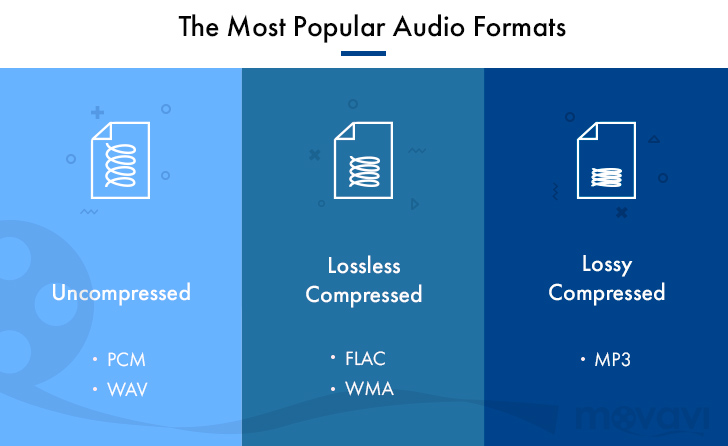
However, the most widespread audio formats still have their pros and cons, and even in an urgent matter like digital audio, a “panacea” has not yet been found. Classic digital audio formats are divided into “compressed” and “uncompressed” streams, as well as formats such as “lossless”, which exclude loss of sound.

Description of digital audio formats Description of digital audio formats

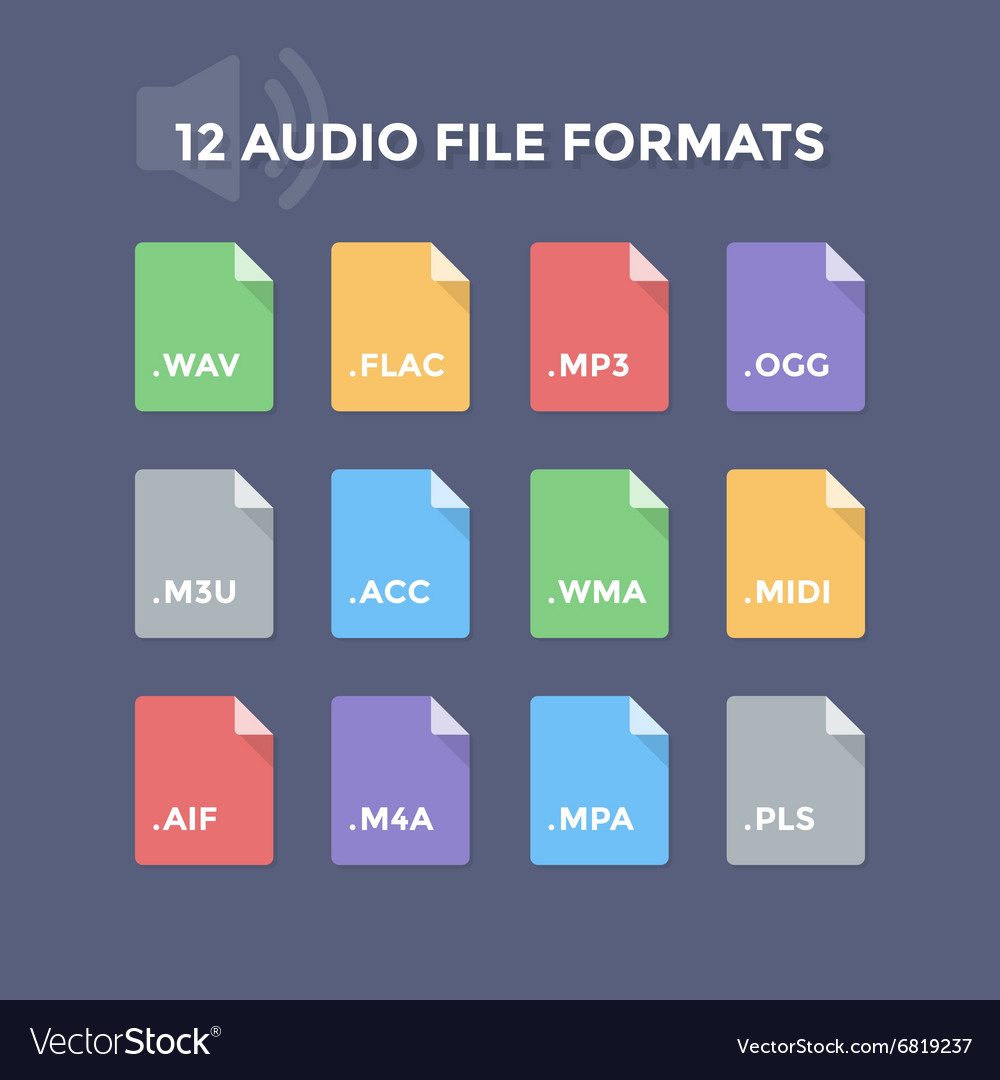
Wav audio format
The Waveform Audio File Format (WAVE, WAV) is a file format for storing a recording of an uncompressed digitized audio sequence. In general, this is the most common format for working in the studio and broadcasting, because it allows you to get the most honest sound quality. For example, the standard audio CD format is an LPCM audio stream, with parameters: 2ch (stereo), 44-100Hz, 16bit.

Mp3 audio format
MPEG-1/2 Audio Layer 3: (MP3) is the most popular digital format for storing compressed audio. The MP3 format uses a special algorithm designed to greatly reduce the size of the original file. This format allows you to preserve audio that is close to the original sound, but thanks to many settings, it is extremely small.
Compared to the standard audio CD format, a file in MP3 format and a bit rate of 128 kbps will be approximately 1/11 the size of the original file.

FLAC audio format
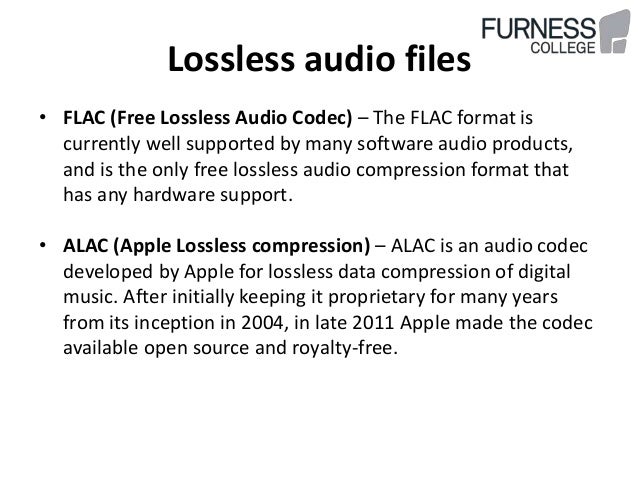
FLAC (Free Lossless Audio Codec) is a popular free codec designed for lossless audio compression. What does it mean? Unlike lossy audio codecs such as MP3 or OGG, the FLAC audio codec does not remove any information from the audio stream. This format is ideal for audiophiles who create their own music collections and listen to music on high-quality equipment.

Ogg audio format
OGG is a format that has not gained great popularity, but is nonetheless used by a fairly large audience. The OGG format, similar to MP3, compresses audio with loss of quality, but is fundamentally different in practical conversion calculations. This made it possible to get better quality with a smaller file size and to display this codec as absolutely independent. In addition to similar formats that convert lossy audio, OGG has the ability to adjust container properties.

Aiff audio format
The Audio Interchange File Format (AIFF) is a fairly universal audio file format developed by Apple, which is used to store audio data. Like its counterpart, the WAV format, it is uncompressed audio and is widely used in professional recordings and music production.
The .aiff and .aif files created by Apple Loops are used by GarageBand and Logic Audio music editors.

M4a audio format
Apple Losseles (also known as Apple Lossless Encoder, ALE or Apple Lossless Audio Codec, ALAC) (m4a) is another Apple development. This audio format refers to uncompressed audio for lossless playback. This is a fairly specific format, which is mainly supported by products of the creator company, and in some cases, as in the iPhone system sounds, where it is possible to use exclusively the m4a format.

What audio format should I choose?

What audio format should I choose?

Music File Formats

Everybody loves music. Some listen to it on the way to work, and others can’t go a minute without their favorite songs.

Audio File Formats

Listening to music comfortably depends not only on the mood, the time, the moon phase and good headphones, but also on the audio format in which it is stored on our devices.

In the 21st century, streaming services are becoming popular, but most people still store music offline and listen to it from their phones, players, audio systems, etc. But this post is not a discussion “Which headphones are better?”, “Why listen to music?” or “Why vinyl, not CD?” but a brief summary of today’s most popular digital audio formats, their pros and cons. I will not discuss all, or compare different encodings, the differences between “this AAC from this AAC”, but I will try to explain in an accessible way the differences of some popular audio formats from each other.

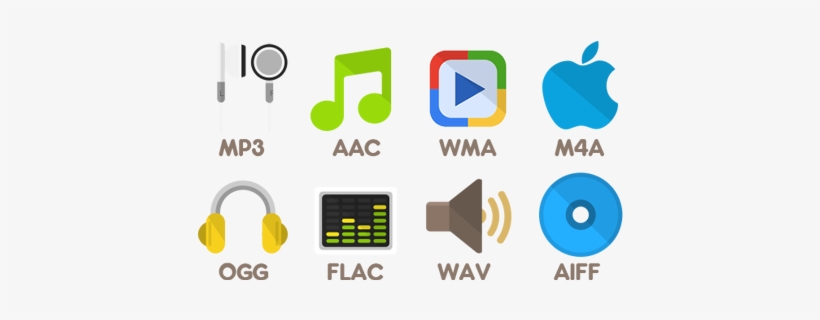
So what is the best way to store your music collection? Today there are many digital audio formats, and if you want, you can see a list of them on Wikipedia. But we will focus only on MP3, AAC, WMA and FLAC.

MP3

The most popular audio format and no one can argue with it. Why is it so popular? It’s simple, because Mp3 was the first audio format with the best ratio (at the time) of file size and quality when compressed. Therefore, most of the songs were translated into MP3, which served as the undisputed primacy of the audio format on the market.

The advantages are clear from the previous paragraph: small size, tolerable loss of compression, ubiquity, support for all devices, and in addition, due to the small size, you can store a large collection of songs on a medium with little memory capacity. which is also an advantage for some.

But Mp3 also has some disadvantages. Even though compression losses are not visible to ordinary people, informed people will immediately notice them. This is a low sound quality compared to other audio formats, as well as a “cut” of frequencies above 17 kHz, which is felt by ear with good headphones.

CAA

The young audio format AAC, mainly promoted by Apple, can be considered the successor to Mp3. AAC seems much more advantageous because Compared to MP3, AAC file compression is more efficient. At a bit rate of 128 kbps, an AAC composition is comparable in sound quality to the same MP3 composition at a 192 kbps bit rate.

Better compression quality is an important advantage of AAC. The disadvantage is not the same prevalence as in the same mp3. Some devices do not yet support this format. And also the compositions in AAC take up more space than in MP3. Not as much as FLAC, but still, for some it is a critical factor.

WMA

The WMA format was created by Microsoft as an alternative to Mp3 for Windows users. It was believed that with half the bit rate of Mp3, WMA produces a similar quality. But, in fact, a composition in WMA at a bit rate of 128 kbps is noticeably lower than Mp3. The advantages include full Windows support, but the disadvantage is extremely low quality at a low bit rate. By personal observation, I will say that I have not seen people storing their music in this audio format for a long time.

FLAC

One of the most common audio formats for music lovers in good quality. FLAC compresses the data, leaving it in the output identical to the original without losing any data, which is the main lossless compression algorithm. Also, decoding the FLAC format is not as demanding on processor resources, allowing you to listen to music on portable devices.

The advantages of music in FLAC are the excellent quality and fast decoding, but less, as a result, the large file size.

So what audio format should you keep your music collection in? If you are not so critical of losses after compression, you want to make a mistake with the support, so that your collection does not become a bunch of useless files in 5 years, you have a limited amount of memory for your music, then choose Mp3. If free space allows you to store larger files, switch to AAC. I personally do not recommend WMA. I think this audio format is dead, although most people will not agree with me. And if quality is important to you, you have a good audio system or headphones, and even minimal compression losses are unforgivable for you, then FLAC definitely is. But be prepared for the fact that you must have plenty of room for music.

Advantages and Disadvantages of Popular Audio Formats Part 3

Advantages and Disadvantages of Popular Audio Formats Part 3

Music File Formats

Ogg
An open container format that has proven its worth in transmitting music and speech, both at low and high bit rates.

Audio Formats

Pros:

– the best audio format in terms of quality-size ratio;
– many additional features;
– small size;
– free license.
Disadvantages:

– low quality;
– Limited support for players and browsers.
Streaming services where you can listen to music in Lossy format
Advantages and disadvantages of popular audio formats
Spotify is the most popular service in the world, which has become a kind of social network, it is distinguished by its speed and the presence of a large number of high-quality music with high bit rates;
Apple Music – 30+ million songs, convenient playlists, author’s picks;
YouTube Premium – a universal service with a large music collection, curated playlists, and easy access;
VK Music (Boom) – a service based on the VKontakte social network with a large collection of music, the ability to download tracks and automatically select music based on user preferences;

SoundCloud: more than 125 million audio recordings with real capacity to connect with artists;
What devices are best for playing audio formats?
Everything is simple here. You can listen to all the richness of the sound of the best audio formats with a high bit rate, for example,

on CD players
on network players
in modern home theater systems
There are many options. The main thing is to make sure that the selected device provides network connections and supports the appropriate formats. Lossy compression formats can be played on almost any device, including mobile.

Advantages and Disadvantages of Popular Audio Formats Part 2

Advantages and Disadvantages of Popular Audio Formats Part 2

Audio file formats

Wav
The waveform audio format is one of the oldest formats that was created by Microsoft together with IBM. It is the best audio format for processing and storing uncompressed audio data in CD-like quality. One minute of sound “weighs” about 10 MB. That is why it is not recommended to store a music library in .wav or send these audio files over the Internet.

audio formats

Pros:

– impeccable quality;
– Instant unpacking – “on the fly” with economical use of the processor;
– wide distribution and support of a large number of programs and audio devices.
Disadvantages:

– a lot of weight.
A THE C
To store lossless compressed information on Apple devices. In terms of compression ratio, it is slightly lower than free FLAC.

Pros:

– there is no loss of quality when copying from a CD;
– the ability to easily convert to any other audio file format with good quality;
– restoration of a collection of CDs by recording new ones with the same quality instead of damaged ones.
Disadvantages:

– big size;
– limitations on compatibility with audio devices.
BOW
Monkey’s Audio is a fairly popular format that is released for Windows, but it has several unofficial codecs for other platforms. The format supports 8-, 16- and 24-bit audio files, which is why it is widely used in the professional field.

Pros:

– high compression ratio and data processing speed;
– the possibility of direct reproduction of compressed information;
– support for information labels and, as a result, the ability to create convenient sound files.
Disadvantages:

– limited support.
Where can I find lossless music?
Listening to lossless music is a real treat. Also, if ordinary desktop speakers are used for a cheap computer or headphones, the full potential of lossless formats cannot be revealed. This requires high-end audio equipment: turntables, speakers, amplifiers, premium headphones, and even high-quality cables. At the same time, a question remains: where to get music in these formats?

Today, together with AudioCD, you can have high-quality music always at hand. This is facilitated by online music streaming services, which are constantly growing in popularity.

Advantages and disadvantages of popular audio formats
Among them are the following:

Deezer is a great selection of lossless music with bit rates up to 1411 Kbps.
Tidal is a popular service with a large collection of high-quality music.
Today, many online radio services have switched to high-quality audio formats. Among them are: Radio Paradise, AI Radio, Absolute Radio, Intense Radio, Frequence 3, Sector.

Lossy – Lossy file formats
MP3
MPEG Layer-3 is one of the most common formats used in file-sharing networks today. The difference between MP3 and FLAC is fundamental. Poor sound quality is felt immediately. It is about the bit rate, which in flac can reach up to 1010 kbps, while in mp3 it only has an average of 128 kbps. This is the difference between flac and mp 3.

Pros:

– excellent compatibility with different programs and audio devices;
– small size.
Disadvantages:

– low quality;
– Very limited technical capabilities.

AAC
Patented format with less quality loss than MP3 and more encoding capabilities.

Pros:

– the presence of MDST technology, which provides good quality with a small bit rate;
– small size.
Disadvantages:

– limited distribution.

Advantages and disadvantages of popular audio formats

Advantages and disadvantages of popular audio formats

audio file formats

In the modern music world, there are a large number of audio file formats that are often confusing for the unprepared user.

Audio File Formats

To understand all this, to find out what they are and what they are used for, the presented review will help.

Advantages and disadvantages of popular audio formats

Types of audio formats

Today is the time that all music lovers, not to mention professional musicians and audio editors, need to understand concepts like audio file formats, bit rates, extensions, bit depth, sample rate and many others. for high-quality sound. Sound has gone digital, which means that it can be used for various purposes, for example, for listening to evidence, for presentations, video dubbing. In fact, digital sound, like an image, is a collection of individual pixels, and the more there are, the better the sound image itself. This “pixelated” sound can be edited and processed.

Advantages and disadvantages of popular audio formats
The figure shows an example of a sound wave recording, where the green curve denotes the original sound and the purple columns indicate its digital form. The number of segments per second is the sample rate. In this case, the digital representation of sound is as follows.

Advantages and disadvantages of popular audio formats
An important role in evaluating the quality of audio formats, and consequently sound quality, is a parameter such as bit rate, which shows how many bits or kilobits it takes to record one second of sound. Low bit rates mean low quality sound, large ones mean high quality sound.

Advantages and disadvantages of popular audio formats
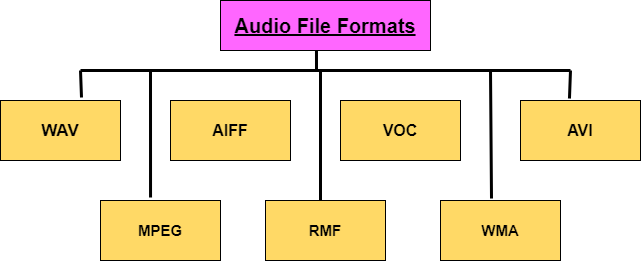
But for the storage and further use of audio in one form or another, audio formats are used – digital recordings of audio data. We can say that the format is a kind of container where the sound is stored. Virtually all audio formats can be divided into two broad categories: lossless compressed and lossy compressed.

No loss, no loss
To avoid as much as possible a decrease in sound quality during the compression of an audio file, special methods have been developed to store audio information, avoiding losses, which in fact can be compared with the file, when the information is simply packed in a zip file, the size of which is noticeably smaller than the original data. Subsequently, this data can be clearly restored on each bit. Also, the bit rate itself is not important for these files. These audio files are collectively called Lossless, Music As Is. These algorithms allow you to compress files two to three times. As a result, the size turns out quite large, but at the same time with the preservation of the original sound.

The most popular lossless formats are as follows.

FLAC
The abbreviation is the name “Free Lossless Audio Codec”. Provides complete security of all data in the audio stream, capable of 1.4 to 4x compression with 350-1010 kbps bit rate, used to create audio collections, and used for listening on premium equipment .

Pros:

– high quality;
– a large number of additional features;
– free license.
Disadvantages:

– quite large size;
– on older operating systems, you must additionally download the appropriate players.

What is a lossless audio format?

What is a lossless audio format?

lossless audio

You might think that the word “lossless” is used for audio formats that use no compression at all.

lossless audio

However, even lossless audio formats use compression to keep file sizes at an acceptable level.

Lossless formats use compression algorithms that preserve the audio data, so the sound is exactly the same as the original source. This is in contrast to lossy audio formats such as AAC, MP3, and WMA, which compress audio using algorithms that discard data. Audio files are made up of sound and silence. Lossless formats are capable of compressing pause to almost zero while retaining all audio data, making it smaller than uncompressed files.

What lossless formats are commonly used for digital music?
Examples of popular lossless formats used to store music:

Commercial

FLAC
Wav
A THE C
Lossless WMA
Impact of Lossless Formats on Music Quality
If you download a lossless music track from an HD music service, you expect the sound to be really high quality. On the other hand, if you convert low-quality music tapes by digitizing them using lossless audio formats, the sound quality will not improve.

Is it possible to convert a lossy song to a lossless song?
It is never a good idea to go from one loss to another. This is because a song that has already been compressed in a lossy format will always be like this. If you convert it to a lossless format, all you get is wasted space on your hard drive or mobile device. You cannot improve the quality of a lossy song using this method.

Commercial

Benefits of Using a Lossless Audio Format for Your Music Library
Using a lossy format like MP3 is still the most common method of storing your music collection. However, there are clear advantages to creating a lossless music library.

Perfect Music CD Backup: Lossless copy of audio files gives you a slightly exact copy of the original music CD. This means that no matter what audio formats come in the future, you will know that you have a perfect copy of the original.
Recovery of loss or damage. Having music in lossless format allows you to recover a damaged original CD or any that has been lost to a blank CD.
Convert to any format. Since your music is in a lossless format, you can convert it to any format and get the highest quality it can support.