
The compressor, together with the equalizer, is one of the most important and most used processors in professional audio, but its operation is not always so intuitive and knowing how to master the compression technique sometimes requires years of experience. In this new article we begin to explore this fundamental processor.
What is the compressor for?
First of all, let’s start to see what the compressor’s function is: to reduce the dynamic range of an audio track, that is, to decrease the distance in volume between the weakest signal and the strongest signal. Initially created to optimize recording on magnetic tape and to avoid saturation of the input stages, the compressor is still used today during recording and mixing. Reducing dynamic range also allows us to keep multiple tracks in the mix, such as a voice, for example, always at the same volume throughout the song so that they are not dominated by the other instruments in the most crowded sections, as well as to avoid Output saturation.
Back to basics: what is the compressor and how does it work
The controls
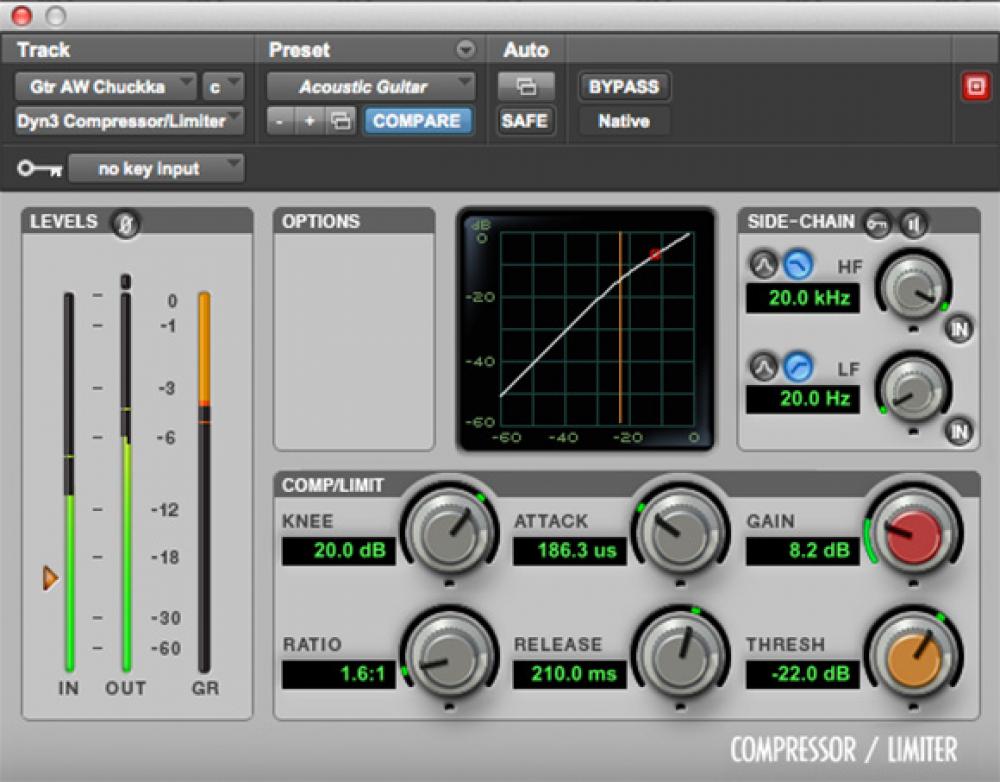
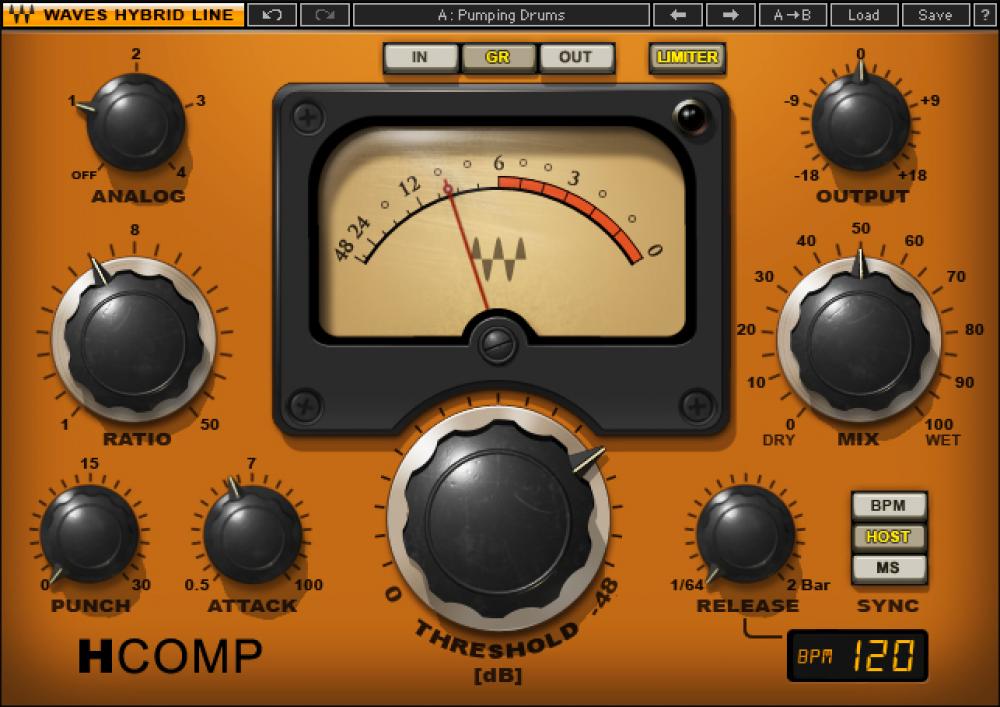
Now let’s see in detail what the various compressor controls are and what they are for:
— Threshold: or threshold, expressed in dB, indicates the point beyond which the compressor begins to operate.
— Ratio: is the compression ratio and indicates how much the signal will compress when it exceeds the Threshold. For example, with a 2: 1 ratio, each signal that exceeds the threshold will be halved at the output, that is, every 2 dB at input 1 will be returned at the output.
— Make Up Gain: This is the output of the compressor and is used to recover the volume lost due to compression.
— Attack: expressed in milliseconds is the time it takes for the compressor to start once the signal has passed the threshold.
— Release: always expressed in milliseconds, it indicates the time it takes for the compressor to stop compression once the signal has returned below the threshold.
— Gain reduction meter: it is not a control but a visual indicator, led or pointer, which informs how much the signal is compressed, through a scale in dB.
— Bypass: shuts down the processor, making the signal pass through the machine without alteration.
With the advent of digital and accessories, we can find controls that not all hardware compressors have:
— Knee: indicates the type of curve at the point where the compressor begins to operate, which can be abrupt (Hard Knee), soft (Soft Knee) or various intermediate values.
— Automatic: sets the time control to which it refers (attack, release or both) automatically, depending on the input signal (program dependent).
— Sidechain eq or External Sidechain: Sidechain is the signal that drives the compression circuit, where in most cases it is the signal itself to compress, but sometimes it can be a version of the input signal with different equalization, for example without low frequencies, so that they don’t start the compressor too soon. Or it can be an external signal, such as the one used on the radio where the speaker’s voice signal drives a compressor on the background music signal, so it automatically turns off when it starts to speak (Ducking), or Classic Speaker Use to activate the compressor on various instruments in the mix or the Master Buss.
— Mix: used to mix the compressed signal with the original signal. This way, you can use Parallel Compression directly on the compressor, without having to use two mixer tracks (one for the dry signal and one for the compressed signal).
Back to basics: what is the compressor and how does it work
Compressor or limiter?
What is the difference between a compressor and a limiter?
Essentially, the compression ratio: over 10 dB ratio, the processor is considered a limiter. A separate case is the Brickwall Limiter, a compressor with immediate attack and a compression ratio of infinity to 1, so that no signal can exceed the Threshold. It is mainly used on the master buses so as not to exceed 0dBFS on the output and then send the converters to clips.
Usage examples
As we already said, the compressor is used to keep the volume excursion under control. One track in the mix: in this case, using a fairly fast attack, slow release and not too aggressive ratio, allows us to compress the signal constantly and transparently, that is, without making your intervention feel excessively.
The compressor can also serve to emphasize the attack of a percussion instrument: in one case, for example, by setting a medium slow attack.


