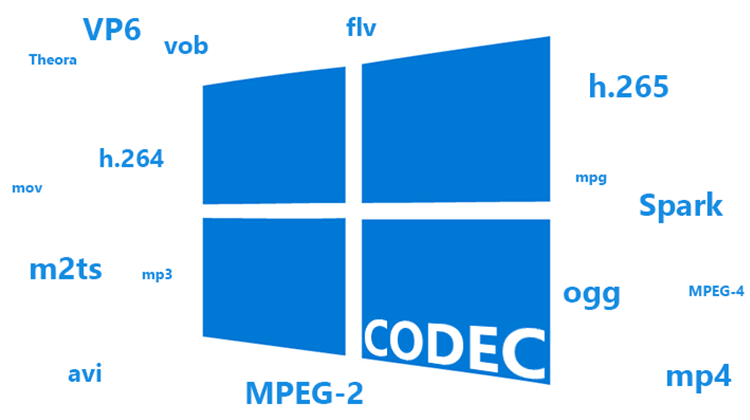
How is the video format different from the codec?


Free Download Mp4Gain
picture

How is the video format different from the codec?

Video format and codec

What is the video format?

Codec Video Format

Although there are many video formats, from analog recording methods (VHS, for example) to digital (Betamax, DV and others), in everyday life we ​​often talk about file formats that contain digital video. In fact, these files are containers that contain not only video, but also various audio tracks and / or subtitles. Each file format has its own characteristics: some allow streaming, some do not. Some may contain multiple audio and video tracks, while others may contain only one. The container only provides one header – “instruction”, which describes how and how to open the tracks stored in it. All information is contained in compressed form, and each object packed in a container is processed in a specific way, characteristic of the selected container type.
The most common container formats are:
1. AVI (Audio and Video Interleaved) developed by Microsoft for Windows. In theory, it can store various audio and video streams, in practice it is rarely used.
2. FLV (Flash Video) is optimized for streaming video over the Internet; Advantages: quality preservation even at low bitrate, the ability to view from anywhere, regardless of the operating system.
3. 3GP focuses on mobile devices that provide the ability to record / view audio and video.
Most of the listed formats are commercial, but there are projects based on completely open standards. The most popular among them is MKV (Matroska).
Although it is more correct to use the term “media container”, in colloquial speech the word “format” has become more popular. There is no crime in this, so in the communication process you can safely operate with the data, leaving the “containers” for professional discussions.
It is sufficient that the player program understands how to correctly identify the type of container to correctly reproduce the data stored in it. Consequently, the user must know which formats the player supports and install the necessary set of several on the computer (if one cannot play all of them).
Generally, a splitter program is involved in unpacking file and media containers (it can also be part of a player). Your task is to extract the content and only then transfer each audio / video stream for decoding using codecs.

What is a video codec?
To decrypt the contents of a media container and convert it into a video stream, you will need codecs, programs of formula similar in principle to filing cabinets. Having the required codec will allow you to correctly decompress the compressed image, so it is important to have as complete a set as possible of these algorithms so as not to find a message about an unsupported video format. From an academic point of view, it is more correct to speak of decoders, but, as in the previous case, it is easier to operate with the concept of “codec”, it is universal for both digitization and video playback.

What are the codecs?
The most popular video codecs used for home use are Xvid and DivX. Movies distributed on DVD are encoded with the MPEG-2 codec.
In general, DivX is the most common proprietary MPEG-4 codec. And the Xvid codec is based on one of the versions of DivX, but open source. There is also x264 (a codec for compression in the H.264 standard) and TrueMotion VP6 (used as one of the main encoding options in the Flash Video format). The rest of the codecs, and there are many, you may not need them in practice, but it is better to have them all the same. As a general rule of thumb, the full set can be obtained by installing the K-Lite Mega Codec Pack, but some of them may have to be added manually later.

Conclusions
The video format is determined by the extension of the container file, but it is not always known which codec was used to compress the information it contains. And if to play the required format it is only important to know if the media player supports it, then to determine the codec you will have to use a third-party utility (for example, AVIcodec or GSpot), and only then add the missing codec to the system.


Free Download Mp4Gain
picture


Mp4Gain Main Window
picture


Mp4Gain Features
picture


Free Download Mp4Gain
picture

What exactly is a codec?

What exactly is a codec?

Codec

Today there are about three dozen common digital audio formats. Why you need to create so many types of sound files to store one type of content and how to manage all this, you will learn from this material.

Codecs

Surely many users prefer to use their home computer not only as a workhorse, but also as a multimedia center, where they can watch movies or family photos, as well as listen to their favorite music. Although compact digital players or mobile phones are certainly more suitable for listening to musical compositions, but unlike them, a computer can not only play music.

No matter how big the built-in memory of your music player is, it will most likely be difficult to store your entire music library on it. Plus, you can create, edit, organize, and search for music with your PC. Also, don’t forget that there are around three dozen common digital audio formats today, and most players are far from omnivorous and can only play a few of them.

So why do you need to create so many music formats to store one type of content? The fact is that, in the vast majority of cases, the sound is stored in “compressed” form, since one minute of uncompressed composition occupies about 10 MB on the hard disk. On the one hand, this seems not to be much, but on the other, if you are a music lover and your collection consists of several hundred or even thousands of songs, then it is clear that the sound must be compressed to reduce the space it occupies in electronic media.

Various special algorithms are used to compress music files, which subsequently determine the structure and presentation of the audio data, or so-called digital audio file formats. All audio formats can be divided into three groups: uncompressed audio formats, lossless compression, and lossy compression.

No compression
One of the most widespread formats related to this type is the well-known WAV. The sound of files with this extension is stored without compression or changes. It is true that much more space is required to store uncompressed files and therefore WAV is more widely used only in professional audio and video applications, where the sound should not have a loss of quality before processing. Keeping ordinary musical compositions in this form is unwarranted waste.

To play WAV files, you do not need any special software, as all media players understand this format, including the standard Windows Media audio player built into the Windows system.

Another format used to store uncompressed audio that is worth mentioning is Apple’s development called AIFF (Audio Interchange File Format). As you may have guessed, it is most commonly used on Macintosh computers running Mac OS X.

Lossless compression (lossless)
Lossless compression algorithms for audio files work on the principle of conventional file cabinets. They do not provide the highest level of compression (40 to 60%), while they have virtually no effect on sound quality. It is also worth noting that in this case, the encrypted data can be fully restored to its original form. Therefore, the use of lossless compression is most often used in cases where it is important to preserve the identity of the compressed data with respect to the original.

The most popular audio formats in this group are FLAC (Free Lossless Audio Codec), APE (Monkey’s Audio), WMA (Windows Media Lossless), and ALAC (Apple Lossless Audio Codec). Each has its own pros and cons. For example, the APE codec offers slightly better compression gains, while FLAC is more common. In general, all true music lovers store their music collections in lossless formats, since they do not remove any data from the audio stream and files created with these codecs can be listened to even on high-quality stereos.

To play lossless compressed formats, as a rule, third-party players (except WMA) are used, such as MPlayer, foobar, AIMP, Winamp, VLC and others, since all the necessary codecs are already built into them. Another option is to separately install an additional codec pack (for example, K-Lite), after which you can listen to files in lossless format from almost any audio player.

Lossy compression
This is the most popular group of algorithms that provides the maximum audio compression ratio (up to 10 times or more). However, unlike previous formats, the audio file loses quality.

What are video codecs and audio codecs?

What are video codecs and audio codecs?

Video Codecs

Almost any computer user periodically listens to music on it, which is stored electronically. There are many formats for storing music, each of them was developed for specific tasks:

Video Codec

Bit rate is the amount of information used during encoding for 1 second playback. The higher it is, the less the distortion and the sound matches the original as much as possible.
Lossless – Lossless audio encoding. By converting to lossless formats and vice versa, we get exactly the same sound.
Lossy: compression formats designed for the fact that a person simply cannot physically hear certain frequencies that are skipped during conversion. At the same time, it can significantly save the amount of disk space.

Audio CD
The format that ushered in the era of digital sound after the transition from vinyl records. It was adopted as a standard in 1979 by Philips and Sony. In the audio CD format, music can be physically stored only on optical media; when recording to a hard disk, the audio track must be converted.

Due to the highest sound quality and the ability to play on any player, the format is still very popular, even though it is quite old.

Flac
Perhaps the most common format for storing lossless music. Compared to other lossless audio compression codecs, flac developed by xiph.org is completely free and offers the smallest output file size.

MP3
The most popular music format accepted as an unofficial standard for any playback device. Its popularity is based on the fact that because it cuts frequencies inaudible to the ear with practically the same sound quality, an mp3 file is 30% of the original lossless file.

The first audio track in mp3 format appeared in 1994. One of the reasons for its popularity is the ability to store a variety of additional information on audio file tags and the convenience of organizing a music library.

Ogg
A new lossy format that was launched in 2002 as a free alternative to paid formats. Unlike its predecessors, mp3 in particular, it allows the possibility of multi-channel encoding and multi-channel audio storage. It is most used in video games.

The term “audio” today means everything that is somehow connected with sound. This is processing, playing, mixing and simply listening to audio recordings. Few people know that during their existence all popular audio formats have undergone significant changes, sometimes for the better and sometimes even for the worse.

The problem is that when the creators tried to improve the recording quality by using the new format, the size of the result increased significantly. Reducing the size of the final file resulted in a significant loss of quality. But this was not always the case.

The first mention of computer sound is associated with the creation of several primitive video games. Then the sound was played back using the speaker of the system. As the software developers of that time did not try, they failed to achieve the level of quality that would be compatible with tape and reel recorders. This is what got many developers thinking about how to change the audio format to make the sound more natural and natural. It is this problem that has led to the current competition in the audio market. As a result, the formats used strongly affect the quality of the reproduced material and the configuration of the basic playback parameters.

WAV format

The first full quality of audio formats is associated with this particular format. The WAV extension designation was derived from the English word “wave”, which means wave in Russian. It was this format that became the first audio format to be processed with computer programs at a highly professional level. Files with a WAV extension had the following characteristics:

– depth of sound;
– sampling frequency;
– bit rate, etc.

This format was even compatible with the sound that could be obtained after processing an audio CD with an equalizer and other tools. However, the file size in this case was completely unwarranted. For example, the most common 3 minute long track could be up to 50 megabytes long.