What is the best Bluetooth audio codec: LDAC, aptX, AAC, etc.?


Free Download Mp4Gain
picture

What is the best Bluetooth audio codec: LDAC, aptX, AAC, etc.?

Bluetooth Audio Codec

There is a clear future for wireless devices, in particular for headphones. Smartphone manufacturers are increasingly abandoning the 3.5mm audio jack as they continue to implement wireless solutions, including TWS. In almost every review, the phrase Bluetooth audio codecs appears.
Bluetooth audio codec

What does it actually mean and what are the results of using this specification? Here you select the Bluetooth codec with the best sound quality and maximum connection stability. CONTENTS Best Bluetooth Audio Codecs APTX APTX HD SBC CAA LDAC LHDC

What is the best Bluetooth audio codec? The best Bluetooth audio codecs There are currently dozens of codecs, which can be confusing, but it is very important to understand them. They have a major impact on sound quality, transmission delays, and signal quality. Another part of modern standards allows a more economical use of battery power.

Chances are, the reader has already heard of bit rate and compression, as well as more specific terms like lossy. All this is a real minefield for a person who just wants to buy high-quality headphones with a fast, high-quality and stable connection to the device and a “tasty” sound. Below are the audio codecs that you should definitely be familiar with. APTX The Bluetooth aptX audio codec first appeared in the technological world in the late 1980s. Its essence was the transmission of sound in CD format via Bluetooth. In order to transfer enough data over the wireless network, aptX uses compression. Reduce latency. AptX includes support for 16-bit / 48 kHz LCPM up to 352 kbps, which is why it is classified as a lossy compressed format.

The final file size is really small, but its decryption does not restore the original quality. AptX is now considered the most popular Bluetooth codec among MP3 consumers. Almost all Android smartphones support it. APTX HD It’s not hard to guess that aptX HD is the aptX audio codec with the best audio resolution. The technology was acquired by Qualcomm, so more expensive Android smartphones based on Qualcomm’s chipset support AtpX HD by default. It can handle clear 24-bit / 48 kHz audio with a maximum bit rate of 576 kbps. Now the audio quality is better than that of the CD. The signal-to-noise ratio is much better compared to the previous version, it can be heard even without particularly high-pitched hearing.

It is felt especially in the details of the tools that are merged into aptX. In order to use the technology, both the smartphone and the headphones must support this codec. Today it can be found in OnePlus 8 and 8 Pro, Google Pixel 3a and Huawei P30 and P30 Pro. Among the headphones, the aptX HD codec mainly features world giants and similar models are not cheap. For example Sony WH-1000MX3 and Bowers & Wilkins PX and some TWS like Cambridge Audio Melomania 1. There is also an aptx LL codec which reduces latency. This is Qualcomm technology that increases the audio transmission speed up to 40ms. It is widely used in gaming headsets.

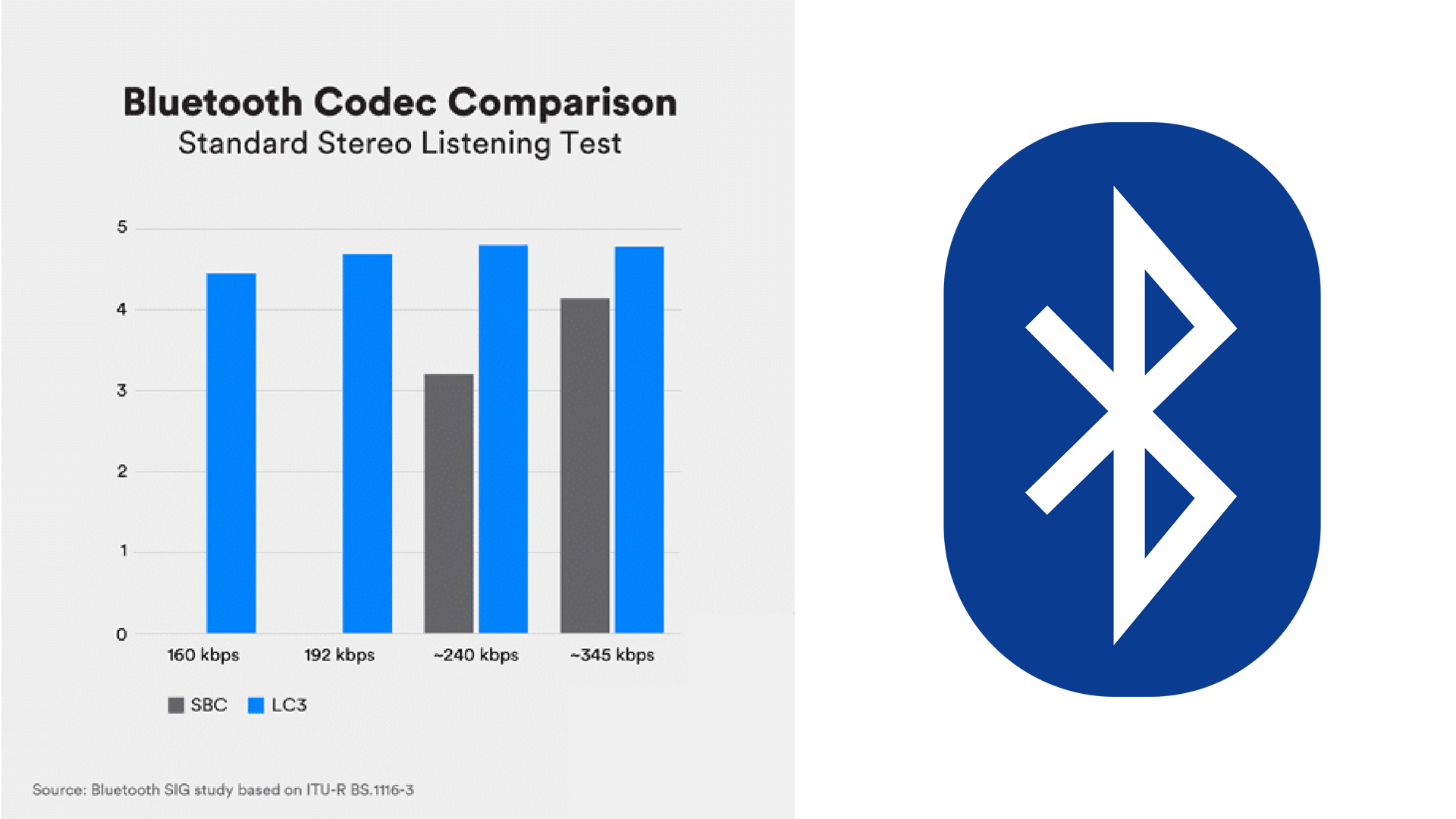
SBC Subband Encoding (SBC) is the default codec used with Bluetooth. It is a low quality Bluetooth audio signal. This is not the audio codec favorably shared by a smartphone or headphones, but almost all devices support it. It is considered mandatory for all A2DP devices. The maximum transmission speed is about 320 kbps.

ACC

Advanced Audio Coding (AAC) is the standard received by Apple iPhone users. It is also used by the free version of YouTube. AAC allows you to fully enjoy MP3 audio quality, but at a limited bit rate of up to 250 kbps. The downside of the codec is high power consumption, which negatively affects the battery life of both devices. To unleash all facets of MP3, you need not only an iPhone, but also premium headphones like the Bose Noise Canceling 700. Подробнее: https://gamesqa.ru/smartfony/kakoj-luchshij-audiokodek-bluetooth-ldac- aptx-aac-18159 /


Free Download Mp4Gain
picture


Mp4Gain Main Window
picture


Mp4Gain Features
picture


Free Download Mp4Gain
picture

What are Codecs?

What are Codecs

CODECS

Whether you make your own video and audio files available on the Internet or want to use existing resources, there are a host of different player programs, codecs, and file formats available. Here we guide you through the jungle of MPEG, AVI, MKV & Co. On the one hand, the relationships between the different components of the system are explained. This will solve puzzles for example why only certain AVI videos are displayed on your computer and how you can solve such problems. On the other hand, the advantages and disadvantages of the different formats and methods are explained. In this way, you can evaluate what quality you can expect from an audio or video file and which files are particularly suitable for your purposes.

Codecs

As an end user, you are particularly familiar with one type of program: playback programs (or “players”). They play audio or video files and are therefore the software equivalent to CD or DVD playback devices. The program interface contains elements of a remote control: there are buttons for play, forward, backward, pause, etc. B. Windows Media Player, VLC Player, or Apple iTunes. Instead of inserting a data carrier, the files must be opened on the software players. Audio and video files can only be opened by a player if it can do something with the file format used.

File formats

The digital data with which analog video or audio signals are represented can be organized in various formats. This can best be explained for a single image – there are multiple ways to store individual pixels in a file. For example, if the image points are stored one after the other from left to right or first from top to bottom in the file it is of course a convention that must be specified. The way a color value is stored must also be clearly defined. These and many other specifications are determined by the respective file format. To store the data, a predefined encoding rule is always followed, which is ultimately decisive for the data to be interpreted correctly. Perhaps the difference between individual formats is better understood if you think of them as different data carriers: CDs, large and small discs, tapes, etc. they may contain audio data, but you still cannot put a disc in the CD player! The MPEG, Quicktime or Matroska formats are equally different. These formats are also known as container formats. The container can easily be imagined as a box that in turn contains various audio and video codecs. These codecs can encode and decode files, that is, compress a signal for transport, and then decompress it again during playback. if you think of them as different data carriers: CDs, large and small discs, tapes, etc. can contain audio data; however, you cannot put a disc in the CD player. The MPEG, Quicktime or Matroska formats are equally different. These formats are also known as container formats. The container can easily be imagined as a box that in turn contains various audio and video codecs. These codecs can encode and decode files, that is, compress a signal for transport, and then decompress it again during playback. if you think of them as different data carriers: CDs, large and small discs, tapes, etc. can contain audio data; however, you cannot put a disc in the CD player. The MPEG, Quicktime or Matroska formats are equally different. These formats are also known as container formats. The container can easily be imagined as a box that in turn contains various audio and video codecs. These codecs can encode and decode files, that is, compress a signal to transport it and then decompress it again during playback. The MPEG, Quicktime or Matroska formats are equally different. These formats are also known as container formats. The container can easily be imagined as a box that in turn contains various audio and video codecs. These codecs can encode and decode files, that is, compress a signal to transport it and then decompress it again during playback. The MPEG, Quicktime or Matroska formats are equally different. These formats are also known as container formats. The container can easily be imagined as a box that in turn contains various audio and video codecs. These codecs can encode and decode files, that is, compress a signal to transport it and then decompress it again during playback.

Many different codecs for playing video and audio data
In the living room, the various playback devices are often combined into one system, so multiple devices are not necessary. Different playback programs work the same way: they can read and play different formats. A separate codec is used for each format. These are snippets that only do one job: encode and decode audio or video information. Each codec can be used to write and read exactly one format. Different codecs are used for different formats; correspond roughly to the individual technical components of your stereo system. But instead of a K device for playing discs and a C device for playing DVDs, there is an M codec for playing audio in MP3 files and a W codec for playing video according to the MPEG-4 standard in MP4 files. Most of the players already have multiple codecs built in and therefore can play multiple file formats. There is also the possibility for a player to learn to understand other file formats by adapting additional codecs. Just as you can connect additional devices to your stereo system, such as an old record player or a high-end CD player, the players can be upgraded with plug-ins. A codec plugin is independent of a specific player and can be used by different players. Additional codecs are required, eg. Eg B. if you want to play newer or rarely used file formats with your playback software.