High-end sample rate conversion

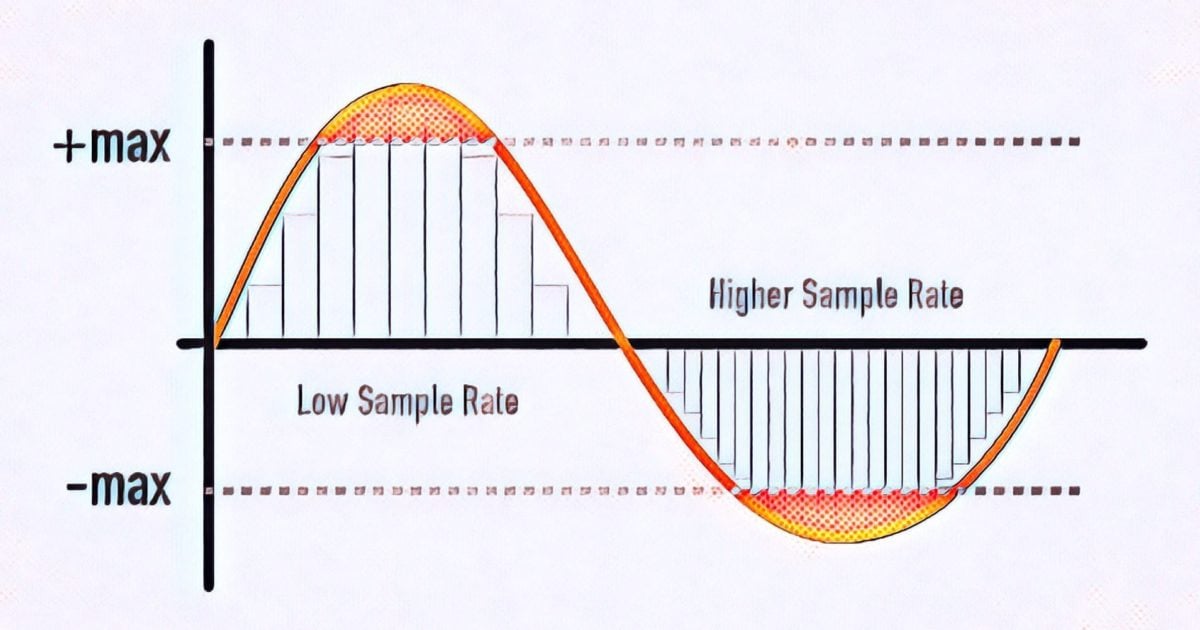
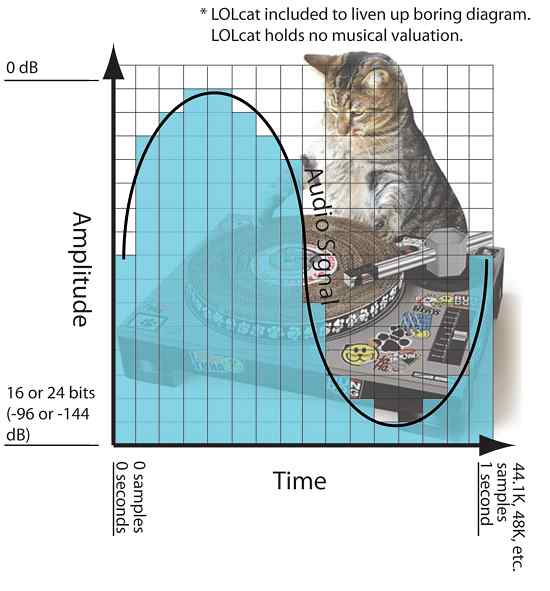
The sample rate is the number of measured digital signal samples (passes) per second.
High-quality conversion (change) of the sample rate is quite a complicated and resource-intensive process. Especially if the frequencies of the input and output signals are not multiples of each other (44.1 and 96 kHz). Next, we will look at the characteristics of the audio sample rate conversion process that affect sound quality.
About the DSD sample rate conversion.
Sample rate converter for Mac OS X, Windows
AuI ConverteR 48×44 Free Download
Download the FREE AuI ConverteR 48×44 HD Audio Converter for Hi-Res Music
WAV, FLAC, AIFF, ALAC, (1 bit audio) ISO, DFF, DSF, WMA, mp3, CD-audio …
WARNING: DSF, DFF supports maximum PROduce-RD and Modula-R
FREE demo muted 2 seconds of silence in the middle of ISO, DSF, DFF tracks output
lasting more than 3 minutes
FREE DOWNLOAD
for WINDOWS FREE DOWNLOAD
for MAC OSX
Where are sample rate converters used?
Sample rate conversion can be: in real time (on the fly, converting the audio stream signal) or by converting files.
Sample rates are changed in real time when playing samples and mixing multiple audio tracks from the sequencer program (imported from external files with different sample rates).
In audio engineering, the 2 series of sample rates are mainly common:
1) CD: 44 100, 88 200, 176 400 Hz;
2) DVD Audio and DVD Video: 48,000, 96,000, 192,000 Hz.
Not only musicians and professional sound engineers need to bring the sample rate to the desired value, but also in the field of home audio and video. For example, when playing audio files, a media player may imperceptibly “adjust” the sample rate of the file to the sample rate set in the sound card settings.
Sample rate conversion algorithm
The algorithm for changing the sample rate (both hardware and software) consists of the following steps:
1) Increase the sampling frequency to a frequency that is a multiple of the sampling frequency of the output signal.
2) Filters out “spurious” signals (called “artifacts”) that are above half the output sample rate.
3) Multiple decimation subsampling (discarding) unnecessary samples.
Sample rate converter circuit
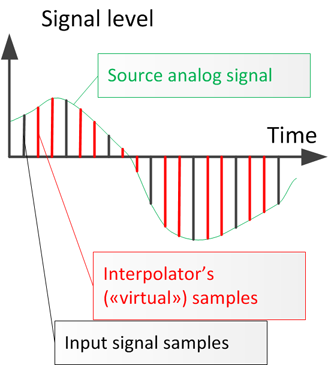
Up sampling is done by inserting additional samples (“virtual” – generated by the interpolator) between the existing samples in the input digital signal.
Sample interpolation: insert virtual samples between real ones
It is sometimes used to insert “virtual” samples with zero values into the digital signal. This method is computationally faster. But this way of increasing the sample rate adds a significant amount of “artifacts” to those present in the interpolated signal.
Why do you need a superior sample? To complete point 3). Since it is easier to dilute the samples in multiples, simply discarding the excess ones.
The “spurious” signals (with frequencies above half the output sample rate) are then filtered. Otherwise, discarding “extra” samples will fall into the spectrum of the useful signal and distort it (add extraneous sounds).
What makes a high-end audio sample rate converter different from a medium-quality converter?
To introduce minimal distortion into the signal during conversion, we must interpolate it as accurately as possible. The interpolation precision is the maximum degree of repetition of the additional interpolator samples of the original analog signal. It should be remembered that the highest quality interpolator can accurately reconstruct the original analog signal. But not with 100% accuracy. Poor me. When the sampling frequency is increased, false signals will appear above half the sampling frequency of the output signal.