Converting MP3 to WAV: A Technical Overview


Free Download Mp4Gain
picture

Converting MP3 to WAV: A Technical Overview
MP3 to WAV
Mp3 to Wav

If you’re an audio geek, you might want to convert your MP3 files to WAV format to get a higher quality sound. Converting MP3 to WAV is a simple process, but it’s important to understand the technical differences between the two formats.
Mp3 to Wav
Mp3 to Wav

MP3 vs. WAV: What’s the Difference?

MP3 and WAV are both audio file formats, but they use different methods to compress and store audio data.

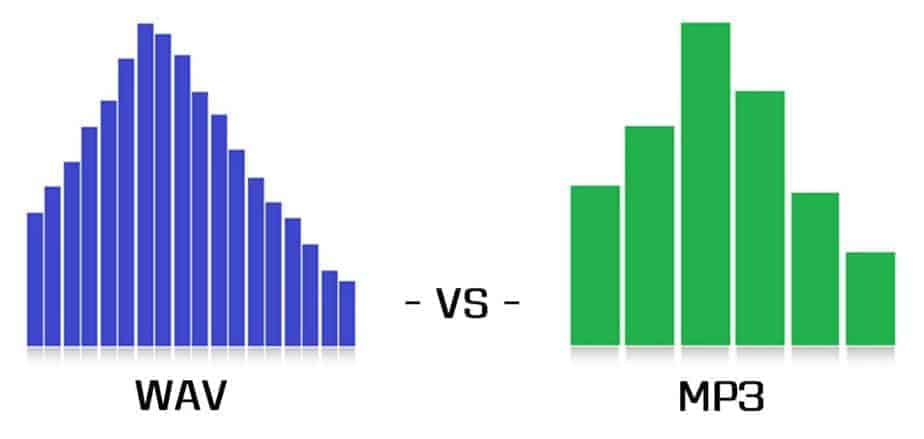
  • MP3: MP3 is a lossy audio compression format. This means that some audio data is lost during the compression process. MP3 files are smaller in size than WAV files, but they also have lower audio quality. MP3 files are popular for streaming and portable audio players because of their small file size.
  • WAV: WAV is a lossless audio format. This means that all audio data is preserved during the compression process. WAV files are larger in size than MP3 files, but they offer higher audio quality. WAV files are commonly used for professional audio editing and production.

Converting MP3 to WAV: The Technical Process

Converting MP3 to WAV involves decoding the MP3 data and re-encoding it in WAV format. Here’s a technical overview of the process:

  1. MP3 decoding: The MP3 data is read and decoded to raw audio data.
  2. Audio processing: The raw audio data is processed, including any required resampling, normalization, or filtering.
  3. WAV encoding: The processed audio data is encoded in WAV format.

Factors to Consider When Converting MP3 to WAV

When converting MP3 to WAV, there are several technical factors to consider:

  • Audio quality: The resulting WAV file will have higher audio quality than the original MP3, but the quality can still be affected by the initial MP3 compression and any subsequent processing.
  • File size: The resulting WAV file will be larger in size than the original MP3, which can affect storage and transfer.
  • Bit depth and sample rate: The bit depth and sample rate of the WAV file can affect its compatibility with different audio devices and software.

Conclusion

Converting MP3 to WAV can improve the audio quality of your files, but it’s important to understand the technical differences between the two formats. By considering factors like audio quality, file size, bit depth, and sample rate, you can ensure that your WAV files are optimized for your needs.

The History of WAV: From Cassette Tapes to Digital Audio

The WAV (Waveform Audio File Format) is a popular file format for storing and playing digital audio. But where did it come from, and how did it become so widely used?

The Early Days of Digital Audio

The history of the WAV file format goes back to the early days of digital audio. In the 1970s, digital recording technology was still in its infancy. Early digital audio systems used magnetic tape to store the digital audio data. This allowed the audio to be captured in a digital format, but the resulting files were quite large and difficult to work with.

In the 1980s, a new digital audio recording format was developed. Called the Digital Audio Tape (DAT), this new format used a rotating head to record and play back digital audio. DAT tapes were much smaller and more convenient than earlier magnetic tape formats, and they could store up to two hours of digital audio.

The Emergence of the WAV File Format

In the 1990s, personal computers became more powerful and began to include sound cards as standard equipment. This made it possible to record and play back digital audio on a computer. However, there were many different file formats for digital audio, and there was no standard format that could be used on all computers.

In response to this problem, Microsoft developed the WAV file format in 1991. The WAV format was designed to be a standard format for storing and playing digital audio on a computer. It was based on the Resource Interchange File Format (RIFF), a file format used for multimedia files.

The Advantages of the WAV File Format

One of the main advantages of the WAV file format is that it is an uncompressed format. This means that the audio data is stored in its original form, without any loss of quality. It is also a simple format, with a header that contains basic information about the audio file, such as its sample rate and bit depth.

The WAV format is also widely supported by audio software and hardware. This makes it a popular choice for professional audio production and editing. In addition, WAV files can be easily converted to other audio formats, such as MP3 or FLAC, without any loss of quality.

The Future of the WAV File Format

Today, the WAV file format is still widely used for digital audio recording and playback. However, new file formats, such as FLAC and ALAC, have emerged as alternatives to the WAV format. These formats offer better compression, which means that audio files can be stored in a smaller size without sacrificing quality.

Despite the competition from newer formats, the WAV format remains a popular choice for many professional audio producers and engineers. Its simplicity, uncompressed nature, and widespread support make it a reliable and flexible format for digital audio.

So there you have it, the history of the WAV file format. From its early days as a solution to the problems of early digital audio recording, to its current status as a popular choice for professional audio production, the WAV format has come a long way.


Free Download Mp4Gain
picture


Mp4Gain Main Window
picture


Mp4Gain Features
picture


Free Download Mp4Gain
picture

Comparison and implementation of MP3, WAV

Comparison and implementation of MP3, WAV

WAV vs MP3
WAV vs MP3

Sound has three elements: pitch, volume, and timbre:

WAV vs MP3
WAV vs MP3

Pitch is determined by the frequency of the sound wave, the higher the frequency, the higher the pitch.
The volume is determined by the amplitude of the sound wave, the larger the amplitude, the louder the sound.
The timbre is determined by the “shape” of the waveform (sounds like square, triangle, and sawtooth are called impulse waves and sound individual).
An audio file is a file obtained by converting an analog signal to a digital signal. In general, there are 5 important parameters: encoding method, number of channels, sampling rate, bit depth, and bit rate.

Encoding: how this format organizes binary data and how it is compressed.
Number of channels: mono, dual or 5.1 channels, etc.
Sampling rate: The number of samples per second.
Bit Depth: The number of binary bits used to store the y value of the sample point.
Bitrate – The desired number of bits per second for the file.
We know that there is no compression in the WAV format, so its encoding method is to directly write all the sampled points to the file in order.

WAV file size (B) = number of channels * sample rate (Hz) * bit depth (bit) / 8 + the file header size (B, it’s 44B)

Implementation
When you open an mp3 or wav file with a text editor, you see numbers like this:
4944 3303 0000 0000 3d48 5459 4552 0000
0006 0000 0032 3031 3800 5444 4154 0000
0006 0000 0032 3230 3300 5449 4d45 0000
0006 0000 0031 3430 3600 5052 4956 0000
168e 0000 584d 5000 3c3f 7870 6163 6b65
7420 6265 6769 6e3d 22ef bbbf 2220 6964
3d22 5735 4D30 4D70 4365 6869 487A 7265
537A 4E54 637A 6B63 3964 223F 3E0A 3A78
6D70 6D65 7461 2078 6D6C 6E78 3D22
6F62 653A 6574 612F
5249 4646 2e3d 0e05 5741 5645 666d 7420
1200 0000 0300 0200 44ac 0000 2062 0500
0800 2000 0000 6461 7461 a026 0e05 8089
00bc 00e8 f0bb c09e 8dbc 00c2 87bc 80f1
d3bc 8063 ccbc c030 fcbc 8012 f4bc 20bb
13bd e051 0fbd c0b0 2dbd 6079 28bd 4012
46bd 6032 40bd c0e3 5dbd 6040 57bd c015
7cbd e035 74bd b058 8dbd 50e2 88bd f0a7 9dbd e0dd 98bd 70d3 acbd e0a9 a7bd
d043 b8bd b0da b2bd
00e3 c4bd 605c bfbd
This one above is the mp3/wav format of the same song. What is the difference between them?

WAV
structure
file header
The WAV format follows the RIFF Resource Interchange File Format, so the WAV format is actually a three-layer relationship, which is simplified here. Its file header format is as follows:

Address Carving type content
00H-03H 4 character * 4 RIFF resource file exchange flag
04H-07H 4 unsigned int The number of bytes from the next address to the end of the file.
08H-0BH 4 character * 4 WAV file WAVE logo
0CH-0FH 4 character * 4 fmt wave file flag, the last digit is 0x20 space
10H-13H 4 unsigned int The size of the subchunk file header. For the WAV subfragment, the value is 0x10.
14H-15H 2 short unsigned Format type, when the value is 1, it means the data is linear PCM encoding
16H-17H 2 short unsigned number of channels
18H-1BH 4 int unsigned Sampling rate
1CH-1FH 4 int unsigned Wave file bytes per second = sample rate Bit depth PCM / 8 channels
20H-21H 2 short unsigned DATA data block unit length = number of channels * PCM bit depth / 8
22H-23H 2 short unsigned Bit depth PCM
24H-27H 4 character * 4 data stamp data
28H-2BH 4 unsigned int Total length of data part (bytes)
struct WAVHeader
{ char RIFF[ 4 ]; ///Resource file exchange flag RIFF unsigned LEN; ///Number of bytes from the next address to the end of the file char WAV[ 4 ]; ///WAV file flag WAVE char FMT [ 4 ]; ///Wave fmt file pointer, last digit is 0x20 space unsigned SubchunkSize; ///The size of the sub-chunk file header, for WAV this sub-chunk, the value is 0x10 DATATYPE short unsigned; / //Format type, when the value is 1, it means the data is unsigned linear PCM encoding short CH ; ///Number of unsigned channels F; ///Unsigned sample rate BYTERATE; ///Number of bytes per second of wave file = sample rate*PCM bit depth/8*Number of unsigned channels

short DATAUNITLEN; ///DATA block unit length=channel number*PCM bit depth/unsigned 8 short BITDEPTH; ///PCM bit depth character DATA[ 4 ]; ///Unsigned data mark data DATALEN ; ///Total data section length (bytes) };

Comparison and implementation of MP3, WAV

Comparison and implementation of MP3, WAV

WAV vs. MP3
WAV vs. MP3

An mp3 is 320kbps, 44100hz, what does this mean?

WAV vs. MP3
WAV vs. MP3

44100Hz represents the sample rate of the signal. The so-called sampling consists of obtaining the value y of the sound wave at the current moment every unit of time. Sampling is the process of discretizing continuous data (converting an analog signal to a digital signal).
image source

The sampling method mentioned above is called PCM (Pulse Code Modulation). According to the Nyquist-Shannon sampling law, the sampling rate must be at least twice the highest target frequency. The hearing range of the human ear is about 20Hz-20,000Hz (if you’re curious how loud you can hear, you can click here to test your ears), although recording software often has a 48,000 option Hz, but we can safely conclude: 44100Hz can meet almost all our needs, higher is just a waste of your memory and CPU. More than 48,000 samples are meaningless to the human ear, which is similar to 24 frames per second on a movie. 44100Hz happens to be the standard sample rate for almost all music released. In fact, for vocals and many instruments, high-frequency sounds are noise, so high sample rates can sometimes worsen sound quality (which is why we need to adjust the equalizer).

320kbps represents your bit rate/bit rate, which is short for kilobits per second, which represents the size of the data used to describe sound. In CD (uncompressed audio file), the bit rate is 1411.2 kbps, and the mp3 sound quality to achieve CD quality should be higher than 128 kbps / 44100 Hz (128 kbps can be said to be the most common bit rate). Generally, a higher number means better quality. The quality depends on many factors (such as the encoding algorithm). Many times we don’t need too high bitrate: our device can play mp3 and CD without difference (sound/sound card is normal).

A wav is 44100 Hz 16-bit stereo or 22050 Hz 8-bit mono, what does this mean? stereo/mono refers to dual/mono. For monophonic sound files, the sample data is an eight-bit short integer (short int 00H-FFH); for two-channel stereo sound files, each sample data is a 16-bit integer (int) and the upper eight bits (left channel) and lower eight bits (right channel) represent the two channels, respectively.

Sound is a mechanical wave, produced by the vibration of an object, and requires a medium to propagate. So, in essence, a sound is a waveform on an axis over time.