Digital video: an overview of formats


Free Download Mp4Gain
picture

Digital video: an overview of formats
Digital Video

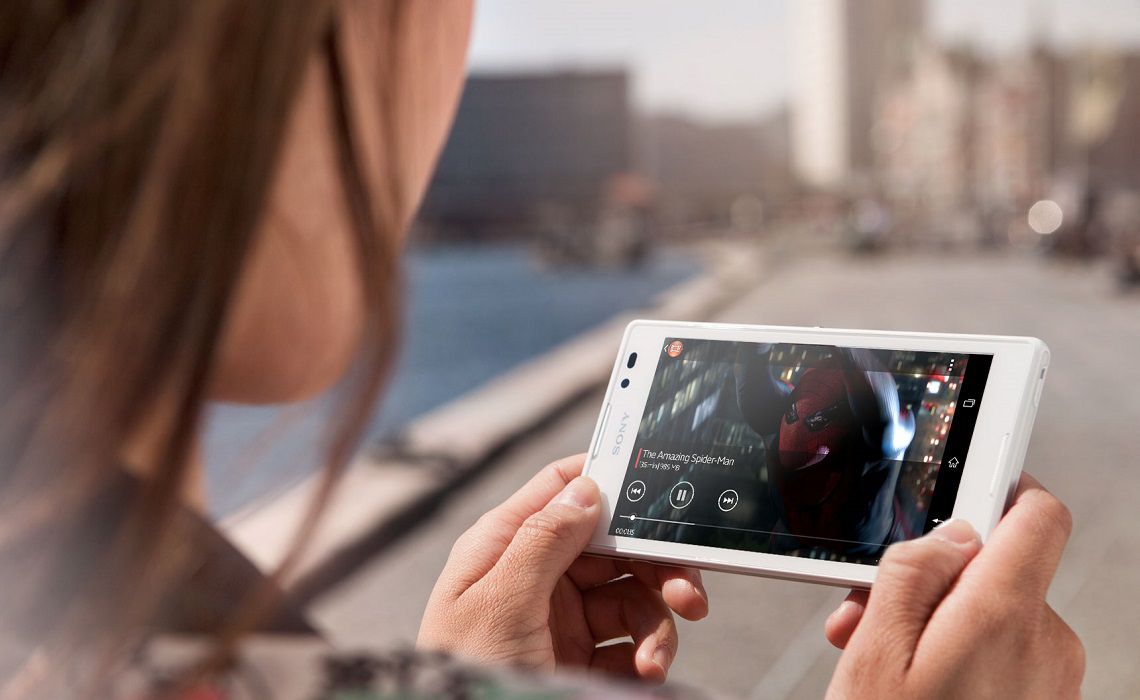
Recently, home users have the opportunity to create digital videos with their own hands. It goes without saying how convenient it is to store family video files in this way. Digitized records do not deteriorate over time, do not lose quality when copied, and can be easily edited. Video compression technologies, which continue to improve even now, played an important role in its distribution.

Digital Video

First, let’s find out why compress video. To understand this, let’s move on to the basic principles of digitizing moving images.

The video sequence is formed from consecutive 720 x 576 pixel frames, which are changed 25 times per second (according to the PAL standard). If you scan them with 16-bit color depth, each frame will take up about 1.2MB, which means that to store 1 second of video, you’ll need about 30MB of disk space, and about 150GB will go to one movie. 1.5 hours. This is at least five times the capacity of hard drives found in modern home computers. Try to figure out how many 650MB CDs you need to burn one of these movies. To reduce the size of files containing digitized video, various data compression algorithms are used. There are two types of algorithms that work, respectively, without loss of information and provided.

Lossless compression (with virtually no degradation of image quality) in digital video is done using methods similar to those used in archivers such as WinZIP or WinRAR. However, due to some peculiarities of the video information, such algorithms in this case are not efficient enough (the minimum size of a compressed file is 1/3 of the original) and therefore it is practically not used.

Lossy compression is the main method of reducing the size of video files. These algorithms allow us to determine that part of the information that the viewer, most likely, will not notice when watching a movie, and remove it from the file. The main digital video formats using lossy compression today are Apple QuickTime, Intel Indeo, MPEG-1, MPEG-2, MJPEG, and MPEG-4. The specifications of the MPEG-7 standard are also under development, but it is still too early to talk about it.

Apple QuickTime

The MOV file format was developed by Apple for Macintosh computers and later ported to the PC platform. From 1993 to 1995, this format was dominant. Its latest version, number 4.1, allows you to transfer data in streaming mode. This means that you don’t need to fully download the file to start watching the video. However, with the advent of MPEG specifications, this format is gradually losing popularity. Its main problem is that the QuickTime standard is closed. Apple keeps secret the methods by which video is encoded. Consequently, third-party programmers cannot write programs that compress video in this format.

Intel Indeo

This format was developed by Intel Corporation to compress video data using the new capabilities of the Intel Pentium MMX processor. In addition to supporting streaming and copyright protection features, this standard implements several features that were innovative at the time of its introduction. It allows you to apply various effects to a video sequence (for example, change the brightness or contrast) in real time, decode not the whole frame, but, for example, the central fragment, make part of the frame of a video transparent and superimpose two videos one on top of the other. The latter effect is often used in television news programs, when a commentator is depicted in front of a video report of the scene.

However, the Indeo format is not widely used. And with the release of MPEG-4, which also contains all these features, this standard generally doesn’t work.

MPEG-1

The MPEG-1 video compression format was developed by the Motion Picture Expert Group, an international organization that creates video compression standards. It supports a maximum frame resolution of 4095 x 4095 pixels at a frame rate of up to 60 times per second.



Free Download Mp4Gain
picture


Mp4Gain Main Window
picture


Mp4Gain Features
picture


Free Download Mp4Gain
picture

What is digital video?

What is digital video?

Digital Video

Digital video is a set of technologies for recording, processing, transmitting and storing images and sound from digital television. The main difference from analog video is that the video signal and sound are encoded and transmitted not in their original form, but after analog-digital conversion into video and sound data streams. In most cases, digital video is compressed to reduce the amount of data that is transmitted and stored. Digital video can be delivered to various video media through digital interfaces in the form of streams or files.

Digital Video

Digital video has five main characteristics: screen resolution, frame rate, color depth, bit rate (video transmission width), and image quality.

Screen resolution (resolution): indicates the number of dots (pixels) horizontally and vertically that make up the image (video frame) on the screen.
When recording the resolution, the value of the number of dots per line (horizontal resolution) is indicated first and then the number of lines involved in the image (vertical resolution).
For example, for the European PAL video standard, the frame size is 720×576 pixels, for the North American NTSC standard – 720×480, for high definition video (HD 720p) – 1280×720, and for the new HDTV standard (Full HD) – 1920×1080 pixels.
As you probably understand, the higher the screen resolution, the better the video quality.

Frame rate, frame rate (frames per second (FPS), frame rate, frame rate): the number of frames per unit of time in television and cinema. The concept was first used by photographer Edward Muybridge, who carried out chronophotography experiments of moving objects with multiple cameras in a row. The generally accepted unit of measurement is frames per second.
– 24 – the world standard for the frequency of filming and projection;
– 25 – the filming frequency used in the production of films and television reports for their translation to the European decomposition standard 625/50;
– 30 – Standard video playback speed.

Color depth (color resolution) is a characteristic that indicates the number of colors that can participate in the formation of a video image.
The number of colors in digital video is measured in bits. So 1 bit can take two different values ​​(0 or 1) and it only allows encoding two colors (usually black and white), respectively. With two bits, you can encode 4 colors (22 = 4), with three bits – 8 colors (23), four – 16 (24) and so on.
Typically, color resolution is described by special color models. In computer technology, the RGB (red-green-blue) model is used, which can be represented by the following most common color depth modes: 8 bits (256 colors), 16 bits (65,536 colors) and 24 bits (16,777. 216 colors). By the way, the human eye, according to various opinions, can perceive 5-10 million shades of color.

A pixel is the smallest element in a digital image in bitmap graphics. It is square in shape. “Pixel” is a word made up of the words “image” and “element”. The physical size of a pixel is not set by the user, but is determined by the characteristics of the display device. The more pixels a display device has, the finer details in the image can be displayed.

Video bit rate is the amount of information transmitted per second. From this it follows that the higher the video bit rate, the better it is, the clearer the image, the less artifacts, etc. And it takes more hard drive space to store this video and consequently more time to transfer it over the network.

Image quality is a characteristic designed to evaluate the quality of the processed video compared to the original and is determined by a set of values ​​for resolution, color depth, and video transmission speed.

HD. High definition video. Most of the HD formats in use provide a resolution of 1920 x 1080 or 1280 x 720. There is a significant difference between the 1080 and 720 standards: the former uses 2.25 more pixels per frame.
This difference significantly increases the demands of 1080 data processing in terms of compression time, decompression speed, and size of the storage area. All 720 formats are progressive. The 1080 format is a combination of progressive and interlaced frame types. Computers and their monitors are inherently progressive, whereas television broadcasts