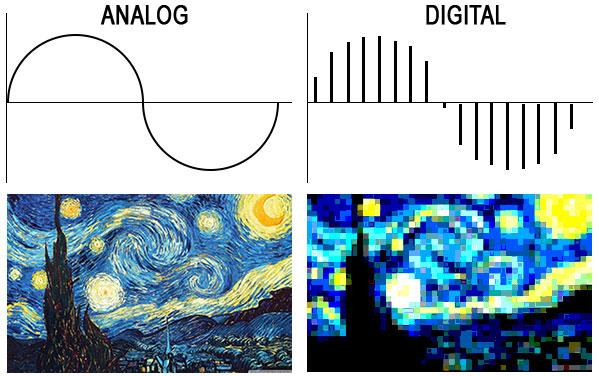
Because it always leads to misunderstandings, today there is a short explanation of the most important key figures for music and audio files. These basically apply to all uncompressed formats (WAV and AIFF). I’ll also go into the bitrate of compressed formats like MP3, WMV, and OGG below.

Basic knowledge: An audio file stores a number at very short intervals that represents the level of the audio signal. During playback, the contour is calculated from this sequence of numbers.

An audio file can have multiple channels. Mono (one channel), stereo (2 channels), and 5.1 and 7.1 (Surround) are common. Each channel provides the information from one of the speakers and is a separate audio signal. That means we can split a stereo file and save it into two mono files.
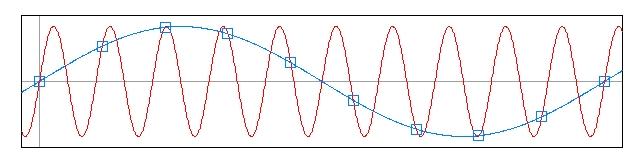
The sample rate (Hertz) indicates how often the audio level is recorded and saved in one second. A specification of 44,100 Hz (44.1 kHz) means that 44,100 values are stored for one second of music. Typical sample rates are 44.1 kHz (music CD), 48.0 kHz (film), and 96 kHz (recording studio).
The resolution (bit) indicates how much memory is used for that sample value. For example, 16 bits (2 to the power of 16) allow a scale of 65,536 values for each individual sample value. If we have a lot of memory for a value, we can process the signal more precisely. Typical settings are 16-bit (music CD) or 24-bit or 32-bit in the studio.
Bit rate (kBit / s) is often confused with resolution. Represents the “bandwidth” of the audio file, that is, the amount of data that is processed in one second. For uncompressed formats like WAV and AIFF, you can easily calculate the bit rate by multiplying the above three values:
Bit rate = channels x sample rate x resolution
Example:
A WAV file in CD quality has the following bit rate:
2 channels x 16 bits x 44.1 kHz = 1411.2 kBit / s
The bit rate for compressed formats (MP3, OGG, WMV, AAC, etc.)
Unfortunately, this formula does not work with MP3 and other compressed formats because the signal is packaged to save space. The encoder reduces the bandwidth of the data to a desired bit rate and tries to obtain the best possible quality within this frame. The bit rate can be constant (CBR mode) or variable (VBR mode). A variable bit rate often makes sense if the audio signal is highly varied (for example, a movie or radio playback).