Everything you need to know about codecs


Free Download Mp4Gain
picture

At present, with the massification of computer tools and the expansion of the Internet, almost all computer users use their equipment not only for simple office tasks, but also for fun and personal enjoyment, so multimedia tasks are They have become a more than common activity on any home PC.

While most users know that to play a video, listen to a song and view an image it is not enough to play the file, but also the system must have the necessary codecs for it, the truth is that a large percentage of Users are completely unaware of what codecs are and what they are used for.

It should be noted that the term codec comes from an abbreviation of the set of words encoder and decoder, and as the name implies, they consist of a software specification that allows compressing and decompressing files.

codecs

What are codecs? What are codecs for?

In general, the different existing codecs are currently used to compress video, audio and image files, in order to make them smaller than their original source, to allow them to be easier to handle and Work on a computer.

Therefore, when trying to play for example a video file in an AVI container, which has been encoded with the Xvid codec, it will be necessary to have the same codec on the computer, since otherwise the reproduction will be impossible.

It is worth mentioning that codecs are also commonly used to compress data streams and signals, that is, to stream Internet radio and television, or allow a quality videoconference.

For the most part, multimedia files contain video, audio and reference data for synchronization of both, so it must be necessary to apply the appropriate codecs to play a movie on our PC.
Compression of audio and video files

When using codecs to compress a multimedia file, in general a result will be obtained with some loss of quality, since in order to reduce the size of the original source, a loss of information will occur during the process.

However, there are also some types of codecs that do not report losses, such as FLAC and MSU, that allow the reproduction of a lossless audio or video file when the file is re-encoded.

However, in general codecs that compress with some loss of information are used, since the fundamental function of the use of codecs is to significantly reduce the size of the files to facilitate their manipulation.

Usually, when a video file is transformed with codecs, an automatic process is carried out that causes the codec to cut some of the information regarding the original image or sound, and then readjust it to a smaller space, and Finally codify it.

Most used audio and video codecs

In order to reproduce a file that has been compressed with some codec, it is essential that our system has the necessary codecs for decompression, for which codec packages can be installed, which generally contain the most used types of codecs. The most recommended codec packages are the ELISOFT Codec Pack and the K-Lite Codec Pack.

Although there are many codecs to reduce the size of multimedia files, the truth is that at present some are usually the most popular, as is the case of mp3 for audio and mp4 for video.

Most used audio codecs

Currently, audio codecs have been widely disseminated, as they are used by users to compress for example full music albums, so that they take up less space.

Keep in mind that a common audio disc can occupy up to 700 Mb, that is, a complete CD, while albums transformed to MP3 give rise to a huge storage capacity, allowing you to save between 7 and 8 discs on a single CD , because an MP3 compressed disk usually occupies between 80 and 90 Mb. depending on the bitrate rate at which they were worked.

At present, the most popular audio codecs are the MP3 format, the Ogg Vorbis, which is characterized by being a codec belonging to free software, and the AC3 that is usually used in DVD compressions since it is a multichannel codec (5.1).

Due to its great popularity obtained in recent years thanks to its massive dissemination on the Internet, especially in sites that allow the purchase and download of audio files, the leading audio compression format is undoubtedly the MP3.


Free Download Mp4Gain
picture


Mp4Gain Main Window
picture


Mp4Gain Features
picture


Free Download Mp4Gain
picture

What are the best codescs for Windows 10? (2020)

Today in this article we are going to investigate the best codec packs for Windows 10. Virtually everyone likes to watch movies and other multimedia content on our computer. It is possible that we have encountered problems when playing a video, either because it is of an unsupported format or because it is not seen correctly for some reason that we do not know. Very possibly the solution is precisely in the installation of new codecs to reproduce the multimedia content.

What is a codec pack?

A codec pack is a collection of libraries, filters, encoders and tools that are capable of encoding and, where appropriate, decoding existing audio and video formats. These toolsets are installed in operating systems so that they are capable of reproducing formats that are not natively readable by the system itself.
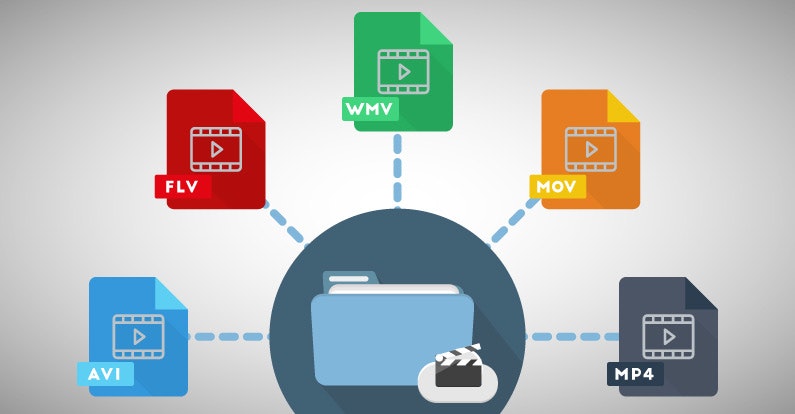
There are a large number of playback formats, just as .WMV is owned by Microsoft, we also find formats such as .MOV that belong to the Mac system. By using a codec pack we will be able to play this type of files without any problem.

Do I need codecs for Windows 10?

It is true that Windows 10 has a series of codec already installed natively to practically play any video. Although we can find the possibility that due to updates or errors that the system has suffered such as malware attacks, we encounter problems for reproduction.
It is also possible that our version of Windows 10 is of type N or KN. If you want to know what Windows 10 N is, visit our tutorial that explains this in detail. Well, in these versions of the system we do not have native multimedia support, so we will need to install both audio and video players independently and with it, codecs for Windows 10.

List of best free codec packs for Windows 10
We have already commented on the reasons why at any given time we may need these codec packs for Windows 10. So now we are going to comment on those that have more fame and impact on the web.

K-Lite Codec Pack

If we talk about codecs it is mandatory to do it from K-Lite Codec Pack. This is one of the packs with the longest travel, since Windows XP offers magnificent results and functionality. For this reason they have won first place for so many years.

Shark007

Another of the most valued, and best known codec pack for Windows 10 is Shark007, the famous shark with flow. This package, like the previous one, has a list of tools capable of reproducing any audio format that comes before it. It has perfect compatibility for all versions of Windows 10 and also for previous versions such as Vista or XP.

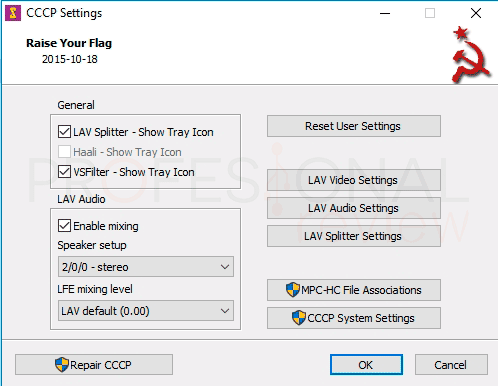
Combined Community Codec Pack (CCCP)

Our fourth option is a pack of codecs for Windows 10 of Russian origin, as you hear it. This pack at the time offered something that others could not give, and is the absence of errors in Windows 8 and 10 operating systems. It was one of the first to offer compatibility with these.
We can download it from its official website, which we can see that it does not download due to its graphic design or detailed information. Total, they are Russian, they are different. During the installation check what codecs we have already installed so as not to overwrite them again, unless we decide yes.
A negative aspect of this pack is that it has not been updated since the end of 2015, although you will not have any problem to play multimedia files.

X Codec Pack

Next on our list is X Code Pack. With a basic interface for the selection and association of file extensions we should not be fooled, they are also one of the best we can find. We can download them for free from its official website
The origin of its name goes back to Windows XP, previously called XP Codec Pack, maybe with this name it sounds like you. X Codec Pack discards for its simplicity and simple installation. In addition, it is lighter than K-Lite and also has everything you need.
One aspect that we must keep in mind is that it offers maximum compatibility with Windows 8 but not with Windows 10. So if you are a Windows 8 user, it may be your ideal pack at this time.