Advantages and disadvantages of popular audio formats


Free Download Mp4Gain
picture

Advantages and disadvantages of popular audio formats

audio file formats

In the modern music world, there are a large number of audio file formats that are often confusing for the unprepared user.

Audio File Formats

To understand all this, to find out what they are and what they are used for, the presented review will help.

Advantages and disadvantages of popular audio formats

Types of audio formats

Today is the time that all music lovers, not to mention professional musicians and audio editors, need to understand concepts like audio file formats, bit rates, extensions, bit depth, sample rate and many others. for high-quality sound. Sound has gone digital, which means that it can be used for various purposes, for example, for listening to evidence, for presentations, video dubbing. In fact, digital sound, like an image, is a collection of individual pixels, and the more there are, the better the sound image itself. This “pixelated” sound can be edited and processed.

Advantages and disadvantages of popular audio formats
The figure shows an example of a sound wave recording, where the green curve denotes the original sound and the purple columns indicate its digital form. The number of segments per second is the sample rate. In this case, the digital representation of sound is as follows.

Advantages and disadvantages of popular audio formats
An important role in evaluating the quality of audio formats, and consequently sound quality, is a parameter such as bit rate, which shows how many bits or kilobits it takes to record one second of sound. Low bit rates mean low quality sound, large ones mean high quality sound.

Advantages and disadvantages of popular audio formats
But for the storage and further use of audio in one form or another, audio formats are used – digital recordings of audio data. We can say that the format is a kind of container where the sound is stored. Virtually all audio formats can be divided into two broad categories: lossless compressed and lossy compressed.

No loss, no loss
To avoid as much as possible a decrease in sound quality during the compression of an audio file, special methods have been developed to store audio information, avoiding losses, which in fact can be compared with the file, when the information is simply packed in a zip file, the size of which is noticeably smaller than the original data. Subsequently, this data can be clearly restored on each bit. Also, the bit rate itself is not important for these files. These audio files are collectively called Lossless, Music As Is. These algorithms allow you to compress files two to three times. As a result, the size turns out quite large, but at the same time with the preservation of the original sound.

The most popular lossless formats are as follows.

FLAC
The abbreviation is the name “Free Lossless Audio Codec”. Provides complete security of all data in the audio stream, capable of 1.4 to 4x compression with 350-1010 kbps bit rate, used to create audio collections, and used for listening on premium equipment .

Pros:

– high quality;
– a large number of additional features;
– free license.
Disadvantages:

– quite large size;
– on older operating systems, you must additionally download the appropriate players.


Free Download Mp4Gain
picture


Mp4Gain Main Window
picture


Mp4Gain Features
picture


Free Download Mp4Gain
picture

What is a lossless audio format?

What is a lossless audio format?

lossless audio

You might think that the word “lossless” is used for audio formats that use no compression at all.

lossless audio

However, even lossless audio formats use compression to keep file sizes at an acceptable level.

Lossless formats use compression algorithms that preserve the audio data, so the sound is exactly the same as the original source. This is in contrast to lossy audio formats such as AAC, MP3, and WMA, which compress audio using algorithms that discard data. Audio files are made up of sound and silence. Lossless formats are capable of compressing pause to almost zero while retaining all audio data, making it smaller than uncompressed files.

What lossless formats are commonly used for digital music?
Examples of popular lossless formats used to store music:

Commercial

FLAC
Wav
A THE C
Lossless WMA
Impact of Lossless Formats on Music Quality
If you download a lossless music track from an HD music service, you expect the sound to be really high quality. On the other hand, if you convert low-quality music tapes by digitizing them using lossless audio formats, the sound quality will not improve.

Is it possible to convert a lossy song to a lossless song?
It is never a good idea to go from one loss to another. This is because a song that has already been compressed in a lossy format will always be like this. If you convert it to a lossless format, all you get is wasted space on your hard drive or mobile device. You cannot improve the quality of a lossy song using this method.

Commercial

Benefits of Using a Lossless Audio Format for Your Music Library
Using a lossy format like MP3 is still the most common method of storing your music collection. However, there are clear advantages to creating a lossless music library.

Perfect Music CD Backup: Lossless copy of audio files gives you a slightly exact copy of the original music CD. This means that no matter what audio formats come in the future, you will know that you have a perfect copy of the original.
Recovery of loss or damage. Having music in lossless format allows you to recover a damaged original CD or any that has been lost to a blank CD.
Convert to any format. Since your music is in a lossless format, you can convert it to any format and get the highest quality it can support.

Lossless digital audio formats

Lossless digital audio formats

lossless audio

Uncompressed formats
The first digital audio formats encoded information, as they say, “as is”.

Lossless Audio

This format is, first of all, convenient for the computer itself: there is a simple correspondence between a sequence of digital signals and a sound waveform. Not surprisingly, despite the further development of compressed audio formats, uncompressed formats continue to be actively used in the field of professional (and amateur) sound work. What are these formats?

First, it is the audio CD format itself. For him everything is simple: this is the format in which most audio discs are recorded (unless, of course, several albums have been recorded on them at the same time – in this case, we are talking about a format obviously compressed). The Audio CD format uses Pulse Code Modulation (PCM) to convert “digital” to “analog.” This is the type of conversion that forms the basis of most other audio formats.

Everything is clear with CDs, but what about sound presentation formats on computers? Here, as you can imagine, the biggest computer and software manufacturers were the first to rush in, developing formats like AIFF (Apple) and WAV (Microsoft and IBM), known to computer and operating system users of these developers to this day. from today. Furthermore, Apple, being the undisputed leader in the field of computer multimedia at the time, introduced its format in 1988, ahead of the developers of the WAV format by three years. If you let the computer read the data on the audio CD and translate it into any of these formats, you will get an exact copy, which will take up the same amount of space on your computer’s hard drive as the original on the CD. The only difference will be in the format in which this data will be packed.

It is important to note that the capabilities of these formats exceed those of an audio disc. They allow much greater audio depth (up to 32 bits) and sample rates (AIFF up to 196 kHz, and in WAV, any). But even these parameters were not satisfied with the developers of ultra-high fidelity audio formats. These formats were first used on Super Audio CD (SACD) developed in 1999 by Sony and Philips, and were eventually installed on personal computers for lovers of high-quality sound.

The digital audio format used in SACD is called DSD (Direct Stream Digital). It uses a fundamentally different way of analog-to-digital and digital-to-analog conversion – the waveform is encoded with just one bit at a time. In other words, the “depth” of the sound is only one bit, but this information is updated much more frequently than in most other formats, that is, the sample rate is increased several times. This allows the algorithm to recreate the shape of the sound wave by estimating the density of these pulses in a given time interval.

This way of representing the signal made it possible to avoid non-linear quantization noise. It is true that the higher the frequency of the sound, the lower the number of pulses that encodes it, the precision of the encoding decreases, which means that the constant noise level in relation to the signal, that is, the hiss, increases . But at a high sampling frequency, the level of this hiss becomes critical already in the ultrasound region, which is imperceptible to the ear. At the same time, a much more important task has been accomplished: there is no quantization noise, a kind of “curse” of digital sound. They all “left” with the same inaudible noise. It is not surprising that this format fell in love with critics of “digital”, it seemed to bring it closer to “analog”, eliminating traces of discretion in its sound.

However, it turned out that DSD files are completely unsuitable for editing: they are edited only by converting to PCM (and vice versa when saved), and each such conversion multiplies the amount of noise that soon becomes critical for hearing. . It’s one thing when you record ready-to-use analog material in DSD, which has passed analog mastering. But what should you do when recording and editing new audio material? So, there were formats that went back to pulse code modulation with additional adjustments against quantization noise. Notable among these is DXD (Digital eXtreme Definition), which has found application not only for mastering source data for SACD, but also for listening to high-quality audio on a computer.

MAXIMUM SOUND QUALITY. LOSSLESS FORMAT

MAXIMUM SOUND QUALITY. LOSSLESS FORMAT: WHAT IS IT? HIGH QUALITY MUSIC IN LOSSLESS FORMAT

Lossless Audio

Today there are about three dozen common digital audio formats. Why you need to create so many types of sound files to store one type of content and how to manage all this, you will learn from this material.

Lossless Audio

Surely many users prefer to use their home computer not only as a workhorse, but also as a multimedia center, where they can watch movies or family photos, as well as listen to their favorite music. Although compact digital players or mobile phones are certainly more suitable for listening to musical compositions, but unlike them, a computer can not only play music.

No matter how big the built-in memory of your music player is, it will most likely be difficult to store your entire music library on it. Additionally, using a PC, you can create, edit, organize, and search for music. Also, don’t forget that there are around three dozen common digital audio formats today, and most players are far from omnivorous and can only play a few of them.

So why do you need to create so many music formats to store one type of content? The point is that in the vast majority of cases the sound is stored in a “compressed” form, since one minute of uncompressed composition occupies about 10 MB on the hard disk. On the one hand, this seems not to be much, but on the other, if you are a music lover and your collection consists of several hundred or even thousands of songs, then it is clear that the sound must be compressed to reduce the space it takes up electronic media.

Various special algorithms are used to compress music files, which subsequently determine the structure and presentation of the audio data, or so-called digital audio file formats. All audio formats can be divided into three groups: uncompressed audio formats, lossless compression, and lossy compression.

NO COMPRESSION

One of the most widespread formats related to this type is the well-known WAV. The sound of files with this extension is stored without compression or changes. It is true that much more space is required to store uncompressed files and therefore WAV is more widely used only in professional audio and video applications, where the sound should not have a loss of quality before processing. Storing ordinary musical compositions in this form is an unwarranted waste.

To play WAV files, you do not need any special software, as all media players understand this format, including the standard Windows Media audio player built into the Windows system.

Another format used to store uncompressed audio that is worth mentioning is Apple’s development called AIFF (Audio Interchange File Format). As you may have guessed, it is most commonly used on Macintosh computers running Mac OS X.

LOSSLESS COMPRESSION (NO LOSS)

Lossless compression algorithms for audio files work on the principle of conventional file cabinets. They do not provide the highest level of compression (40 to 60%), while they have virtually no effect on sound quality. It is also worth noting that in this case, the encrypted data can be fully restored to its original form. Therefore, the use of lossless compression is most often used in cases where it is important to preserve the identity of the compressed data with respect to the original.

The most popular audio formats in this group are FLAC (Free Lossless Audio Codec), APE (Monkey’s Audio), WMA (Windows Media Lossless), and ALAC (Apple Lossless Audio Codec). Each has its own pros and cons. For example, the APE codec offers slightly better compression gains, while FLAC is more common. In general, all true music lovers store their music collections in lossless formats, since they do not remove any data from the audio stream, and files created with these codecs can be listened to even on high-quality stereos.

Lossless formats: flac, ape, wv, dts, and other digital audio formats

Lossless formats: flac, ape, wv, dts, and other digital audio formats

Free Lossless Audio Codec

Recently, in the open spaces of the Russian Internet, music in Lossless formats has been found more and more often, which can not fail to delight connoisseurs of free real quality. But sadly, files with the flac, ape, wv, dts permission cause a “RAM” stupor for a common user and he walks in search of his usual mp3. Well what can I say, Epic Fail, comrades?

lossless  audio

This guide provides a detailed description of lossless formats and describes in detail how to read and write such files …

Theory: lossless formats

Lossless data compression is an information compression method, whereby encoded information can be retrieved with bit precision. This fully recovers the original data from the compressed state. This type of compression is diametrically different from lossy data compression. As a general rule, each type of digital information has its own lossless compression algorithms.

FLAC and APE codecs are the main Lossless formats today

FLAC (English Free Lossless Audio Codec) is a popular free codec for audio compression. Unlike the lossy Ogg Vorbis, MP3 and AAC codecs, it does not remove any information from the audio stream and is suitable for both daily listening and archiving an audio collection. Today, the FLAC format is compatible with many audio applications.

Monkey’s Audio (APE) is a popular lossless digital audio encoding format. It is distributed free of charge along with open source code and a suite of encoding and playback software, as well as plugins for popular players. Monkey’s audio files use the following extensions: .ape to store audio and .apl to store metadata. Despite being open source, Monkey’s Audio is not free, as its license imposes significant restrictions on its use.

After downloading music on Lossless, you can burn it to CD in the future and listen to it with Hi-Fi (or other) class acoustics, while normal CD quality will be.

For comparison, bitrate:

-mp3 ~ 320 kb / s

-FLAC and APE ~ 1000 kb / s

Theory:

SACD, DVD-Audio, DTS-CD and others multi-channel music formats.

SACD stands for Super Audio Compact Disc, an optical disc format for storing music. It looks like a normal CD, some discs can be seen with the naked eye: their working side is yellow. The sound in SACD is recorded in a completely different format: DSD (Direct Stream Digital) and they are reproduced only in special players.

features:

– Multichannel: 6 channels of audio can be recorded

– A completely different type of recording (DSD), which provides better sound quality compared to a CD.

– Conditional compatibility with older players: there can be two layers to a disc: normal CD (stereo) and one or two SACD variants (stereo / multichannel).

That is, if the disk:

Single Layer (“Single Layer”) – Read-only on SACD players.

Double Layer or “Hybrid” (“Double Layer” or “Hybrid”): Read on both conventional CD players and SACD players.

All SACDs have CD text – text information about album, artist, and track.

Lossless Compression – How It Works

Lossless Compression – How It Works
When the copy is not different from the original.

Lossless compression

Lossless Compression – How It Works
We have already discovered how sound is digitized. One of the problems: if we digitize it with high quality, then we need a large amount of data, which means large files, a large consumption of disk space, expensive flash drives, a lot of Internet traffic. I would like the files to be smaller.

Lossy Compression and Lossless Compression

For this, compression is used – various algorithms that do their magic with the data and the output is data from a smaller volume.

Lossy and lossless compression
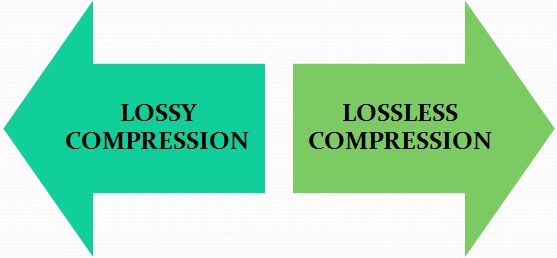
There are two main types of compression: lossy and lossless.

Lossy compression means that we lost some information in the process. Lossy compression algorithms try to make sure that we only lose data that is not too important to us.

Imagine that lossy compression is a short retelling of a school curriculum work: the student is not so important about the description of the author’s nature and style, the main thing is the plot. The short count kept only what was important, but conveyed it much faster.

Lossless compression is when we reduce the size of the file, without losing quality. Interesting mathematical and coding techniques are used for this. The main idea is that during decoding all the data remains in place.

Lossless compression algorithms
There are two main options: the Huffman algorithm or the LZW. LZW is used everywhere, but it is quite difficult to explain, not intuitive, and requires a full lecture. It is much better to explain the Huffman algorithm.

Huffman’s algorithm takes the file, breaks it into pieces, making it convenient to operate, and then looks at how common each fragment is. The algorithm designates the most frequent words with a short code and the rarest with a longer code. Since the most frequent words now take up much less space, the finished file becomes smaller.

But there is also a downside: sometimes you need to store this word and code mapping table directly in the same file, but it can turn out large on its own. Most often, the Huffman algorithm is used for lossless compression of text and video files.

Here’s an example: Take the song Beyonce – All The Single Ladies. There are two such passages there:

All the single women

All the single women

All the single women

Now put your hands up

If you like it then you should put a ring on it

If you like it then you should put a ring on it

Don’t be mad once you see that he wants it

If you like it then you should put a ring on it

Here are 281 signs. We see that some lines are repeated. Let’s code them:

COMPRESSION TABLE

\ a \ All single women

\ b \ Now put your hands up

\ c \ If you like it then you should have put a ring on it

\ d \ Don’t be mad once you see that he wants it

SONG TEXT

\ a \ \ a \ \ a \ \ b \

\ c \ \ c \ \ d \ \ c \

Along with the compression table, this text now occupies 187 characters; we have compressed the text by almost a third due to the fact that it is quite monotonous.

Lossless compression using audio as an example
On average, one minute of uncompressed audio takes up 10 megabytes. This is quite a lot: if, for example, you have a one-hour recording of a concert, it will be half a gigabyte. On the other hand, this recording captures all the nuances of the sound, there are many high frequencies and beauty in general.

For such situations, lossless compression is used: it shrinks the file by 2 to 3 times without distorting the sound. The algorithms that compress the audio are called codecs. FLAC and Apple Lossless are two popular lossless audio compression codecs.

Compare the size and quality of the two-minute audio yourself:

Original: uncompressed WAV format, 23 megabytes

Lossless compression: FLAC format with the same parameters as WAV, 10 megabytes

Where else is lossless compression used?
In filing cabinets. The job of archiving programs is to package selected files so that the file takes up as little space as possible, without damaging what’s inside. For example, the text version of “War and Peace” might be 4 megabytes and the archived version 100 kilobytes 40 times less.

In programming. There are special wrappers that take a ready-to-use program and optimize the code so that it takes up less space, but retains its functionality. For example:

Delete comments
Minimize function and variable names
Remove characters required for human readability