Analog and digital video


Free Download Mp4Gain
picture

Analog and digital video
Analogic video

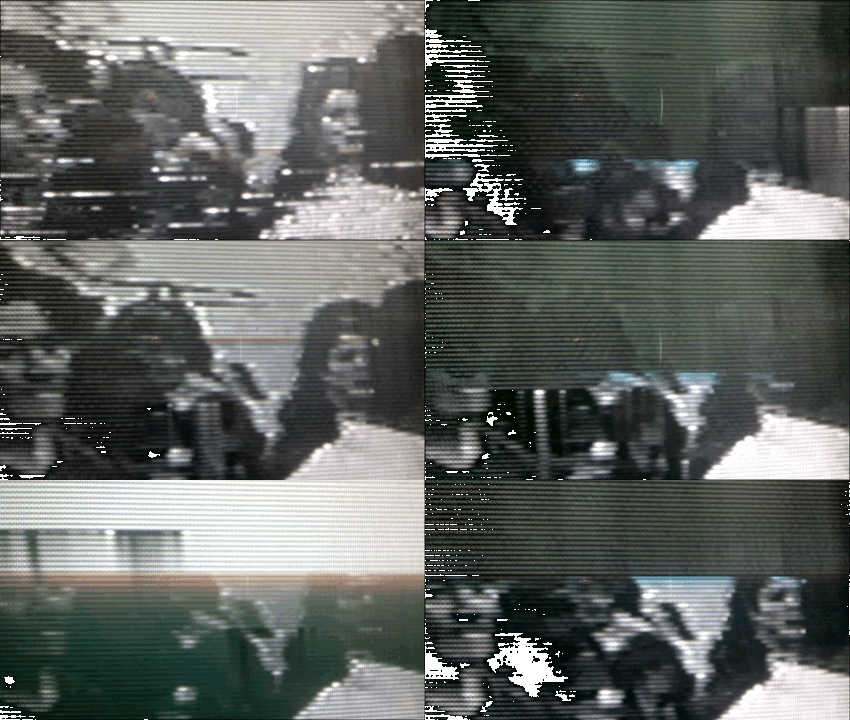
Analog video is the oldest method of transmitting video signals. One of the first video formats based on the analog method was composite video.

Analogic

Composite analog video combines all video components (luminance, color, time, etc.) into a single signal. By combining these elements into a single signal, the quality of composite video is far from perfect. As a result, we have inaccurate color reproduction, insufficiently clear image, and other quality loss factors. Composite video quickly gave way to component video, in which multiple video components are represented as separate signals.

The fact is that the human eye, in addition to the light-sensitive elements active at high illumination and perceiving reference colors (R, G, B), has elements that are active even in almost complete darkness and fix only the illumination of the object. As a result, the brightness of the object is much more important to perception than its color characteristics.

Furthermore, the volume of information transmitted is important: the smaller the volume, the cheaper and simpler the transmission systems are. You can reduce the amount of information by reducing the amount of color data. Therefore, in television, not one RGB signal is transmitted and received, but brightness Y and two color difference signals U and V, with U = RY and V = BY. In this case, it is not necessary to code all three colors. It is enough to specify two of them, and the third is easily calculated by arithmetic operations. U and V can have twice the resolution of Y.

However, all the above formats are still essentially analog and therefore have a major drawback: when copying, the shot is always inferior in quality to the original. Loss of quality when copying video material is similar to photocopying: the copy is never as clear and vivid as the original. The inherent disadvantages of analog video led to the development of the digital video format. Unlike analog video, which loses quality when copied, each digital video copy is the same as the original.

Interesting Facts About Analog Video

Analog video is a type of video used on television. The image on the screen is created when a beam of electrons moves across a screen covered with a phosphor, a material that emits light of a certain wavelength, that is, a certain color. This process is called scanning and it goes through lines (horizontal) and squares (vertical). To get moving videos, you need to scan multiple frames per second. In televisions, the frames change at a rate of several tens per second. A single image is made up of scan lines that are reproduced in two sets called fields.

In television, an interlaced method is used to form an image on the screen, in which during the first scan cycle of the screen using an electron beam, an image of odd lines is formed, and for the second, the lines pairs, as a result, a complete picture frame is formed from two half frames (fields). The use of this imaging method is due to the need to narrow the spectrum of the television signal. Although these frame rates and scan lines can create smooth motion, they do not eliminate video flicker.

Television standards

Currently three main color television standards are used:

American NTSC (National Television Standards Committee – National Television Standards Committee), the number of lines per frame 525, 60 Hz;
German PAL (Line alternating phase – lines with variable phase), the number of lines per frame 625, frequency 50 Hz;
French SECAM, the number of lines per frame is 525, the scanning frequency is 50 Hz, in Russia the SECAM D / K modification is adopted.
The standards differ in the modulations used and the carrier and subcarrier values.

Digital video at a glance

Digital video is an image or series of images in which information is stored in digital form. It uses digital signals and standards other than international ones to transmit and display images used in analog video.

When creating digital video, the problem arises of converting an analog signal to digital. The standards for video digitization adopted in modern technology are: 10 bits – the digitization depth, 13.5 MHz – the luminance signal sampling rate, 6.75 MHz – the sampling rate of two channels of color difference.

Recently, there has been a trend towards the fusion of television and computer video.


Free Download Mp4Gain
picture


Mp4Gain Main Window
picture


Mp4Gain Features
picture


Free Download Mp4Gain
picture

Digital Video Editing

Digital Video Editing

DIGITAL VIDEO EDITING

To understand the situation that has developed in the field of professional video editing, first of all, you need to understand how broadcast-quality video for television differs from video implemented on personal computers. Professional standards for high-quality television video have been developed over the years. Stringent television image quality requirements have spurred technological progress, which is why broadcast-quality digital video performance is significantly higher than computer video standards.

Digital Video Editing

Analog video
The oldest method of transmitting video signals is the analog method. Composite video was one of the first video formats based on this principle. Composite analog video combines all video components (brightness, color, sync, etc.) into a single signal. By combining these elements into a single signal, the quality of composite video is far from perfect. As a result, we have inaccurate color reproduction, an insufficiently “clean” image, and other quality loss factors.

Composite video quickly gave way to component video, in which multiple video components are represented as separate signals. Other improvements to this format have led to the appearance of various variations of it: S-Video, RGB, Y, Pb, Pr, etc.

However, all the above formats are still analog in nature and therefore have a major drawback: when copying, the shot is always inferior in quality to the original. The loss of quality when copying a video is similar to photocopying: the copy is never as clear and vivid as the original.

Digital video
The inherent disadvantages of the analog way of playing video eventually led to the development of the digital video format. Analog video has been replaced by digital. In the field of professional video, various digital video formats are used: D1, D2, Digital BetaCam, etc. Unlike analog video, the quality of which decreases when copied, each digital video copy is identical to the original.

Although modern video is based on a digital basis, virtually all digital video formats still use sequential tape as the carrier of the source signal. Therefore, most video professionals are still more used to working with films than with a computer.

Of course, film as a data source is even more preferable than a computer hard drive, as it can hold a much larger amount of data. But, on the other hand, for digital video editing, the use of computers brings a number of significant advantages: it not only provides direct access to any video fragment (which is impossible when working with film, since the necessary areas can only be achieved by sequentially viewing the video material), but also takes on extensive image processing capabilities (editing, compression).

These are reasons enough to switch video production from traditional equipment to computer equipment.

Digital computer video is a sequence of digital images and associated sound. Video elements are stored digitally.

There are many ways to capture, store, and play video on your computer. With the advent of digital computer video, a wide variety of video formats spontaneously emerged, leading to some confusion and interoperability issues at first. However, in recent years, thanks to the efforts of the International Standards Organization (ISO), uniform standards have been developed for video data formats, which we will consider later.

Compress video
Reasonable sufficiency must be considered when determining the required compression ratio. However, you must consider how all four characteristics (frame rate, screen resolution, color depth, and image quality) affect the volume and quality of the video. You must be clear about the “price” you have to pay for a quality image. The higher the color depth, the higher the resolution and the better the quality, the more performance of the computer you will need, not to mention the enormous amount of disk space required for digital video. Taking these characteristics into account, you can choose the optimal compression ratio. It should be noted that there is a simple rule in professional video – the lower the compression ratio, the better.

Simple calculations show that 24-bit color video, with a resolution of 640×480 and 30 frames per second, will require 26 MB of data transfer per second. This flow not only goes beyond the bandwidth of the computer bus, but