
Video Transrating vs. Transcoding
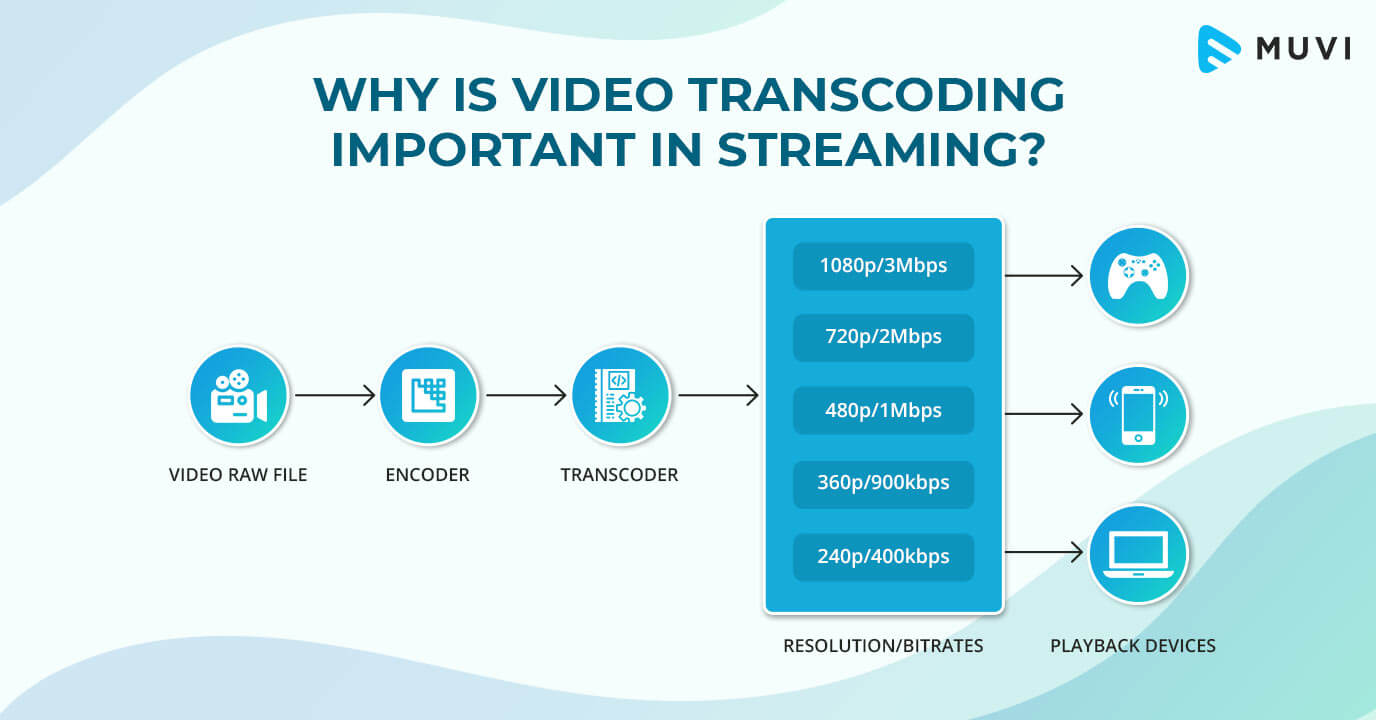

What is the difference between video transrating and transcoding?
When it comes to optimizing video files for different platforms and devices, two commonly used techniques are transrating and transcoding. While these processes may seem similar, they have distinct differences that are important to understand. Let’s explore the dissimilarities between video transrating and transcoding.
Transrating involves adjusting the bitrate of a video file while keeping the same video codec and format. The purpose of transrating is to reduce the bitrate of the video to accommodate lower bandwidth or storage limitations without altering the visual quality significantly. This process is particularly useful for streaming platforms, where adaptive streaming is employed to deliver the best quality based on the viewer’s internet connection.
On the other hand, transcoding involves converting a video file from one codec to another, often accompanied by changes in the format as well. Transcoding allows for compatibility across different devices, software, or platforms. It also offers the opportunity to optimize the video file by utilizing more efficient codecs or adjusting other parameters, such as resolution or frame rate.
Optimizing video bitrate with transrating
One important aspect of video optimization is the bitrate. Higher bitrate typically results in better visual quality but requires more bandwidth or storage space. In scenarios where bandwidth is limited or lower quality is acceptable, transrating can be employed to reduce the bitrate while maintaining the same video codec and format.
For instance, consider a video that is originally encoded with a high bitrate suitable for high-quality streaming. However, if the video needs to be delivered over a slower internet connection or on a device with limited storage, transrating can be used to lower the bitrate while preserving the original codec and format. This allows for a smaller file size without significant degradation in visual quality, ensuring smooth playback in challenging network conditions.
Achieving compatibility and optimization through transcoding
Transcoding offers a wider range of possibilities in terms of compatibility and optimization. It allows for converting a video file from one codec to another, which can be crucial for ensuring playback on various devices and software applications.
Furthermore, transcoding provides an opportunity to optimize the video file by utilizing more efficient codecs or adjusting other parameters. For example, converting a video to the H.265 (HEVC) codec from the older H.264 codec can significantly reduce the file size while maintaining comparable visual quality. Similarly, adjusting the resolution, frame rate, or other settings can further optimize the video for specific devices or platforms.
Final Words
Video transrating and transcoding are two distinct techniques used in optimizing video files for different purposes. Transrating focuses on adjusting the bitrate of a video while keeping the same codec and format, enabling efficient streaming and accommodating lower bandwidth or storage limitations. Transcoding, on the other hand, involves converting a video file from one codec to another, providing compatibility across devices and platforms while allowing for optimization through codec selection and parameter adjustments.
Understanding the differences between transrating and transcoding is crucial for efficiently delivering video content and ensuring the best possible viewing experience. By utilizing these techniques appropriately, content creators and distributors can reach a wider audience, optimize storage and bandwidth usage, and provide seamless playback across various devices and network conditions.


