Improving MP3 Quality: Tips and Tricks


Free Download Mp4Gain
picture

Improving MP3 Quality: Tips and Tricks

Improving MP3 Quality

MP3 is one of the most popular audio formats in the world, but the quality of the files can vary greatly depending on the original recording and the settings used to convert it to MP3. If you’re not happy with the sound quality of your MP3s, there are a few things you can do to improve it.

Improving MP3 Quality

Use a High Bitrate

One of the most important factors in the quality of an MP3 is the bitrate, which is the amount of data used to represent each second of audio. A higher bitrate means more data and a better quality sound, but it also means a larger file size. A good rule of thumb is to use a bitrate of at least 128 kbps for music and 64 kbps for spoken word.

Remove Noise and Hiss

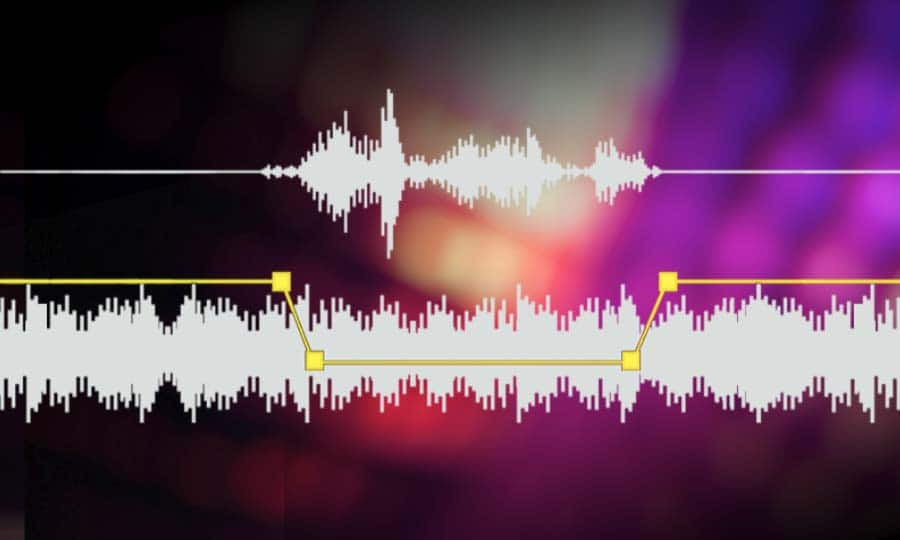
Another common problem with MP3s is background noise and hiss, which can be caused by a variety of factors such as poor recording conditions or low-quality equipment. To remove this noise, you can use a noise reduction tool, which is available in most audio editing software. These tools work by analyzing the audio and identifying the noise patterns, then removing or reducing them to improve the overall sound quality.

Use a Lossless Format

If you’re really serious about sound quality, you may want to consider using a lossless audio format such as FLAC or ALAC. These formats store the audio data without any compression, resulting in a higher quality sound than MP3. However, the files are much larger, so you’ll need a lot of storage space and a fast internet connection to stream them.

Invest in High-Quality Equipment

Finally, the quality of the equipment you use to play your MP3s can have a big impact on the overall sound. Investing in high-quality speakers, headphones, or an audio system can make a big difference in the quality of the sound you hear. Additionally, you can use an equalizer to adjust the levels of different frequencies in the audio to achieve the desired sound.

Conclusion

In conclusion, there are several ways to improve the sound quality of your MP3s, from using a high bitrate to removing background noise and investing in high-quality equipment. One of the best solutions for improving the quality of your MP3s is MP4Gain. It’s a software that optimizes the audio of your files, making them sound better than ever before.


Free Download Mp4Gain
picture


Mp4Gain Main Window
picture


Mp4Gain Features
picture


Free Download Mp4Gain
picture

MP3 SOUND QUALITY IS MAINLY DETERMINED BY THESE FOUR FACTORS Part 2

MP3 SOUND QUALITY IS MAINLY DETERMINED BY THESE FOUR FACTORS Part 2

mp3 quality
mp3 quality

Quality of music playback files

mp3 quality
mp3 quality


The decoder chip is important, but in order to enjoy high-quality music, the factor that affects the sound source itself is very large. In turn, the quality of the audio source depends on the music file format and compression ratio. The main music formats today are, of course, mp3 and wma, and almost all current mp3 players support these two formats.

MP3 sound quality is mainly determined by these four factors

Headphones and personal preference

An mp3 with excellent sound quality without a pair of excellent sound quality earplugs is surely a waste of luxury. As we all know, the sound quality of earplugs randomly delivered by mp3 is unbearable to “listen to”. This is mainly due to the manufacturer choosing poor quality earplugs due to cost considerations. There is a saying “listen to a sound below 10,000”, which refers to headphones. A good pair of headphones is one of the ways you can get a better music experience.

MP3 sound quality is mainly determined by these four factors

environmental factor

External interference will more or less affect the effect of listening to music. When you use headphones in the room and outdoors are completely two effects, of course, you can choose a pair of headphones with good noise reduction to compensate for the interference from the outside world.

If you are a music enthusiast, of course, I would recommend that you choose an mp3 player with a high-quality MP3 chip, download high-quality music files, put on some good headphones, and enjoy the sound of the day in the room.

MP3 SOUND QUALITY IS MAINLY DETERMINED BY THESE FOUR FACTORS

MP3 SOUND QUALITY IS MAINLY DETERMINED BY THESE FOUR FACTORS

MP3 SOUND QUALITY
MP3 SOUND QUALITY

Although more and more people use mobile phones to listen to songs, not only because mobile phones are more convenient, but also because they can listen to songs and share them online.

MP3 SOUND QUALITY
MP3 SOUND QUALITY

But for some music enthusiasts, they still choose to use MP3 to listen to songs, a high-quality MP3, the price is even higher than some mobile phones…

Although more and more people use mobile phones to listen to songs, not only because mobile phones are more convenient, but also because they can listen to songs and share them online. But for some music enthusiasts, they still choose to use MP3 to listen to songs, a high-quality MP3, the price is even higher than some mobile phones. If mp3 wants to get better sound quality, it is natural to have a high quality MP3 chip. Also, what other factors determine MP3 sound quality? Jiuxin Xiaobian summarizes the following points.

inherent mp3 decoder chip

The decoder chip used by Mp3 itself is the key to its sound quality. The sound quality displayed by high quality decoder chips is unmatched by those of the poorest. It can be said that the high-quality MP3 decoding chip is the main factor to distinguish the quality of MP3. Better decoding means users can listen to music with near lossless sound quality and more enjoyable music.

Jiuxin Electronics N9200A module is an MP3 module that provides a serial port, which seamlessly integrates hard MP3 and WMV decoding chips. At the same time, the software supports TF card driver, supports the computer to directly update the spi flash content, supports FAT16, FAT32 file system. The function of playing the specified music and how to play music can be completed through simple UART serial port commands or one-line serial port commands, without tedious low-level operations, beautiful sound quality, convenient use, stability and reliability are the main features of this product. In addition, the chip is also a deeply customized product, a low-cost solution specially developed for the field of fixed voice reproduction.

Increase mp3 volume

Increase mp3 volume

Increase MP3 Volume

Increasing the volume of an mp3 is something that we need frequently. Currently it is also necessary to increase the volume of videos and other audio formats such as FLAC, OGG, etc.

Increase mp3 volume

Since Alba Edison invented the way to record sound, more than a hundred years ago, there has been no need for anyone who has a snora recording to have a constant need to increase the volume of the mp3 or in any way that audio was stored.

Only until recently, when the audio is digital and therefore you can exchange it, have we seen this need arise in a big way.

And it is that this possibility of exchanging songs generated the urgent need to be able to compress them, so that they would not use a percentage of a computer’s hard drive in a single song.

The mp3 meant to be able to store it in a 11 part of its original size, based mainly on models of human perception of sound. That is, based on the principles of how humans capture sound, we can learn what information to discard without the human ear noticing it.

But this compression came at a price: the resulting mp3s had different qualities and therefore different volume levels.

Mp4Gain is the most efficient software to normalize not only mp3s but almost any audio format, such as video.

Increase mp3 volume – Mp3 volume increaser

Increase mp3 volume – Mp3 volume increaser

Increase mp3 volume - Mp3 volume increaser

There is without hesitation the need to increase the volume of the mp3. And nowadays it is not only about increasing the volume of mp3s, but there are many other formats, both lossless and lossy.

Increase mp3 volume - Mp3 volume increaser

What are audio formats for?

On this site we have a broader article explaining and detailing this point, but as a summary we will explain that in order to easily handle music in modern devices, it is best to make them more compact: compress them, so that they use less disk space.

The format that made a boom of success years ago was mp3, which through various mechanisms that we will mention later, managed to reduce its size by 11:1. That is to say, it occupied an eleventh part of the original WAV.

A good part of his methodology and technique was based on the way in which humans listen and based on those principles he was able to codify music without the human ear perceiving much of the difference and instead, as we pointed out before, its size was eleven times smaller.

But all this treatment and the fact that the encoding is done by inexperienced hands has caused us to have a problem with volume levels: each person who copies mp3 makes their result have a different volume level.

Now new audio and video formats have appeared, such as FLAC, ogg, opus, m4a, etc. and in video we have mp4, mpeg, webm, etc.

Mp4Gain is the software that offers the possibility of normalizing the volume of all your music files and videos. It is very easy to use and has a very affordable price and you don’t need to “know how to use it”, you just press a button and that’s it.