Beyond a simple audio compression format, MP3 is the most widespread sound standard: there is currently no device that boasts of being “multimedia” that does not support the reproduction of these files.
Although for some it seems somewhat modern, the MP3 format has a lot of development time. It all started in the early 1990s, thanks to a group of European programmers who wanted to perform an effective audio compression algorithm, which would save storage space while maintaining a similar quality. Beyond the use that we can give to place more songs on the same CD or DVD, this saving in space is very important for digital communications. Indeed, one of the first uses that MP3 and their predecessors had was in radio networks and modem music transmissions.
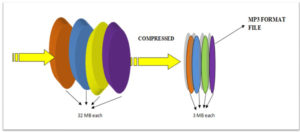
So, basically, we can say that MP3 is a compression format of music files (and audio in general) that occupies neither more nor less than one tenth of what the same song weighs on a conventional audio CD. And the best part is that the sound quality is practically the same.

How does it work?
Those who developed the MP3 were based on psychoacoustics, which is a science that aims to analyze how human beings perceive sounds. On the basis of an intensive study of this concept, everything “unhelpful” can be eliminated and space saved without a common human being finding any difference from the original information. One of the main secrets of MP3 is that in its data it eliminates all frequencies not audible by the human (that is, more serious or more acute than what we can hear), so the only ones that are able to perceive any difference are our pets.
Another interesting feature of MP3 is variable bitrate. The bitrate is the amount of information bits that are transmitted in a second of audio: if it is larger, the sound will have a better resolution and will be more faithful to the original. For example, the standard for MP3 is 128 kbps (1 MB per minute), although there are many who use one of 192 or 256 kbps to improve fidelity. Placing a variable bitrate allows us to prioritize quality in those parts of “dynamic sound” and save in those that do not need more quality. However, since this variable bitrate technique depends a lot on the program with which the information is compressed, and is not always completely faithful, it is usually customary to use a fixed one.
Play MP3 on PC
There is an infinity of software to play music in MP3 format on our computer. Several of them are excellent, but there are certainly two that are much more popular than the rest. Why? One, for being one of the first and most classic, and the other, for being included in Windows and offering good benefits to the user: Winamp and Windows Media Player.
Initially, Winamp (www.winamp.com) was characterized as a very small and beautiful program, one of the first to use skins to change its appearance. Today, he only has the beauty, since his predefined window is much larger and more complete. However, it maintains a modular design that allows us to close each section as it suits us, to make the program more compact.
For several years, Microsoft has the desire to own the most used multimedia player in the world, and possibly has achieved it thanks to its integration into its system
Windows operating from the XP version. Beyond the differences that may be in the interface, with Windows Media Player we can do almost the same as with Winamp.
Which is better? That depends on each user in particular, although there are more followers of Winamp, especially because of the large number of interesting additions it has to improve the sound and listen to online radios through ShoutCast.
CD to MP3
Now that we know how to play MP3 music, the following question arises: how do we get MP3 files? There are many ways, such as downloading music directly from the internet (provided this distribution method is legal), or generate MP3 recording something with the microphone of our PC. But the most used is still the transfer of an audio CD to music in MP3 format. While there are several programs