Lossless audio compression


Free Download Mp4Gain
picture

Lossless audio compression
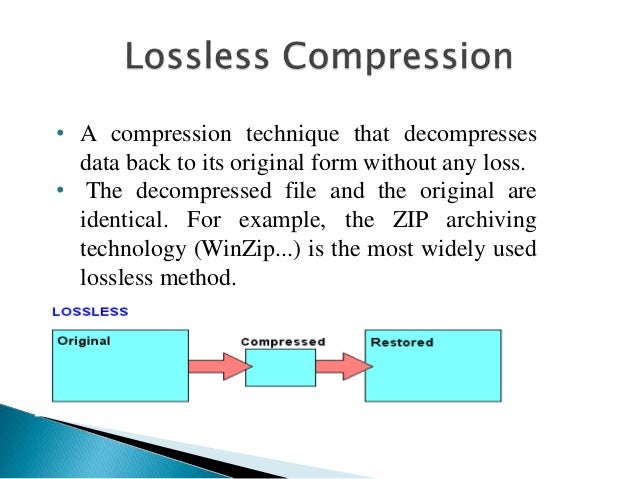
Lossless Audio compression

FLAC is perhaps the most popular lossless audio format and encoding codec. Music lovers are gradually switching to this format. WavPack competes with it, but it is not that popular. It’s the same story with Apple Lossless, which reduces the size to 60%.
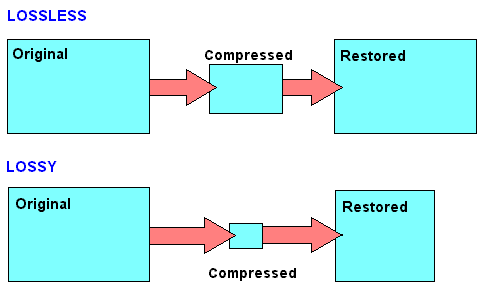
Lossy file compression

The story here is: quality is better and size is bigger.

Skeptics say that it is almost impossible to distinguish MP3 (320 kbps) from Losless by ear. “And if there is no difference, why pay more?” In fact, on ordinary equipment, it is quite difficult to feel the difference in audio formats, even for music lovers. But there are those who immediately feel this difference (they personally attended the experiment). But when listening to a good device, the difference is huge. The problem is that not everyone can afford a good device.

In what format and with what quality is music heard on the radio?
In fact, we can say that there are currently two main audio formats: lossy (compressed) and lossless (uncompressed). They are classified into many types.

Lossy takes up less disk space, but degrades the quality of the audio track. When compressed using the MPEG protocol (hence the name mp3 – mp4 for files containing video sequences), the hues and transition tones, which are barely noticeable to the ear, are cut off. This makes the file clearer, but it also degrades it. The last place is occupied by the bit rate of that file: the degree of compression of each second of the audio track. The lower the bitrate, the less space the file will occupy and the worse the quality. Thus, a composition of three minutes in mp3 with a bit rate of 320 kilobits per second will occupy up to 3 megabytes on disk; a similar composition with a 96 kilobit bit rate will occupy about 400 kilobytes.

Lossless is as close to the original analog sound * as possible, making it much loved by sound engineers. Lossless formats take up much more disk space even compared to mp3-320. Among these formats, the most common are WAV (standard), FLAC (economic), AIFF (Apple). The former is used most often.

Professional sound recording is done only in uncompressed format. Only with him do the sound engineers work.

On the radio, the situation is somewhat more complicated. This is due to the peculiarities of the work of the media, namely efficiency and commercial profitability. The use of high-capacity servers is expensive and therefore most radio stations encode audio tracks in mp3 format at a bit rate of 256 kilobits per second. However, this is typical mainly of national stations. Equipment purchased from abroad has standard configurations that assume WAV encoding.

Why are software developers focusing on WAV? Because the radio signal cannot propagate without interference. Therefore, the listener still receives a small and sometimes significantly distorted signal. Therefore, broadcasters are faced with a reasonable question: what quality of sound will the listener perceive best: distorted ideal or distorted distortion? For this reason, in Europe and the United States, the WAV standard (AIFF, if the station operates with Apple equipment) is adopted, in Russia – mp3 with a bit rate of 256 kilobits per second.


Free Download Mp4Gain
picture


Mp4Gain Main Window
picture


Mp4Gain Features
picture


Free Download Mp4Gain
picture

Lossless audio compression explained

Lossless audio compression explained

LossLess Audio compression

FLAC is perhaps the most popular lossless audio format and encoding codec.

lossless audio compression

Music lovers are gradually switching to this format. WavPack competes with it, but it is not that popular. It’s the same story with Apple Lossless, which reduces the size to 60%.

Here the story is exactly the opposite: the quality is better and the size is greater.

Skeptics say that it is almost impossible to distinguish MP3 (320 kbps) from Losless by ear. “And if there is no difference, why pay more?” In fact, on ordinary equipment, it is quite difficult to feel the difference in audio formats, even for music lovers. But there are those who immediately feel this difference (they personally attended the experiment). But when listening to a good device, the difference is huge. The problem is that not everyone can afford a good device.

Compressed using special lossless audio codecs, it can be restored with absolute precision if desired.

If you take a normal audio CD disc with analog sound, record it in WAV format for uncompressed sound, then compress WAV using lossless codec, then decompress the resulting sound file into WAV and burn the result to a blank CD , you can get two completely identical audio files COMPACT DISCS.

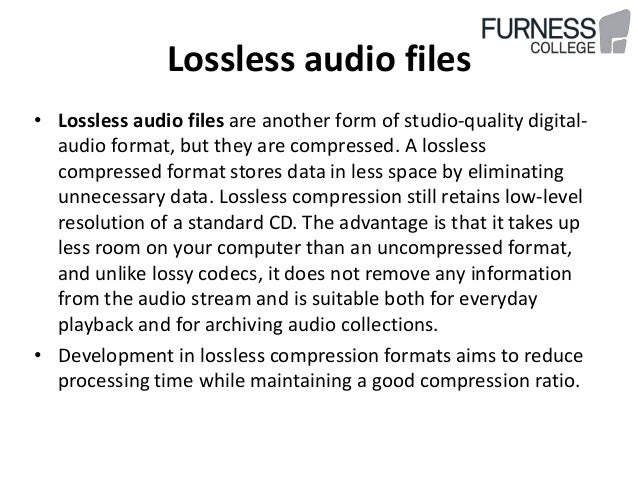
The advantage of lossless for storing an audio collection is that the quality of the recordings is much higher than that of lossy codecs and they take up less space than uncompressed audio. It is true that lossy files are smaller than lossless music files. Most modern playback programs understand the lossless format. Programs that cannot play it can easily learn it using the lossless plugin. What are lossless audio formats?

Lossless audio formats
A true music lover is unlikely to be satisfied with the sound of music recorded in Ogg Vorbis or MP3 compression formats. Of course, if you listen to audio recordings on home audio equipment, sound defects cannot be heard with your ear, but if you try to play a compressed file on high-quality Hi-Fi equipment, you will immediately find the sound defects. . Of course, creating a collection of quality music on CD or vinyl is not easy. There is a reasonable alternative to this path for lovers of high-quality sound: lossless music. It can be stored on your PC in a way that allows you to keep the original music settings unchanged, even if compression is applied. In this way it simultaneously solves the problems of high-quality music and its compact storage, since audio equipment for listening (headphones, speakers, amplifiers) is quite affordable.

Uncompressed lossless audio formats:

CDDA is an audio CD standard;
WAV: Microsoft Wave;
IFF-8SVX;
IFF-16SV;
AIFF;
Compressed formats:

FLAC;
APE – Monkey’s Audio;
M4A – Apple Lossless – Apple’s high-quality music format;
WV – WavPack;
WMA: Windows Media Audio 9;
TTA – True Audio.
LPAC;
OFR – OptimFROG;
RKA-RKAU;
SHN – Shorten.
FLAC format
The most common format is the. It differs from lossy audio codecs in that no data is removed from the audio stream when it is used. This makes it possible to use it successfully to play music on Hi-Fi and Hi-End equipment, as well as to create an archive from a collection of audio recordings.

The great advantage of the format is its free distribution. This is important for musicians who record music on their own. The format has grown in popularity lately, thanks to which its support is included in the vast majority of multimedia players.

APE format
Unlike FLAC, for the APE format there are only codecs and plugins for the Windows platform. For other platforms, there are expensive third-party software solutions. The algorithm is capable of achieving lossless compression of the audio information between 1.5 and 2 times. It includes three main stages of encoding, of which only one is based on the use of inherent properties of sound for compression. The rest are similar to conventional filing cabinets. Despite the fact that the compression algorithm is distributed free of charge, the licensing restrictions are such that it is practically inaccessible for amateur musicians.

Apple Lossless Format
You can listen to high-quality lossless music using the audio compression codec without sacrificing Apple quality. This format was developed by Apple for use on its own devices. The format is compatible with iPods with special dock connectors and the latest firmware.