
The importance of loudness normalization Part 1

Regarding the importance of loudness normalization in streaming services, Shimamoto says: “The volume of musical works varies greatly depending on the era in which they were made and each album.
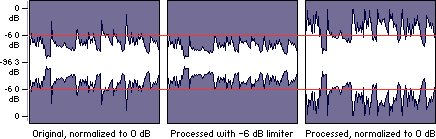
When playing a single album on a CD, I just had to adjust the volume to the appropriate level first, but in music distribution, it varies. Music of different ages and genres will be mixed. At this time, if there is a volume difference for each song, the user will need to adjust the volume one by one. Therefore, to improve the user experience. A mechanism is now required. ” On
music streaming, volume normalization generally calculates the volume value that indicates the perceived volume for each album, and for songs that exceed the standard value, please lower the volume in the application to the standard value. It works in the way you play for it to become.
Currently, the services that have announced the installation of such loudness normalization are used in TIDAL, Amazon Music HD, Spotify and Nico Nico Douga. Although YouTube has not officially announced it, it has been confirmed that it has adopted a mechanism that conforms to the same international standard. On the other hand, some streaming services, such as mora qualitas and LINE MUSIC, do not have these standards (* as of October 2020).
The TIDAL application also has a “Loudness Normalization” item that can be turned on and off.
European broadcasters have adopted the standard of -23LUFS plus or minus 1. Streaming services do not necessarily publish this number, but for example TIDAL has advertised it as -14LUFS and Nico Nico Douga has advertised it as -15LUFS. Also, Spotify uses a different standard called Replay Gain, but it is supposed to be around -14 LUFS.
Nico Nico Douga has clearly established the “normalization of loudness” standard for January this year.
■ Impact of
Loudness normalization in audio listening I tested various music services to see how loudness normalization actually affects audio listening. The song uses “Pretender” by Official Hige Dandism.
Loudness normalization settings are built into PC and smartphone applications. It is often on by default, for example Amazon Music HD allows you to uncheck “Loudness Normalization” in “Settings”. With Spotify, you can turn it on and off with the item “Standard volume settings: play all songs at the same volume”.
First, play “Pretend” normally from the Spotify application on your PC. After that, when I turned off the “Standard volume settings / Play all songs at the same volume” item in the settings and played the song again, I felt the volume clearly increased even when listening with headphones. (Note: Loudness normalization in Spotify works when you pause one song and then play the next song again. Pause doesn’t work).
Playing music from the Spotify PC app (left) and the volume normalization setting screen (right)
Now let’s try it on Amazon Music HD. This is easy to understand because the volume changes clearly if you uncheck “Loudness Normalization” even during music playback. I couldn’t find a clear statement on what kind of Amazon Music HD standard sets, but since there is a notation that it is equivalent to -14LUFS as a guide when creating content for Alexa, a standard equivalent to this is set. a high possibility that it is.
Played from the Amazon Music HD PC app (left) and the volume normalization setup screen (right)
Let’s see it on YouTube this time. YouTube does not have a volume normalization on / off feature, but you can see how much the volume has dropped from the original source in the “stats”. If you right-click while playing “Pretend” and look at “Detailed Statistics”, “Volume / Normalized 100% / 41% (content volume 7.7dB)” is displayed. In other words, it plays with the volume reduced by about 7.7 dB.
When I measured the volume of “Pretender” using iZotope’s music editing software “iZotope RX 7 Audio Editor”, this song was displayed as “-6.3 LUFS”. Since the standard level of loudness normalization differs according to the distribution site, it cannot be said unconditionally, but considering this information, it is estimated that it is reproduced with the volume lowered between 7 and 8 dB. NS


