
Video file formats / formats Part 2
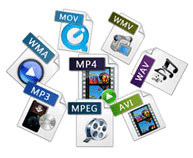
Files that are handled on a personal computer have an extension so you can see what kind of data they are.

For notepad it is “.txt”, for Excel it is “.xls” or “.xlsx” and for images it is “.jpg” or “.png”.
Video files have the same extensions, such as “.mp4”, “.mov”, “.avi” and “.mpg”.
For example, there are more than 10 types of video keys (= codecs) that correspond to the extension “.mov”. In other words, the extension in the video is just a guide to predict the content and keys.
Although it can be identified that it is a video file by looking at those extensions, the extension and the video file, and the video file and the key (= codec) are not one by one, so the extension is just a guide. . to show your identity Always makes it difficult to handle video files.
The main video files, extensions and codecs are summarized below. If you only know the extension and want to check the codec, you should use a software called codec checker like “MediaInfo” or “Vacuum Wave Lab SuperLite”.
Most of the major video players these days, like Windows Media Player for Windows and QuickTime Player for Mac, have a built-in key (= codec), and most of them can play videos with that software. However, keep in mind that some of them are not supported. You need to get that codec or get a player that includes that codec.
Video file format explanation Main extensions Main codecs
MP4 has a high compression rate and is very convenient, but it is difficult to determine the content because there are many codecs. The recommended format for YouTube is H264 mp4 format. .mp4 .m4v (Video) MPEG1 MPEG2 MPEG4 H.263 H.264 H.265 H.264 / AVC WMP9 (Audio) AAC-LC AC-3 MP3 HE-AAC VQ Apple Lossless
MOV A standard file for working with videos on Mac. It is based on MP4 and can also use the MPEG-4 video codec. .mov .qt (Video) MPEG-4 H.264 Motion JPEG (Audio) AAC MP3
MPEG-2 PS It is used as the recording format for DVD and the like. A standard based on the assumption that bit errors are small, created on the premise of storage media. .mpg .mpeg .mpe .m2p (Video) MPEG-1 MPEG-2 (Audio) MPEG1 Layer-II MPEG2 Layer-II LPCM AC-3
MPEG-2 TS The format used by many digital transmission standards around the world. Used in HDTV and Blu-ray recorders .mpg .mpeg .mp2 .m2p .m2t .mpt .m2ts .mts .ts .vob (Video) MPEG1 MPEG2 MPEG4 H.264 / AVC (Audio) MPEG1 Layer- II MPEG2 Layer-II MPEG4 AAC-LC LPCM AC-3 MP3
AVI Please note that the old format cannot be played if the file is incomplete and there are restrictions such as a maximum capacity limit of 2GB. There are a lot of codecs here too. .avi .divx (Video) MPEG1 MPEG2 MPEG4 Motion JPEG DivX 3-5 XviD (Audio) MPEG1 Layer-III MPEG2 Layer-III PCM AC-3
1-4. Frame rate
The frame rate is a value that indicates how many image frames (frames) are recorded per second, just like character reading, and the frame rate value is ◯ fps or ◯ f / s. I will describe it. In other words, if 30 images (frames) are recorded per second, the value will be 30 fps or 30 f / s.
The higher the frame rate value, the smoother the video will move, and the lower the frame rate value, the more choppy the video will be. In other words, the frame rate can be reformulated as a value that represents the smoothness of the moving image display.
The video on the right reproduces the difference in video depending on the frame rate.
The higher the frame rate, the better. A video with a large frame rate value will have a large number of recorded images, and of course the amount of data will also be large. In addition, there are limits on the human eye, the side of the screen that projects it, and the technical specifications on the middle side, so it is necessary to set it to a suitable value.
Typical frame rates currently used are 24 fps, which is used for filming and animation, 29.97 fps, which is used for television broadcasts in Japan, and recent consumer cameras. There are 59.94 fps conventional, etc. Furthermore, there are also 25fps mainly for Europe.


