iMP3 to M4A – Although M4A is not as compatible as MP3, the audio quality of M4A format is much better than MP3 for the same size. So for Apple users, it is really a good way to convert MP3 to M4A format if you want to import more songs to the device. FLAC to M4A : FLAC is also a lossless audio compression format, which can reduce the size of the original file to half the size of the original file under the premise of lossless sound quality. For users who want to listen to music, FLAC offers an unprecedented musical feast. However, if you are using an iPhone or other Apple device, you must convert FLAC to a format that Apple can read, such as M4A, before you can play it.iiiWAV to M4A : WAV is a format commonly used by Microsoft and IBM. Compared with M4A format files, apart from the reason why Apple series products do not support playing WAV files, WAV format files will also take up more disk space.
How to convert video to M4A format?
iMP4 to M4A – MP4 is a most common format for storing video and audio data. If you want to extract audio files from MP4 video with lossless sound quality, the preferred method is to remove the video data and keep only the audio.
Some people say that M4A, as a format for storing audio, can be considered the successor to MP3 format. However, compared to MP3, the advantage of M4A format is that it can compress the smaller file while keeping the same bit rate. The main stereo bitrate parameters of M4A files are 128 Kbps, 192 Kbps, and 256 Kbps (Note: Bitrate refers to the amount of data that can be transmitted in a specific time. Usually, your drive is Kbit/s or Mbps, i.e. the amount of data that can be transmitted per second kilobits and how many megabytes of files can be transferred per second (regardless of the unit used, the higher the number, the higher the speed and quality If you know more about encoding music, you should know that M4A audio files in 192Kbps parameters can get the highest quality music with the least memory consumption, for more details please read below .
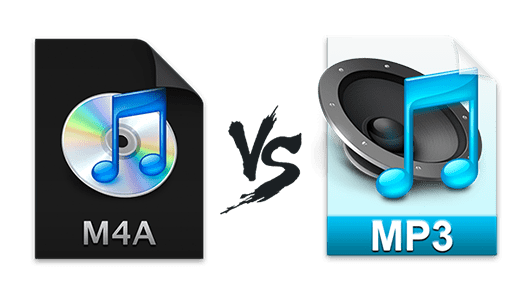
Quality – The audio quality of ALAC compressed M4A files is very high as both original sound waves are lossless. AAC compressed M4A files have lossy compression. By comparison, M4A performs better than MP3 at the same bitrate, especially below 128Kbps.
File Size – File size and quality are directly related to bitrate. As bit rates increase, so do audio quality and file sizes. For example, to get the same quality audio file, MP3 needs to be encoded at 192 Kbps, while M4A only needs 128 Kbps. From this point of view, M4A files take up less space.
Compatibility: The MP3 format certainly ranks first in the audio market for compatibility, almost all software and hardware can play MP3 files. However, M4A is relatively limited and can only be used on Apple brand computers, iPods, iTunes and other software/hardware.
M4A is an extension used to compress MPEG-4 encoded files.
M4A
The official extension of MPEG-4 is the MP4 format, which contains audio and video files. The standard audio format in MP4 files is undoubtedly M4A. In fact, the M4A format was not very well known before, it was not until 2007 that Apple first used M4A, AAC, ALAC, etc. such as iTunes and iPod song recording formats, and slowly became more widespread.
File extension : M4A (MPEG-4 audio)
Category : Audio files
Popularity – iPhone users use more
Developer: Apple Inc.
M4A file features at a glance
The M4A format is not copyrighted. Generally, protected files are mostly in MP4 format.
M4A audio files can be decoded to their original quality before being compressed.
Most of the M4A songs on the iTunes store require payment, but there are occasional special offers or giveaways.
The iTunes store also offers music in formats other than M4A.
You can set it as iPhone ringtone by changing the music extension from M4A to M4R.
Maximize lossless sound quality and minimize storage space.
Excellent – Although M4A is a compressed format, there is no loss of audio quality. Also, M4A files are not protected by digital rights management, so you have the flexibility to re-edit and transfer them.
Bottom – M4A format can be perfectly read on iTunes, iPod and other Apple devices. But compared to MP3 format, it is much less compatible with other brands of products.
What is M4A? Discuss the difference between M4A and MP3, AC3, WMA and other audio formats!
m4a gain
M4a gain
What is M4A?
m4a gain
Have you seen M4A files?
Have you found an M4A file on your computer and wonder how to listen to it? Also, don’t you know how to view and save the M4A file attached to email? To solve the above problems, you must first understand the knowledge about M4A. When I hurriedly searched for M4A-related information on the net, there were many technical terms that were difficult for beginners to understand, and some of the information was scattered and not very useful. What exactly is M4A? How is it different from the popular MP3 and AC3 audio formats?
Don’t worry, the text includes what is M4A in easy to understand words, how to play M4A, the difference between M4A and MP3, AC3, WMA, WAV, AAC, ALAC and other audio formats. , I will introduce it one by one, so please don’t miss it.
What is M4A?
M4A is one of the audio file recording formats, which is an extension of the MP4 file format defined by the MPEG-4 standard for audio. In other words, M4A is a file created without any video data in the MP4 file.
Audio data compressed in AAC or Apple Lossless (ALAC) format is recorded. Developed to become the new standard for audio file compression, this new codec is the successor to MP3 and boasts better sound quality and smaller file sizes than MP3.
M4a gain – with Mp4Gain
To achieve the effect that mp3gain did on mp3s, Mp4Gain can do it on most audio and video formats.M4a Gain is something that Mp4Gain performs as one of its most important functions.It ensures that all m4a have the same loudness, all with the same volume level, optimized to sound better and at the right level.It’s as simple as loading the m4a (or m4a) and clicking a button.
What is M4A?
Tip: It is very difficult for anyone who wants to play M4A on Xperia, Samsung, HTC, PSP and other M4A incompatible devices. It’s a video/audio codec, so it’s hard to do. By the way, if you have a video converter with good quality, you can easily solve the above problems.
Compare audio formats like M4A and MP3, AC3, WMA!
Apart from M4A, many other audio formats are active. For example, the popular MP3, AC3, WMA, OGG, etc. What is the difference between M4A and MP3, AC3, WMA? Where is M4A superior to MP3, AC3, WMA and OGG? Then read the next sentence to see the battle of the audio compression formats.
M4A and MP3: Both M4A (MPEG 4 audio) and MP3 (MPEG3 audio) are audio compression formats and were developed by the Motion Picture Experts Group (MPEG). Next, I will introduce the differences between M4A MP3 in terms of file size, sound quality, and compatibility.
Sound quality: The M4A format, known as Apple Lossless Encoder, points to a new audio compression standard instead of MP3. However, when comparing M4A MP3 for sound quality, M4A is better. Generally speaking, it is recommended to store music with M4A audio at 192kbps bitrate for good sound quality and small file size.
File Size – In terms of file size, M4A is often believed to offer superior sound quality to MP3 when encoded at the same bit rate. For example, at 128-bit AAC (M4A) speed, a 4-minute song would take up 3.8 MB. To maintain the same sound quality with MP3, it is necessary to encode at a rate of approximately 192 bits. So the size of the