
Instagram video formats and how they are used
It seems like there’s nothing more popular in the internet marketing world right now than Instagram. Well maybe just video marketing (* rather smiles *). How about combining these two trends together? Instagram Video Marketing is a really cool combination that can blow up sales and take your business to the next level. In this article, we will introduce Instagram video formats and how you can use them.
Why post videos on Instagram?
But first, let’s think about why your Instagram needs a video format. First of all, this is a great opportunity to more fully demonstrate your product or service: make a detailed description of the service / products, show employees and the internal company “kitchen”, post customer reviews on video, etc.
Second, it’s clear that videos get a lot more views, likes, and saves than regular photo posts. They generate more interest and engage in content more effectively, and only update the feed. It is not difficult at all to independently analyze any profile on social networks; To solve this problem, you can use the Popsters content analysis service. Third, this is another effective channel of interaction with the audience and even more, another channel of sales.
We have identified 4 formats of video content on Instagram: Post to Feed (In-Feed), Stories, IGTV Video, and Live Stream. These four formats are additional ways to reach your audience. Let’s take a closer look at the characteristics of each type of video.
1) Publish to the feed (In-Feed)
Instagram supports almost all video formats and does not set any restrictions, but recommends two for download: MP4 and MOV. You can find a complete list of supported formats here. The maximum resolution for Instagram videos is 1080P.
You can upload videos in square, horizontal and vertical orientations to the source. You can select videos of any format, up to 4GB in size and up to 60 seconds in length. The following are size guidelines for videos of different orientations:
· Square: 600 * 600 pixel size; aspect ratio – 1: 1.
· Landscape orientation: 600 * 315 pixel size; aspect ratio – 1.9: 1;
· Portrait orientation: 600 * 750 pixel size; aspect ratio – 4: 5.
Let’s say right away that vertical video to post to feed is not the best option. Such a video takes up almost the entire screen of a mobile device, pushing the block with likes and comments.
How do I upload a video to the feed?
To upload a video to the Instagram feed, click on the square at the bottom of the screen and then select the desired video from the “Gallery”. When you’re ready to record and share your video right away, tap Video and start recording.
You can trim the video to a minute or less by choosing the best excerpt, directly in the Instagram editor, and also applying a filter. Sign, geotag, and whatever your heart desires, and post like a regular post!
2) History
Stories are the most popular type of content on Instagram. And many users, without even going to the feed, immediately look at the “stories”; after all, the most relevant and interesting is published here, including links to posts published in the feed. If you run Instagram, but forget about stories, you are depriving your account of a lot of views! Stories disappear after 24 hours, so this is a great opportunity to generate interest in your account on a daily basis.
In Stories, you can post video responses to subscribers’ questions, demonstrating your expertise, showing internal workflows, or the usual (and unusual) joys in life if you have a personal blog.
Story video requirements:
· Only portrait format with an aspect ratio of 9:16;
· Size: from 600 * 1067 to 1080 * 1920;
· Duration: no more than 15 seconds, while you can upload a video of any length, which will be automatically divided into 15-second chunks;
· The maximum size of a video is not more than 4 GB.
How do I post a video in Stories?
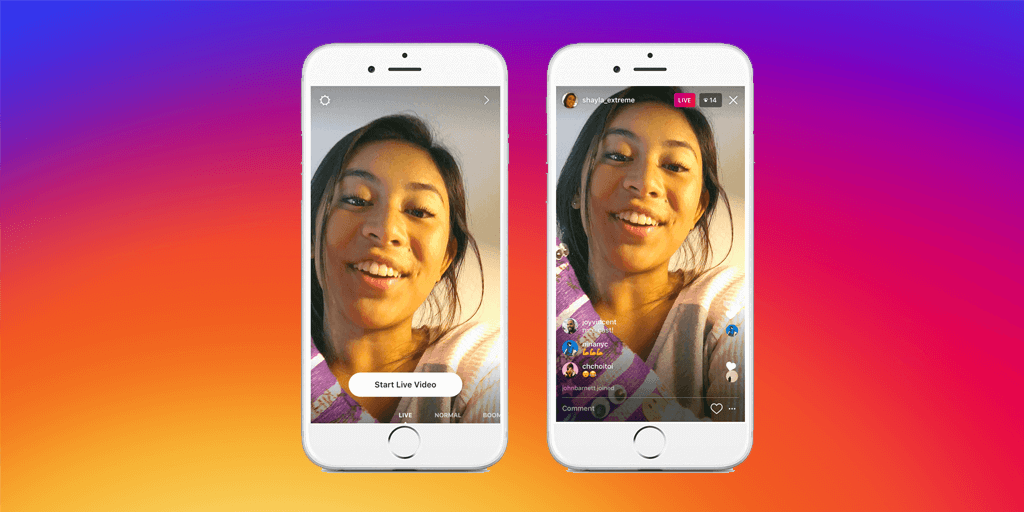
To upload a video to Stories, click the camera icon in the upper left corner of the source. You can select a finished video from the gallery by swiping down, record a video in various modes (Boomerang, Hands-free, Focus, Super Zoom + Normal mode), or live stream (more on that later).
You can also add filter, geotag, mention, emoji, draw anything, don’t stifle your creativity! Then hit Share and the video will appear in Stories. You can also send stories to specific users on your list.

