Skip to content

mp4gain.com

Mp4 Gain Official Website

Tag: flv download youtube

The FLV Video file format


Free Download Mp4Gain
picture

The Adobe Systems Flash Video format is commonly used to include online videos on websites, such as YouTube, Hulu, Vevo and numerous other video transfer services. Virtually any operating system (with the exception of iOS) can read and view FLV files by using Adobe Flash Player (including browser add-ons) and third-party software. Android mobile devices, as well as iPhone, can play FLV files using open source software and specific browsers. iOS still has some problems with Flash. The “Jelly Bean” version of Android allows users to use FLV files. Files with the FLV extension can only be viewed with FLV player programs. Screen capture in FLV video is possible through recording and screen capture programs.

flv

Technical details about FLV files

FLV files that use the H.263 standard of the Sorenson Spark codec (FourCC FLV1) are normally considered compatible because they were the first codec files supported by Flash Player and because their exhaustive use through other versions allows the codec to be supported. The audio of FLV videos is usually encoded in MP3 format, but can be recorded on the video using a microphone with the Nellymoser Asao codec. Screen sharing is possible in two ways: using bitmaps or using lossless compression through reduced color depth. The main difference between these two screen sharing techniques is that the second one is only compatible with Flash Player 8.

Mp4 instead of FLV

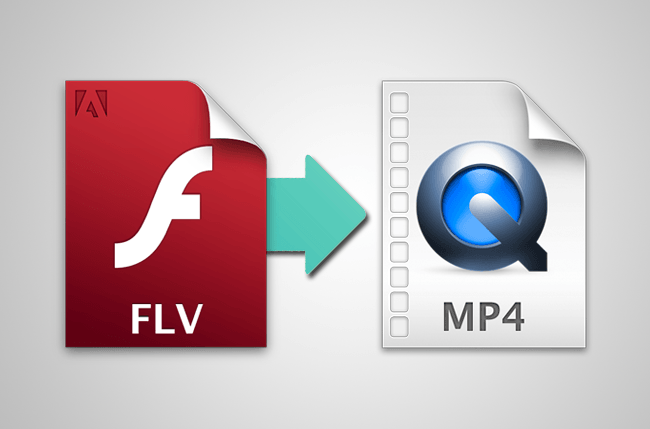
For many years, the preferred file format for online video sharing (either through a hosting service or on your own website) has been the Adobe Flash Video format, or FLV. Currently there have been very important changes for video production since the FLV format today is only one option that has been strongly pushing the MPEG-4 (or MP4) format.
mp4 vs flv

Video technology continues to evolve, offering the best production options for online video and movie viewers. FLV became a popular choice for video on the Internet due to the ubiquity of Adobe Flash plug-in, but advances in browser technology and the Flash plug-in itself means that the most traditional video file formats are now common. FLV files themselves are rarely served by video hosting services. Instead, MP4 has taken its place (often with a flash controller to play the MP4 file) as the new video standard on the Web. Other pages use HTML 5 to directly play the MP4 video file.

MP4 is a great way to provide high quality videos, along with the compression that gives the large file size, MP4 files use H.264 encoding. Currently, video providers like Vimeo, YouTube, or streams from the iTunes Store on video use an MP4 file with H.264 encoding. In addition, MP4 with H.264 encoding is one of the video codecs that a Blu-Ray player should be able to decode.

Many hosting services, such as Vimeo, now list MP4 as the preferred file format. In addition, some video distribution platforms, such as Vimeo or Apple’s iTunes store, are not compatible with the FLV format.

The rise of video on mobile devices has changed things too. For the most part, Adobe Flash content on websites is not available on mobile devices. For the video that can be seen anywhere, on any device, the MP4 format has become the latest series.


Detailed information

Many have been the fields that have evolved greatly thanks to the progress of computer technology and, one of these, is that of video. Currently, any smartphone has a photo and video camera that provides the solvency necessary to record home videos and even for professional use. But these videos must be recorded in some way, dumped to disk in a file format that allows them to maintain the image quality occupying as little as possible.

The algorithms that facilitate this storage and make videos compatible with certain physical electronic devices are called codecs, and like what happens with image formats, there are several different ones.

A wide variety depending on the medium

A codec encodes – and hence the name – the video information and compresses it to occupy the minimum possible space on the storage media. This always causes some information to be lost.

However, this loss and the quality of the resulting video that depends on the codec are defined according to the medium in which the video should be transmitted, since it is not the same to show a video designed to download from the Internet through our smartphone, than the movie we can see in a cinema.

And, in this regard, digital formats and online downloads have long since reached the world of seventh art for films shown in theaters.

The main codecs

Currently, and leaving aside some less used, the main video codecs that we can find are:

MPEG-1 You may sound more like the MPEG-4 that we will discuss in a moment, but this is its first precedent, used in the Video CD standard, and that provides a quality similar to that of a domestic VHS. The codec that is responsible for encoding the audio gained fame on its own merits: the MPEG-3, also known as MP3.
MPEG-2 Evolution of the previous one, is perhaps the most widespread in the industry to be chosen for broadcasts of DTT (Digital Terrestrial Television), and cable or satellite television. In addition to this, he was also chosen to use it on SVCDs and DVDs.
MPEG-4 Widely used for online video transmission and content distribution, many cameras and mobile phones record directly in this format thanks to the recognition of the main player devices and a multitude of software.
AVI It is not properly a codec, but a container file format, but what I will explain will make you understand why I add it to this list. Large companies tend to create their own standards and try to impose them. This is the case of Microsoft, which launched this format in 1992. Very flexible, it allows storing a video stream and several audio streams in the same file, for example each audio stream containing a different idiomatic version. The codecs of the video format and the different audios may be different, and the software corresponding to each of them installed on the computer will be needed.
video-formats-2-pc

DivX Originally based on the MPEG-4, it offers high compression without great sacrifice of quality, which makes it ideal for content distribution over the Internet.

XviD. Born as a free alternative to DivX (owned by the company of the same name), it is even more efficient than the latter, reducing the size of the resulting video file without suffering a great loss of quality, which has made it very popular among Internet users who download content from the network, not requiring much bandwidth.
WMV Windows Media Video, as the name suggests, was created by Microsoft for its operating system, although from here it has not gone much further.

FLV. Flash video, a format embedded in Flash files and that is intended for online use. It can have a lot of loss of quality but, in general, it allows you to greatly compress the resulting file, which saves a lot of bandwidth. Historically used by YouTube, but already in decline as the Adobe Flash itself. As in the case of AVI, it is a container format, whose video can be in formats such as, for example, H.263.

H.264 or MPEG-4 AVC. Created to have highly compressed video with the minimum possible loss of quality, thereby facilitating the transmission of HD content (High Definition) and higher resolutions through the Internet, compromising the minimum possible bandwidth.
MOV. Based on MPEG-4, it is a container format – and not a codec initially used by Apple for its QuickTime media player that has subsequently become popular and can also be read by other programs and devices.


Free Download Mp4Gain
picture


Mp4Gain Main Window
picture


Mp4Gain Features
picture


Free Download Mp4Gain
picture

Author R. AriasPosted on September 15, 2019Categories videoTags ???? & beyond flv, advantages of flv, after effects flv files, all out flv, animeflv, app per flv, better than flv, codec per flv, codec per flv media player, convert between flv and mp4, convert flv with vlc, convert flv without quality loss, cut flv without re-encoding, difference between fiv and mkv, difference between flv and avi, difference between flv and f4v, difference between flv and mp4, difference between flv and swf, disadvantages of flv, download flv as mp4, explain about flv, export flv after effects cc, felv vs fiv, file flv come aprirli, file flv come vederli, fiv in kittens, five nights at freddy's, flv adobe after effects, flv after effects, flv after effects export, flv after effects import, flv alpha channel after effect, flv audio out of sync with video, flv better than mp4, flv codec for after effects, flv come aprire, flv converter plus, flv download youtube, flv downloader, flv downloader android, flv downloader chrome, flv downloader firefox, flv downloader ios, flv downloader not working, flv downloader online, flv downloader opera, flv downloader per mac, flv downloader plus, flv downloader plus crack, flv downloader plus free download, flv downloader pro, flv downloader pro 6 license key, flv downloader pro license key, flv downloader with crack, flv for android, flv for chrome, flv for firefox, flv for mac, flv for mac os x, flv for premiere pro, flv for windows, flv for windows 10, flv for windows media player, flv for youtube, flv format of videos, flv frame by frame, flv frames per second, flv from mp4, flv from swf, flv from vlc, flv from wmv, flv from youtube, flv from youtube to mp3, flv in after effects, flv in cats, flv in davinci resolve, flv in imovie, flv in media encoder, flv in premiere, flv in premiere pro, flv in sony vegas, flv in windows media player, flv into mp3, flv into mp4, flv into premiere, flv mid, flv minus, flv mp3.by, flv of mp3, flv on android, flv on iphone, flv on mac, flv on oct, flv on premiere, flv on vlc, flv on windows 10, flv on windows media player, flv on youtube, flv over http, flv over rtmp, flv over websocket, flv per mac, flv player by applian, flv player per tablet android, flv player without installation, flv premiere pro, flv premiere pro cc, flv premiere pro cs6, flv pro, flv pro downloader, flv sign up, flv smaller than mp4, flv to avi, flv to gif, flv to jpg, flv to mov, flv to mp3 converter, flv to mp4, flv to mp4 converter, flv to mp4 obs, flv to mp4 online, flv to mp4 over 100mb, flv to mp4 without losing quality, flv to mp4 without re encoding, flv to wav, flv uptodown, flv vegas pro, flv vs avi, flv vs mkv, flv vs mkv obs, flv vs mov, flv vs mp4, flv vs mp4 file size, flv vs mp4 obs, flv vs mp4 vs mov, flv vs olv, flv with alpha, flv with alpha channel, flv with audio, flv with flash player, flv with no video, flv with vegas, flv with windows media player, flv2mp3, flvto, from flv to avi, from flv to mp3 online, from flv to mp4 online, getflv pro, history of flv, konvertera flv till avi, konvertera flv till mp4, lettore flv per mac, lettore per flv, meaning of flv, peliculas flv, peliculas flv plus, play by flv, play flv with vlc, play flv without flash, programmi come fl, render flv after effects, save as flv, signs of fiv in cats, signs of flv, speed up flv video, symptoms of fiv in cats, symptoms of flv, virex plus flv

ABOUT US


Volume Booster

Mp4

Mp4


Flac Nomalizer – Flac volume normalization

Ogg Normalizer

M4a Normalizer

Audio Normalization

Mp4Gain Crack

Posts

Mp3 Normalizer

audio blog in het nederlands

Mp3 to Wav Converter

Mp3 Converter

Mp3Gain

Amplificateur de volume Mp3

Make mp3 louder
volume booster and equalizer

volume equalizer

volume booster

volume equalization


normalize mp4, normalize flv, normalize avi, normalize mpeg, normalize mpg, normalize 3gp, normalize wmv, normalize mp3, normalize mp2, normalize flac, normalize ogg, normalize m4a, normalize aac, normalize wav, normalize ac3

mp3 louder
mp3 volume booster
youtube normalize audio
mp3 volume increaser
increase mp3 volume
volume enhancer
normalize video audio

La normalizzazione del livello audio

Youtube to mp4 converter download

Mp4 Gain Website

Dowload Mp4Gain

Mp3Gain alternative

Mp3Gain

Video Formats:
mp4, flv, avi
mpeg, mpg
3gp, wmv

Audio Formats:
mp3, mp2, flac
ogg, m4a, aac
wav, ac3

Flv Gain, Mp4 Gain, Avi Gain, Mpeg Gain, wmv Gain, Wav Gain, 3gp Gain, Flac Gain, Ogg Gain…


Video Volume Booster

Bass Booster

Mp3Gain Alternative

Mp3Gain Online

mp4 normalize, flv normalize, avi normalize, mpeg normalize, mpg normalize, 3gp normalize, wmv normalize, mp3 normalize, mp2 normalize, flac normalize, ogg normalize, m4a normalize, aac normalize, wav normalize, ac3 normalize.

Mp3Gain,mp3 louder,boost sound,increase mp3 volume,volume increaser,volume booster,normalize audio,mp3 volume increaser,mp3 volumne booster,volume equalizer,Volume Booster -Sound Booster,loudness equalizer,boost audio,make mp3 louder,boost mp3 volume,mp4 volume booster,mp3 audio booster,raise mp3 volume,loudness normalization,mp3 louder,mp3 volume booster,youtube normalize audio,mp3 volume increaser,increase mp3 volume,volume enhancer,normalize video audio,volume equalizer,mp3 louder,increase mp3 volume,video audio normalizer,

Categories

  • 3gp volume normalizer
  • AAC normalizer
  • are volume boosters safe
  • Audio and video
  • audio converter
  • Audio Converter Software
  • Audio Normalizer
  • AVI normalizer
  • Bit rate
  • Boost volume
  • codec
  • FLAC
  • Flac Normalizer
  • FLV volume normalizer
  • Increase mp3 volume
  • Lossless
  • loudness equalizer
  • loudness normalization
  • M4A
  • M4a (iTunes) Normalizer
  • M4a Normalizer
  • make mp3 louder
  • mp3 download
  • mp3 louder
  • Mp3 Normalizer
  • Mp3 to Wav
  • mp3 volume increaser
  • mp3 volumne booster
  • Mp3Gain
  • mp3gain online
  • Mp4
  • Mp4 Gain
  • Mp4 Normalizer
  • Mp4 volume booster
  • Mp4Gain
  • Mp4Gain Crack
  • Normalizing audio for the videos
  • Ogg Normalizer
  • Replay Gain
  • Samplerate
  • video
  • video audio normalizer
  • Video Converter
  • Video Gain
  • video to mp3 converter
  • VideoGain
  • Volume Booster
  • Volume Enhancer
  • volume equalizer
  • volume increaser
  • volume leveler
  • WAV
  • webm
  • WMV
  • youtube normalize audio
  • Youtube to mp3 downloader

Recent Posts

  • Video Louder
  • Video Volume Leveling
  • MP4 to MP3 Converter
  • Audio & Video Converter
  • Volume Changer for MP4 and MP3s Increase & Decrease
  • Increase Volume in MP4
  • adjust audio and video volume
  • Sound Leveling
  • Volume Booster
  • Importance of LUFS in Video or Audio Normalization
  • How to make MP4 audio volume consistent
  • Lossy compression in M4A
  • Advanced audio coding (AAC) in M4A
  • OGG vs. MP3 comparison
  • FLAC file size
  • Apple M4A Format: The Ultimate Guide
  • MP4 Compression Techniques
  • RMS Normalization
  • Loudness Normalization
  • MP4 Converter
  • MP4 File Extension
  • OGG Normalizer
  • Video & Audio Normalizer
  • FLAC Normalizer
  • MP4 Video Quality
  • MP4 File Format
  • m4a Normalizer
  • Mp4 Increase Volume
  • How MP4 Handles 4K and 8K Video Resolutions Efficiently
  • Low-Latency Encoding Strategies for WMV Live Streaming
  • Resampling Effects on M4A Audio Quality
  • How MP3 Bitrates Affect Audio Quality and File Size
  • MP4 Multi-Pass Encoding Benefits and Use Cases
  • How Variable Bitrate Encoding Affects MP4 Video Quality
  • How WMV Handles Aspect Ratio Correction in Different Players
  • How WMA Adapts to Dynamic Range in Music Encoding
  • Comparing WMV to MPEG-2 for Legacy Video Storage
  • WMA Standard, WMA Pro, and WMA Lossless: Key Differences
  • Understanding the MP4 moov Atom and Its Role in Video Playback
  • Comparing WMA to Ogg Vorbis for Open-Source Audio Compression
  • WMV Container Efficiency in Video Streaming Applications
  • Hardware Acceleration for M4A Encoding and Decoding
  • How M4A Compares to MP3 in Real-World Listening Tests
  • The Role of Perceptual Coding in WMA Compression
  • Temporal Noise Filtering Techniques in WMV Compression
  • H.264 and H.265 Codecs
  • Advanced Audio Compression Techniques in M4A Format
  • Comparing GPU vs. CPU Encoding Efficiency for WMV Files
  • Advanced Error Correction in M4A and AAC Encoding
  • The Effect of Multi-Channel Encoding on WMA Audio Files
mp4gain.com Proudly powered by WordPress