
What is audio ducking in digital audio?
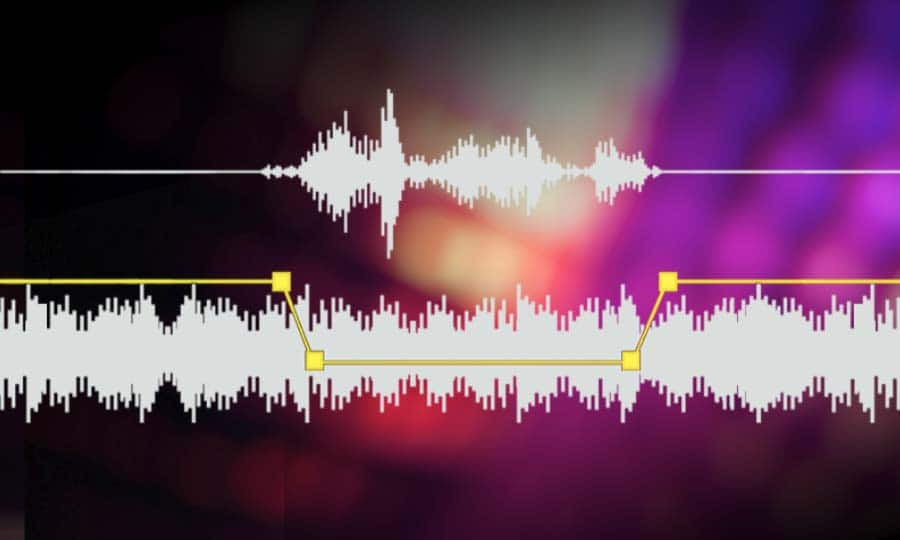

Audio ducking is a technique commonly used in digital audio to automatically reduce the volume of one audio track when another track starts playing. This technique is often used in video editing, where the voiceover track needs to be heard clearly while the background music or sound effects are playing.
How does audio ducking work?
Audio ducking works by using a compressor or an audio effect that automatically reduces the volume of one audio track when another track starts playing. The compressor detects the level of the “trigger” track (usually the voiceover track) and automatically lowers the volume of the “ducked” track (usually the music or sound effects track) to create a more balanced and clear sound.
One common way to set up audio ducking is to use sidechain compression, which allows you to use one track to “trigger” the compression on another track. This can be a powerful technique for creating a more dynamic and engaging audio mix.
Audio ducking in video editing
Audio ducking is often used in video editing to ensure that the voiceover track is heard clearly while the background music or sound effects are playing. By using audio ducking, you can create a more professional and polished sound for your videos.
One tip for using audio ducking in video editing is to adjust the timing and threshold settings to get the right balance between the voiceover and background audio. You may also want to experiment with different types of compression and other audio effects to achieve the desired sound.
As the famous director Alfred Hitchcock once said, “The length of a film should be directly related to the endurance of the human bladder.” This is where audio ducking can be a lifesaver, as it allows you to create a more engaging and immersive audio experience without overwhelming your audience with too much sound at once.
Best audio ducking plugins
There are many different audio ducking plugins available for digital audio workstations (DAWs) and video editing software. Some of the most popular plugins include:
Waves Vocal Rider
Sonnox Oxford Dynamic EQ
FabFilter Pro-DS
iZotope Neutron 3
Sound Radix Auto-Align
Each of these plugins offers unique features and capabilities for achieving the perfect audio ducking effect. Whether you’re a professional sound designer or a beginner video editor, there’s a plugin out there that can help you create the perfect audio mix.
audio ducking, sidechain compression, video editing, voiceover, background music, sound effects, compressor, audio mixing, digital audio workstation, DAW, plugins, Waves Vocal Rider, Sonnox Oxford Dynamic EQ, FabFilter Pro-DS, iZotope Neutron 3, Sound Radix Auto-Align, sound design, audio balance, Alfred Hitchcock, timing, threshold, audio effects, professional sound, polished sound, immersive audio, engaging audio, human bladder, audio experience, audio plugins, audio compression, audio levels, audio production, audio post-production, audio editing, sound engineering, audio mastering, audio normalization, audio processing, audio workflow, audio quality, audio restoration, audio mixing tips, audio production tips, audio techniques, audio theory, audio science, audio technology, audio innovation, audio trends, audio industry, audio career,

