
The Magic of Keyframes in Video Encoding

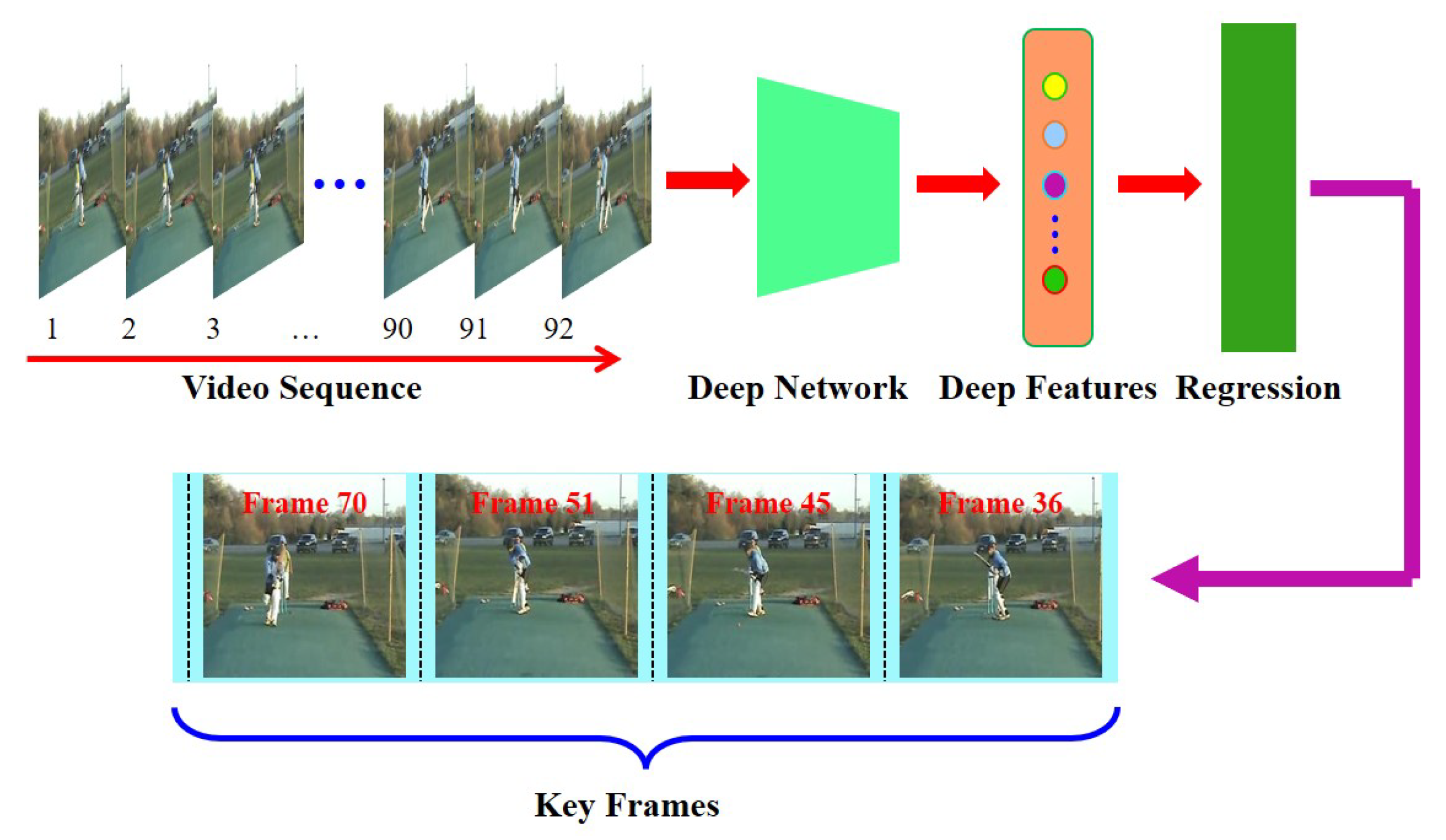
How do keyframes work in video encoding?
Keyframes play a crucial role in video encoding, providing a foundation for efficient compression and smooth playback. To understand the magic behind keyframes, let’s delve into the inner workings of video encoding and explore how this fundamental concept revolutionizes the world of digital video.
When encoding a video, the entire content is not stored frame by frame. Instead, keyframes are strategically placed at regular intervals to represent complete frames. These keyframes serve as reference points, storing the complete image information. The frames between keyframes, known as delta frames or interframes, only store the differences from the previous keyframe.
The significance of interframes in video compression
Interframes, also referred to as predicted frames, are an essential part of video compression. By storing only the differences from the previous keyframe, the file size can be significantly reduced without compromising video quality. This compression technique is known as temporal compression, and it relies on the concept of motion estimation.
During the encoding process, the video codec analyzes the motion between frames and calculates the motion vectors. These motion vectors represent the movement of objects within the video. By utilizing these motion vectors, the codec can accurately predict the appearance of the interframes based on the previous keyframe and the calculated motion vectors.
The role of keyframes in video editing
Keyframes are not only essential in video encoding but also play a vital role in video editing. When editing a video, keyframes allow for precise control over various video parameters, such as position, scale, rotation, opacity, and effects. By setting keyframes at specific points in time, editors can create smooth transitions, animations, and visual effects.
For example, imagine a video clip where a small object moves across the screen. By setting keyframes at the beginning and end of the object’s movement, and adjusting its position accordingly, the video editing software automatically interpolates the object’s position for the frames in between. This interpolation ensures that the object moves smoothly and seamlessly throughout the video.
What are the benefits of keyframes in video encoding?
Now that we understand the basic concept of keyframes, let’s explore the numerous benefits they offer in video encoding. From efficient compression to enhanced video editing capabilities, keyframes have a profound impact on the quality and versatility of digital video.
Improved compression efficiency
Keyframes enable video codecs to achieve higher compression ratios by storing complete frame information at regular intervals. This allows for more effective compression of the interframes, as only the differences need to be encoded. As a result, video files become smaller in size without sacrificing quality, making them easier to store, transfer, and stream.
Enhanced seeking and fast-forwarding
Keyframes also play a crucial role in seeking and fast-forwarding through video content. Since keyframes represent complete frames, they serve as anchor points for seeking and provide accurate reference frames for fast-forwarding. Without keyframes, it would be challenging to navigate through a video quickly and accurately.
Increased editing flexibility
As mentioned earlier, keyframes are essential in video editing, allowing for precise control over various video parameters. Editors can manipulate keyframes to create dynamic effects, transitions, and animations. This flexibility empowers content creators to bring their creative visions to life and deliver engaging videos.
Optimized video playback
Keyframes ensure smooth and optimized video playback. Since the keyframes store complete frames, each keyframe serves as a synchronization point for the video decoder. This synchronization allows for efficient decoding and playback, reducing the likelihood of video artifacts or playback issues.
Seamless video streaming
In the realm of video streaming, keyframes are vital for delivering high-quality videos with minimal buffering. By strategically placing keyframes, video streaming platforms can optimize the streaming experience. Keyframes allow for quick video startup and minimize the impact of network fluctuations, ensuring a seamless viewing experience for users.
Final Words
Keyframes are the unsung heroes of video encoding, enabling efficient compression, enhancing editing capabilities, and ensuring smooth playback. Understanding the magic of keyframes empowers content creators, video editors, and streaming platforms to deliver exceptional video experiences. Whether you’re compressing videos for storage, editing cinematic masterpieces, or streaming content online, keyframes are the foundation that brings your digital videos to life.


