
Compression explained

We use compression to reduce the size of files, allowing them to load faster and take up less disk space. For example, when you take a photo, your camera captures all the light it can receive and collects the image. If you save an image in RAW format, which stores all the light data captured by the camera’s sensor, the image size can be up to 25MB. (This depends on the resolution of the image – a camera with more megapixels will create a larger image.)
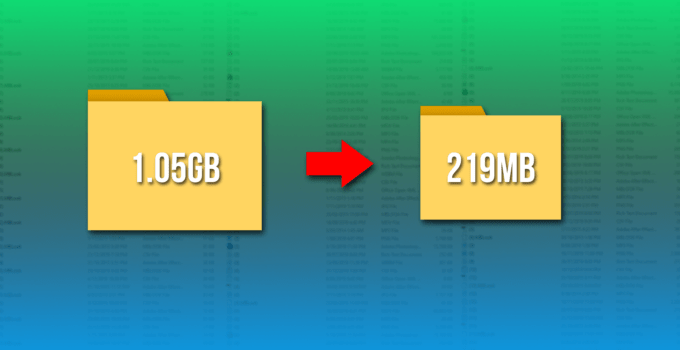
If we simply upload these files to a social network or post them to a website, we don’t want these image files to take up so much space. A photo gallery with RAW images can take up hundreds of megabytes of space. RAW formats can be used by professional photographers to maintain high image quality while editing, but they are not intended for the average person.
Instead, our camera or smartphone converts the image to a JPEG file. JPEG files are much, much smaller than RAW images. When you convert RAW to JPEG, some of the image data is “thrown away”, creating a much smaller file. The conversion process uses a compression algorithm that works well for photos, making them look pretty good despite being compressed. You may still see compression artifacts, depending on the quality setting.
Note that lossy formats tend to have a parameter that controls their degree of loss. For example, JPEG has a variable quality setting. Poor quality makes the JPEG image file smaller, but the image quality is noticeably worse. Here’s a great example of a lossy JPEG – you can see various “compression artifacts”.
Lossless and lossy formats
We call RAW a “lossless” format because it retains all the data in the original file, while we call JPEG a “lossy” format because some data is lost when the image is converted to JPEG. However, these are not the only lossy and lossless formats.
Images: RAW, BMP, and PNG are all lossless image formats. JPEG and WebP are lossy image formats.
Audio: WAV is a container file that is often used to store lossless audio, although it can also contain lossy audio. FLAC is a lossless audio format and MP3 is a lossy audio format.
Video . Few lossless video formats are widely used by consumers, as video files take up a large amount of space. Common formats like H.264 and H.265 are lossy. H.264 and H.265 can provide smaller files with higher quality than previous generations of video codecs because it has a “smarter” algorithm that better chooses the data to discard.
Some of these lossless formats also provide compression. For example, a WAV file generally contains uncompressed audio and takes up a lot of space. A FLAC file can contain the same lossless audio as a WAV file, but uses compression to create a smaller file. Formats like FLAC don’t discard any data, they store all the data and intelligently compress it, just like ZIP files. However, they are still significantly larger than MP3 files, throwing out a lot of data.
Conversion can be lossy even between lossless formats. For the conversion to be truly lossless, the data in the source file must fit in the destination file. For example, lossless FLAC files only support 24-bit audio. If you converted a WAV file containing 32-bit PCM audio to FLAC, the conversion process would have to throw away some data. The conversion process between a WAV file containing 24-bit PCM audio to FLAC will be lossless.

