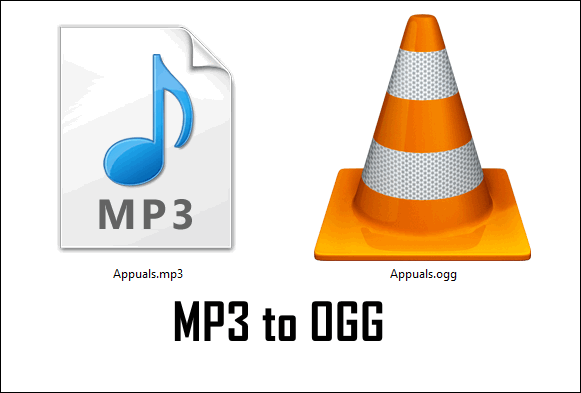
Discovering the High-Quality Audio Format: Ogg Vorbis

“Music is the divine way to tell beautiful, poetic things to the heart.” – Pablo Casals, Spanish cellist and conductor.
What is Ogg Vorbis?
“Music can change the world because it can change people.” – Bono, Irish musician and activist.
When it comes to digital audio, most people are familiar with the MP3 format, which has been the go-to standard for years. However, there is another format that offers high-quality sound at a smaller file size: Ogg Vorbis.
Ogg Vorbis may not be as well-known as MP3, but it has been around since the early 2000s and has steadily gained a following among audiophiles and music enthusiasts. It is an open-source, royalty-free audio format that provides superior sound quality compared to other compressed audio formats.
The Benefits of Ogg Vorbis
“Music is the wine that fills the cup of silence.” – Robert Fripp, English guitarist, and composer.
One of the main benefits of Ogg Vorbis is its superior sound quality. It uses a variable bitrate encoding method, which means that the compression rate changes depending on the complexity of the audio being encoded. This results in a smaller file size without sacrificing sound quality. In fact, Ogg Vorbis can provide better sound quality than MP3 at the same bitrate.
Another benefit of Ogg Vorbis is its open-source nature. This means that anyone can use the format without paying royalties or licensing fees. It also allows for easy modification and customization of the format, which can lead to further improvements in sound quality and functionality.
How to Use Ogg Vorbis
“Music is the universal language of mankind.” – Henry Wadsworth Longfellow, American poet and educator.
Using Ogg Vorbis is easy, as it is compatible with most media players and operating systems. Many popular music players, such as Winamp, Foobar2000, and VLC, support Ogg Vorbis playback. Additionally, many online music streaming services, such as Bandcamp and Jamendo, offer Ogg Vorbis as a streaming option.
To use Ogg Vorbis, simply download or convert your audio files to the format and enjoy the superior sound quality. You can also create your own Ogg Vorbis files using open-source software such as Audacity.
The Future of Ogg Vorbis
“Music is the soundtrack of your life.” – Dick Clark, American television personality and music promoter.
Despite its many benefits, Ogg Vorbis still has a relatively small market share compared to other audio formats. However, with the rise of high-quality audio streaming and the growing demand for lossless audio formats, Ogg Vorbis may see increased adoption in the future.
Additionally, the format’s open-source nature means that it can continue to be improved and customized by developers and users alike. This could lead to further advancements in sound quality and functionality, making Ogg Vorbis a compelling choice for audiophiles and music enthusiasts.
Final Thoughts
“Music is the strongest form of magic.” – Marilyn Manson, American musician and actor.
In conclusion, Ogg Vorbis is a high-quality audio format that provides superior sound quality compared to other compressed audio formats. Its open-source nature and compatibility with most media players make it a compelling choice for audiophiles and music enthusiasts.