
Points to consider when deciding the frame rate (fps) of a video

There are a few things to keep in mind when creating a video, one of which is the “frame rate”.
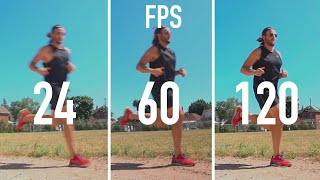
The meaning of the word frame rate is not particularly difficult, it means “how many frames per second does a video have”.
The unit is described as fps (frames per second). Reading is FPS.
The frame rate can be arbitrarily set when creating a video file, exporting it after editing, or encoding it.
However, if you make inappropriate adjustments at this time, it will lead to various issues and issues in the video.
Here is a summary of the points when specifying the frame rate and what happens if you make the wrong settings.
Table of Contents
What changes based on the size of the frame rate
Problems with high frame rate
Number of frames that can be displayed on a general screen or on a smartphone
Adequate frame rate
Points for building a video distribution service Free distribution
Video Recording and Live Distribution Guide You Can Do In-House for Free
What changes based on the size of the frame rate
As I briefly wrote before, the frame rate is a numerical value that indicates how many video frames are in one second.
The video is made on the same principle as the flip book, and it seems to move by changing slightly different photos quickly and continuously.
Then
The more frames per second, the smoother
If the number of frames is small,
You will see.
The media we generally see are
Digital Terrestrial Broadcast 29.97 fps
Movie 24 fps
It has become.
In the case of video distribution over the Internet, you can specify the frame rate without being bound by the above.
Therefore, it is effective to have a high frame rate when you want a video with intense motion, such as sports, to look smoother.
Problems with high frame rate
If you can see it smoothly, it is better to have a high frame rate.
However, there is a problem that occurs when the frame rate is increased, and the higher the frame rate the better.
Specifically, increasing the frame rate will degrade the image quality or increase the video capacity.
I will think step by step why this happens.
For example, suppose you have a 30fps video and a 60fps video.
Suppose each video is 10 seconds long and has a capacity of 20MB.
In this case, you can see that both videos have a capacity of 2MB per second.
That means the usable capacity per frame is
For 30 fps 2 MB ÷ 30 = approximately 70 kb For 60 fps 2 MB ÷ 60 = approximately 35 kb
Therefore, the image quality will be worse at 60 fps, which should be displayed at a lower capacity per frame.
To avoid this and get the same quality, you need to double the capacity of the 60fps video.
For a short video of about 10 seconds, 20MB will be only 40MB, but for a 30-minute video, it will be about 500MB, so you need to send a large 1GB file, which is twice that. to.
Then, depending on the condition of the viewer line, the video data transfer may be stopped in time or the packet of the smartphone line may be wasted.


