Deal with digital video formats


Free Download Mp4Gain
picture

Deal with digital video formats

Digital Video Formats

With the advent of the first computers, and with them digital storage devices, a gradual transition from analog to fully digital technology began. With it, we got a number of undeniable advantages (ease of copying and processing) and a big digital data storage problem. How to avoid quality loss when processing video, we will tell you in our article.
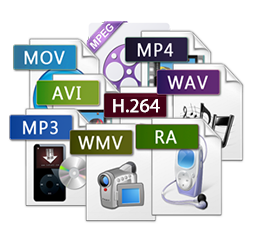
digital video formats

How much does the video weigh

PAL or SECAM video is a sequence of images displayed at 25 frames per second. A digital frame contains 720×576 pixels, that is, 414 thousand 720 elements (pixels). Each point can be one of 16.7 million colors and occupy 3 bytes on the computer. Consequently, one frame is approximately 1.2 MB. At the standard frequency, we get a figure of about 30MB per second, that is, storing just one hour of video (along with sound) without compression will cost 107GB. It seems intimidating, but it is already acceptable now.

But the progress of the video doesn’t stop. The highest possible quality is now achieved in HDTV (high definition TV), this format implies a resolution of 1920 x 1080 pixels, that is, all things being equal, a series of frames calculated for one second will already take 148 MB (521 GB per hour).

In order to avoid such volumes of stored video and waste of computing resources, as well as to be able to distribute video clips, various video compression methods have been developed. The achievements in the development of digital technology achieved over 15 years are actively used in everyday life, in video broadcasts, home devices (video cameras, DVD players) and on the Internet. Depending on the type of codec, you can achieve different compression rates and different “weight” of the finished film.

How compression occurs

Unlike universal archivers (such as WinRar or WinZip), video compression occurs with some loss, the amount of which depends on the selected codec. This is due to the fact that the algorithms of conventional filing cabinets practically do not compress the video information (as well as the sound). Modern compression algorithms use extensive logical analysis of the video to extract duplicate fragments between frames and reduce the size of the final file. When played, the compressed information is “expanded” and then displayed to the user. On a low-power computer, it can take a long time to break down images compressed with some codecs.

Various codecs are used to compress video

Most popular codecs

The most common codecs today are the MPEG family. It was based on the compression of photographs. We are all familiar with compact images with the JPG extension, and many can even distinguish a highly compressed image (with a cubic structure) from a high-quality one (with the naked eye, comparable to the original). The anatomical features of the human eye allow it to imperceptibly compress the image ten times using the JPEG encoder.

Strong compression

Maximum quality

In the given examples, you can see which artifacts, so-called cubes, appear in the photo that are incorrectly compressed (with a high compression ratio) and their absence in the photo with the correct compression. Such loss of quality with high compression by most codecs, including JPEG, is irreversible.


Free Download Mp4Gain
picture


Mp4Gain Main Window
picture


Mp4Gain Features
picture


Free Download Mp4Gain
picture

Video formats – Wich format is better?

Who has not ever wondered what H264 means or what is an Mp4, Mkv or Avi file. These are some of the questions that we all ask ourselves when we are talking about digital video in some of the applications that we see online to find out which format or format has more quality or how I can convert a file to another file.

VIDEO FORMATS

What in my measure can contribute is to shed light on the distinctions that exist when we talk about video formats within the different types that are applied to digital video and that there are three important parts to distinguish between them on the Internet or on a DVD:

The video and its codec (As the video has so much weight, it must always be encoded and subsequently decoded). They are simply mathematical algorithms to compress and decompress the video file.
Audio and its different formats or containers.
The file that contains the audio and the video. The container
Let’s go to see which are the most popular and try to explain them:

Digital Video Formats

MPEG: Moving Pictures Expert Group (Mpeg1, Mpeg2, Mp4 or Mpeg4)
AVI: It is the standard format but the one with the most weight. (Xvid or Divx)
WINDOWS MEDIA: Format developed by Microsoft. (. Mp4 or .asf)
MOV: Format developed by Apple. Quicktime required to read it. Low weight.Ideal for Web (.m4v or .mov)
FLV: Adobe Flash format. Use Sorensen Spark codec. (.flv)
Digital Audio Formats

Mp3 or MPEG-1 Audio Layer 3: Tablet with imperceptible signal loss for humans. (1Mb / Min)
Aiff: Audio Interchange File Format. It has no compression and uses PCM modulation so they are very heavy (10 Mb / Min.)
AAC: Advanced Audio Coding. Mpeg-2 compression. Indicated for surround or surround sounds
Windows Media Audio: The worst quality of all the previous ones, is the Windows format.

Digital Video and Audio Container Formats

The truth is that it is a whole world and more when the big companies live thinking only about leading their own markets and not from the point of view of the user whom they have had abandoned for years. Obviously these are not all there are but I have wanted to include the best known.

But if we are talking about a file or files that any dvd may have or downloaded from the Internet in any format or container such as Mp4, mkv, avi with greater or lesser quality, it must be remembered that what is important is the amount of information that they contain, is say the Mbs this video is exported to.

It is as if we have a 16 ton truck and we put a box of oranges inside it when it can carry 1000 boxes of oranges. what we are going to see is oranges but with a very low quality.

I hope I have shed some light on this world of digital video and how the next time you face such a file you will be able to understand what each of the things attached to it means. I have to admit that it is not easy, but with that global vision and knowing what each one means, you feel better when facing it.

And you know some type of format that you are using and you think is missing here? This is a live article to be developed among all and in this way we can clarify all more.