
Difference between audio formats Part 3

bit: number of quantization bits (bit depth)
Number of quantization bits
The number of quantization bits (bit) is the data sampled at the sample rate.
A number that represents how much data capacity is provided.
The higher the capacity, the finer the oscillation width of the sampled sound can be recorded.
The sound is closer to the original sound.
The number of quantization bits is also required to accurately record the sample rate.
1bit has 2 stages, 2bit has 4 stages, 4bit has 16 stages, 8bit has 256 stages,
16-bit has 65,536 steps, 24-bit has 16,777,216 steps …
In short, at what stage should the oscillation amplitude (frequency) of the sound be recorded? That is to say.
As an image, the sample rate is relative to the data in the horizontal direction.
The number of quantization bits is vertical data and height value.
That is why it is also called “bit depth”.
If the number of bits is small,
The difference (quantization error) from the original sound (sample rate) also becomes large.
The noise (quantization noise) will also increase.
Also, the dynamic range (D-range) is determined by the number of quantization bits, so
The volume of music that can be expressed is also relevant.
Dynamic range is the ratio (difference) between minimum sound and maximum sound.
Noted in dB (decibels),
The higher this value, the wider the range of volume that can be expressed.
* Dynamic range in video is “brightness”. It is the difference between light and dark.
→ Video quality and resolution Different from the meaning of “SD, HD, Full HD, 4K UHD, 8K, 480p, 720p, 1080p, HDR, Dolby Vison”
Since it is calculated by the maximum dB ≒ 6.02 × number of bits,
For example, if it is a 16-bit CD, it will be about 96 dB.
Approximately 144dB for 24-bit, approximately 192dB for 32-bit.
* Each time 1 bit is added, it increases by 6.02 dB.
The dynamic range of human hearing is
The limit is 120 dB to 130 dB,
If it exceeds 140 dB, the ear will be damaged.
Difference between high resolution and CD
High resolution and high resolution format definition
High resolution and high resolution format definition
The word high resolution has become common, but
High Resolution = High Resolution Audio = High Resolution Sound Source,
Digital audio that has more sound information than conventional CDs.
At JEITA (Japan Electronics and Information Technology Industries Association)
High resolution definition is also specified,
CD sampling rate (44.1-48 kHz) and
Refers to data in the sound source that exceeds the number of quantization bits (16 bits).
Either the sample rate or the number of quantization bits
If it is less than the CD specification, it will not be high resolution.
High resolution specific example
44.1 kHz / 16-bit: CD specifications
48 kHz / 16-bit: CD specifications
44.1 kHz / 24 bit: high resolution (the number of quantization bits is greater than the CD specification)
48 kHz / 24 bit: high resolution (the number of quantization bits is greater than the CD specification)
96 kHz / 16 bit: high resolution (sampling frequency is higher than CD specification)
96 kHz / 24-bit: high resolution (both higher than CD specs)
96 kHz / 12 bit: not high resolution (low number of quantization bits)
32 kHz / 24 bit: not high resolution (sample rate is low)
→ General Association Incorporated Japan Audio Association | High resolution | High resolution logo | Definition and operation
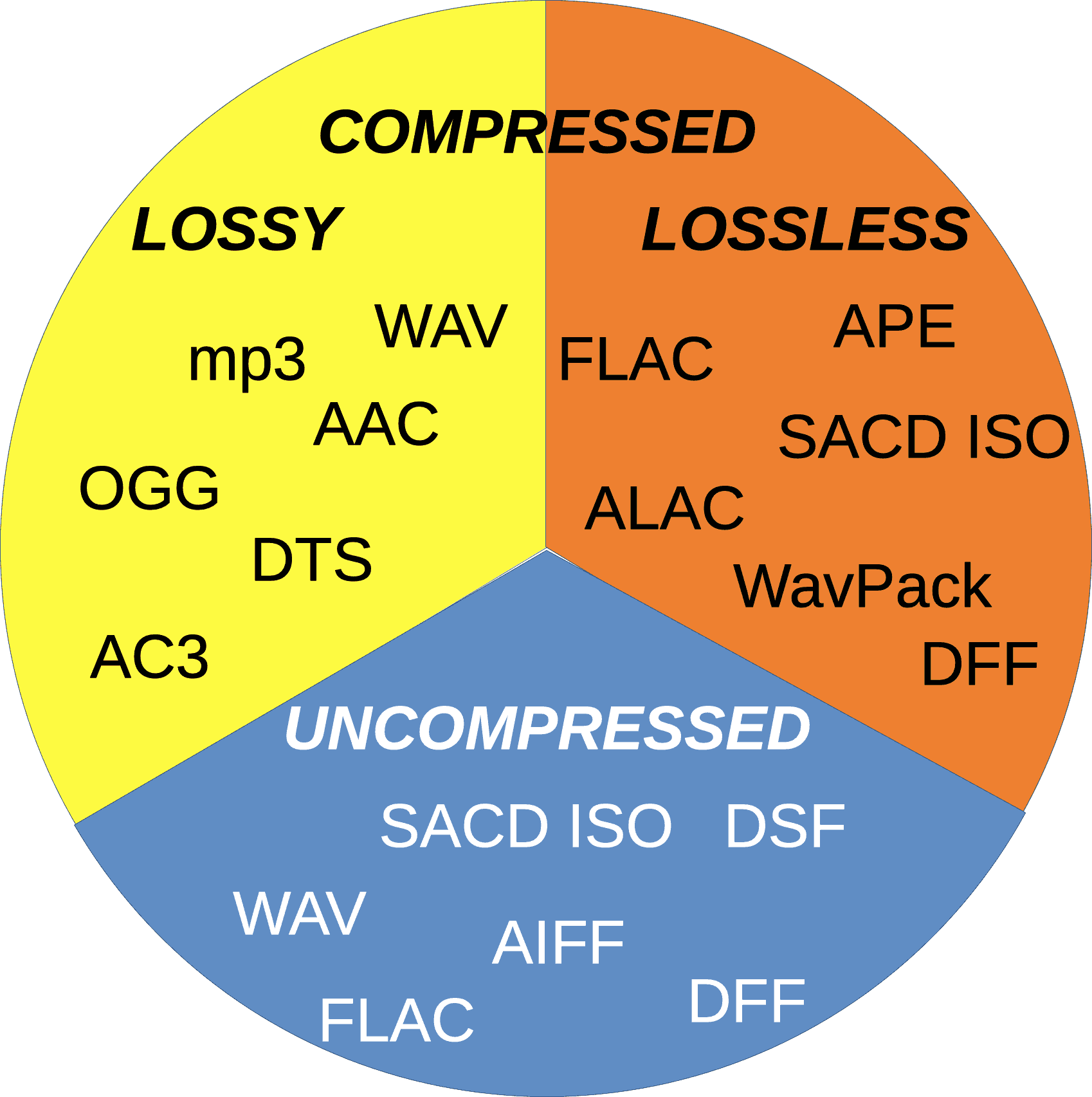
Common high resolution formats are WAV and FLAC.
There is also 96 kHz / 24 bit in ALAC, but
At the moment, Apple (iTunes) does not support high resolution.
Also, as defined by the Japan Audio Association,
DSD (DSD2.8MHz, DSD5.6MHz, etc.) is also recognized as high resolution.
The high-resolution compressed sound source “MQA” has also appeared.
It’s hard to say that all of them are popular, so
If you use WAV or FLAC. Considering capacity, it’s FLAC.
Compared to uncompressed WAV, it can save 30-40% capacity.


