Output sound quality


Free Download Mp4Gain
picture

Output sound quality
Sound Quality

When a digital device (PC, portable media player, etc.) plays a digital audio file (ogg, mp3, flac, etc.), the audio output is always the same regardless of the type / brand of the device, right? In this case, the sound quality should not differ. For example, I have an iPod that plays an mp3 file. If I play the same file on a different brand of media player, the audio quality should be the same as the same signal (no equalizer or audio changes).
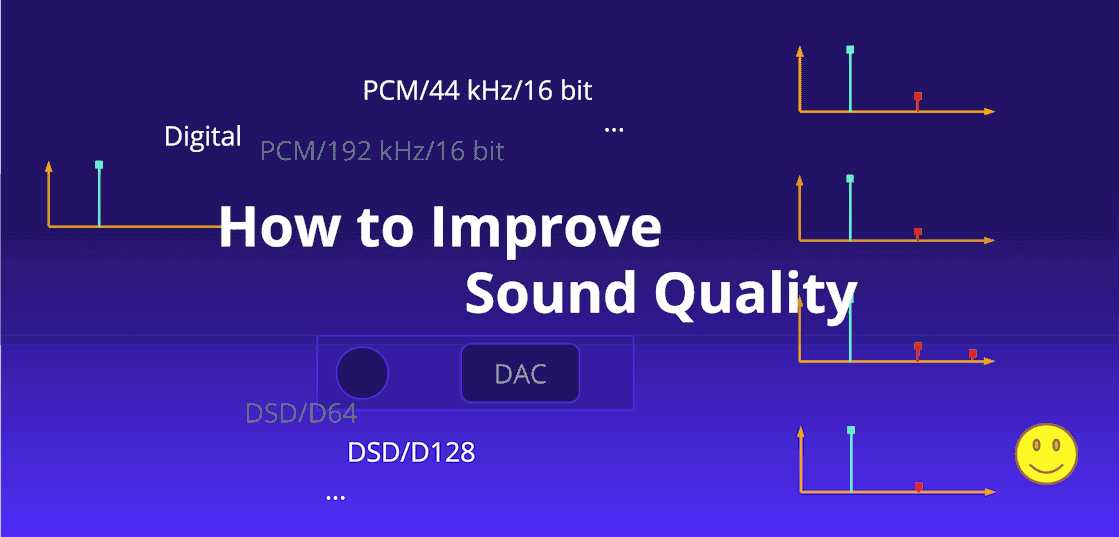
Sound Quality

Unfortunately, the real world gets in the way – there are a number of things between you and the “perfect” signal coming from the MP3 decoder:

As you can see, user-controlled filtering (eg graphic equalizer) can be disabled.
Sound “enhancements” made in the digital domain (eg compression to make it “louder” and bass boost); this can also be disabled
Internal processing is often done at a bit depth greater than the output DAC capacity, for example 32-bit processing, but only a 16-bit DAC. So there must be a process to reduce the bit depth. This may or may not include blurriness. The results of this will sound different depending on the implementation.
D / A converters can be of different qualities, which will affect (among other things) the linearity and noise floor of the analog output.
Synchronizing the DAC’s power will also affect performance – higher fluctuation will be louder.
The headphone controller will also have different analog characteristics, for example. minimum noise level, tinting frequency, etc.

For the quality of the output signal to be the same, not only must the final digital signal be the same, but the path from the digital data to your ear must also be the same (D / A converter including any digital pre-processing , amplification, induced noise in analog wiring). transducers / speakers, spatial paths to the ear, etc.) should not add any audible difference. This may or may not be true. Not all DACs are equally linear. Not all amplifier power supplies have the same shielding (especially the really cheap ones). Etc.

WAV or FLAC are lossless, so digital data must be identical when sent to a DAC. However, lossy formats like MP3 and OGG do not store the signal. It must be reconstructed from rarer data and the decoder may interpret the data differently. However, for MP3:

Decoding, on the other hand, is carefully defined in the standard. Most decoders are “bitstream compliant”, which means that the uncompressed output, which they produce from a given MP3 file, will be the same, within a certain degree of rounding tolerance, as the mathematically specified output in the ISO / IEC high standard document (ISO / IEC 11172-3). Therefore, the decoder comparison is generally based on their computational efficiency (that is, how much memory or CPU time they use in the decoding process).

So assuming the EQ and other enhancements are off, as you said, there shouldn’t be any difference between the file and the DAC. The only differences will be after the DAC in the quality of the analog circuits, amplifiers, and speakers (which are usually the main reason for the differences anyway).


Free Download Mp4Gain
picture


Mp4Gain Main Window
picture


Mp4Gain Features
picture


Free Download Mp4Gain
picture

How to get a good sound for YouTube?

How to get a good sound for YouTube?

Good sound for Youtube

YouTube is the most popular video hosting service, but the public does not enjoy all the videos it contains. One of the main differences between great content and absolutely weak content is the sound quality, because users not only watch the video, they also listen.

Youtube good sound

Even an interesting video with a compelling story can be ruined by poor audio. All preparation efforts will be canceled. Celebrities can be forgiven for such a situation, but only once. How to avoid poor audio on YouTube? Find out in the djshop.by article!

Get ready to record
Prepare for the process before hitting the record button. Think carefully about what and how you will shoot: where the sound will come from, will it move, etc. If your audience can forgive inaccuracies in sound when filming live sets, then poor-quality recording with post-production can thwart all plans for views and clicks.

Use a good microphone
The microphones built into the cameras (with rare exceptions) are not good enough. They are good for syncing audio, but it is best to record the main track separately. The choice of microphone for recording depends on the usage situation. Below are some scenarios and the corresponding microphone types.

Live sound recording

A quick and easy solution to recording live sound is to mount a pair of omni-directional microphones to the sides, in front of the speakers, and above the crowd. With this microphone arrangement, you can remove the signal from the stage and fix the presence of the audience, get the atmosphere of a live show.

Buy omni-directional microphone>

Tip: Depending on the venue, the sound may not always come only from the speakers. The trick is to find the perfect balance between the air conditioning and the sound from the stage. Choosing the best way to position your microphones takes some practice.

Solo performance

If you want to record your own performance, regardless of the instrument, the principles of studio recording work. The acoustic preparation of the room has a great influence. Don’t be discouraged if you don’t have your own quality insulated studio. A living room in an apartment can be ideal for recording. Upholstered furniture, bookshelves, and curtains can handle reflections from signals very well. Places with large reflective surfaces, such as empty walls, windows or mirrors, should be avoided.

In solo recording, the sound selection technique is of particular importance. Installing the microphone close to the signal source is the best way to attenuate the noise in the room and keep the direct signal-to-noise ratio as high as possible. Also, a cardioid microphone is not always the right solution.

Tip: If your microphone has multiple diagrams, try using a bidirectional figure of eight. It almost completely blocks reflections on the sides of the microphone.

Buy bidirectional microphone>

Voice-over and voice-over recording

This process is often used when preparing YouTube videos. Any high-quality dynamic transmission microphone is suitable for voice performance: Rode PodMic, Shure SM7B, or Sennheiser MD 421-II. One of the advantages of dynamic microphones is that they pick up a sound source directly in front of them. This way, you don’t have to worry about room acoustics.

Rode PodMic broadcast microphone

Buy broadcast microphone>

A shotgun microphone can also be used for recording. Such a microphone also provides the necessary noise isolation, while they can be used at a sufficient distance from the signal source.

And one of the most common options is USB microphones. They generally provide both radiation pattern switching and required insulation. And most importantly, they connect directly to a PC.

Buy USB microphone>

But don’t just rely on the mic. Spoken text should be crafted until it sounds natural; Nobody likes it when they hear someone reading, but they don’t say it themselves.

Hide the microphone
The audience doesn’t need to see your microphone. This is where grommets and pistol microphones come in handy. They are relevant for voice / speech recording. They are hardly suitable for hidden tool removal. It’s best to use the direct output of a combo, synth, etc.

Lavalier microphone

If you want the most discreet microphone possible, the obvious choice is a lavalier. They are easy to hide in clothes, they do a good job with the main task – sound capture. Lavalier microphones are almost always omni-directional.

Sound quality

Sound quality

Sound Quality

When it comes to sound quality, not only do opinions differ, they often lead the discussion to a dead end.

Sound Quality

As a general rule, the reason for this is a different understanding of the concept of quality. In this article, we will try to answer the fundamental questions and give clear definitions, which can undoubtedly help to bring these discussions to a common denominator.

But first, you need to give a clear definition of the concept of quality. The simplest way to do this is to establish a series of requirements for certain characteristics and processes, and subsequently identify the degree of compliance with them in relation to the characteristics of the result obtained. This definition originates from a slightly different area, but all of the above is also true in relation to sound. For example, even in the development phase, set the maximum allowable amount of harmonic distortions introduced into the audio signal as a result of either manipulation. Based on this, we can say that the closer the characteristics of the result are to the predetermined requirements, the higher the quality. However, some manufacturers may misuse this definition to make their products better than they really are. So purely hypothetical, by setting a low bar in principle you can theoretically improve the quality, at least on paper. This trick is often used by manufacturers of hi-fi equipment in the lower price segment, stating:

First of all, before starting a conversation about sound quality, this concept should be divided into two separate categories, which, on the one hand, are closely interconnected, and on the other hand, describe various aspects, both technical and aesthetic, and by therefore, they are often confused.

Audio quality

The concept of audio refers to all objects connected in one way or another and participating in the process of transmitting, processing and storing signals, whether in analog or digital form, that represent the original acoustic signal. An example of this can be both the sound source and the connection cables, mixers, equalizers, amplifiers, processors and speaker systems. Audio quality is determined by the degree of fidelity in the representation of the original audio signal, regardless of the deliberate nature of the manipulation (see below). Used in this case, the terms can be, for example, impedance, dynamic range, level, frequency range, volatility, signal-to-noise ratio and the like.

Sound quality

It describes the subjective judgment of what an individual listener heard, and is therefore often based on individual preferences, biases, and even biases. Furthermore, even visual aspects can influence subjective perception and judgment about sound quality. Looser terms are used when talking about sound quality, such as warmth, transparency, detail, density, brightness, or opacity.

To determine the sound quality of an audio system, you must first consider the sound quality of the source, as if there is no audio system between the listener and the sound source. Thus, for example, the sound quality of an instrument is made up of a combination of factors such as the melody of the composition, the virtuosity of the musician and, of course, the characteristic features of the instrument itself.

What is needed to improve the quality of the digital sound we hear?

What is needed to improve the quality of the digital sound we hear?

Sound Quality

Best Headphones

Sound Quality

The simplest way is not digital. The biggest improvement in sound quality for the money is a good pair of headphones. In-ear headphones, open or closed headphones – For the most part, it doesn’t matter. They don’t even have to be expensive, although expensive headphones can be worth it.

Remember that some headphones are expensive because they are well made, they are durable and they sound great. Others are expensive because they are $ 20 headphones that are styled for a few hundred dollars, are advertised, and carry a brand name. I won’t give any specific recommendations, but I will say that you most likely won’t find good headphones in big hardware stores, even if they specialize in stereos.

Lossless compression format

It can be considered true that a properly encoded OGG (or MP3 or AAC) file will be indistinguishable from the original at a moderate level of quantization.

But what about badly encoded files?

Twenty years ago, all MP3 encoders were very poor by modern standards. Many of these faulty encoders are still in use, presumably because their licenses are cheap and most people don’t know or care about the difference in sound. Why would companies spend money and fix something when people don’t even know it’s not working well enough?

Moving to newer formats, like Vorbis or AAC, will fundamentally change nothing. For example, many companies and individuals have used (and continue to use) FFmpeg’s low-quality standard Vorbis encoder because it comes with FFmpeg by default and they don’t care how bad it is. AAC has an even longer history of widespread low-quality encoders used for lossy compression of all major formats.

Lossless compressed formats, such as FLAC, eliminate any possibility of damage to sound quality [23] from a faulty encoder, or even a good one that has been used incorrectly.

The second reason for the proliferation of lossless formats is to avoid future losses. Each encoding and recoding loses more and more information, even if the first encoding was perfect, it is very likely that audio artifacts will appear after the second encoding. This is important for anyone looking to remix or try out music. This is especially important to us codec researchers, we need clear sound to work.

Best Master Records

In the BAS test I mentioned earlier, it was mentioned in passing that the SACD version of the recording can sound significantly better than the CD. This is not due to the increased sample rate or quantization level, but rather the fact that a higher quality master disc is used to create the SACD. When recording to CD-R, SACD still sounds as good as the original SACD and better than CD, because the original sound used to record the SACD was better. Good mastering and production techniques obviously contribute to the quality of the music [24].

Recently covered in the press “Mastering for iTunes” and other similar initiatives by other labels are somewhat encouraging. What remains to be seen is whether Apple and others will actually “tackle the problem” or if it is just bait to sell music to consumers they already have, but at a higher price.

Environment

Another “sales trick” that I would fall in love with is the “great” recordings. Unfortunately, there are some technical dangers here.

Discreet, old-fashioned “surround” sound with multiple channels (5.1, 7.1, etc.) is a technical relic, used as early as the 1960s in movie theaters. However, the surround picture is limited and the sound from nearby speakers is distorted when the listener moves out of position or sits in the wrong position initially.

We can repair and build excellent and reliable positioning systems using tools like Ambisonics. The cost of surround sound equipment and the fact that a recording encoded for a natural sound field sounds bad when played in stereo and cannot be artificially recreated correctly is a problem. It is very difficult to fake ambiphonic sound or holographic audio, the effect will be like 3D – it becomes a tasteless trick and shakes 5% of the population.

Binaural audio is also very complex. You can’t copy it because it sounds different to different people. People unconsciously move their heads to better track the source of the sound, without which they cannot determine its location. This cannot be accounted for in a binaural recording, although it can still be achieved in a fixed setting.

The best music formats for sound quality

The best music formats for sound quality

Sound quality

There are three main types of audio digits: format – uncompressed; format (lossy) – lossy compression; format (lossless): lossless compression. Lossy compression:

Sound Quality Formats

technology in which there is a significant reduction of the encoded file compared to the original, due to the elimination of information that is not perceived by the human ear. The downside of this technology is the fact that the compressed file will never be identical to the original. List of the most common lossy formats: AAC (.m4a, .mp4, .m4p, .aac):

advanced audio encoding (often in MPEG-4 container) AC3 DTS MP2 (MPEG Layer 2) MP3 (MPEG Layer 3) MPC (known as Musepack, formerly called MPEGplus or MP +) Ogg Vorbis WMA (Windows Media Audio)

QUANTIFICATION FORMAT, SAMPLING FREQUENCY BIT, KHZ THE SIZE OF THE DISK DATA FLOW, KBIT / S COMPRESSION / PACKAGING RATIO DTS 20-24 48; 96 up to 1536 ~ 3: 1 with floating MP3 loss up to 48 up to 320 11: 1 with floating CAA loss up to 96 up to 529 with Ogg Vorbis loss up to 32 up to 192 up to 1000 with WMA loss up to 24 up to 96 up to 768 2: 1, there are a lossless version Lossless:

Lossless compressed audio formats including: FLAC (Free Lossless Audio Codec) APE (Mono Audio) WV (WavPack) These formats are capable of converting CD to digital format while maintaining quality. As an example, you can take a CD, convert it to WAV, then WAV to FLAC, then go back from FLAC to WAV, and then burn it to a blank CD and you have an absolutely identical copy of your source.

What format does the music sound with the best quality? The most popular is the lossless FLAC format, and one of the most widely used CD to FLAC conversion programs is EAC (Exact Audio Copy).

Of all the parameters of digital audio, it is necessary to pay attention mainly to the following indicators: sample rate (precision of digitizing an analog signal in time), bit rate (amount of information contained in the file in terms of one second) .

The sample rate is the frequency at which digital audio is processed. The most common sample rate for quality audio formats is 44.1 kHz. It is generally accepted that a high bit rate guarantees the best quality; this is true, but only if the source file is of good quality.

A high-quality MP3 should have a bit rate of 320 kbps, but a high-quality FLAC format usually has a bit rate of 900 kbps or more. What is the best quality music format? In addition to the audio formats themselves, for high-quality musical sound, you also need high-quality reproduction equipment: speakers, amplifiers, headphones.

In other words, if you use cheap desktop speakers and headphones, you won’t be able to fully enjoy high-quality sound and unleash the full potential of lossless formats. Without going into technical details, the following formats can be advised: For listening at home, I recommend the best FLAC format in my opinion.

For an audio player, the MP3 format with a bit rate of at least 320 kbps would be a good solution. Personally, I only use the FLAC format on all devices, since the volume of the microSD cards allows you to store a sufficient amount of data on the player.

As for equipment for high-quality music playback, I advise you to pay attention to the following brands: I recommend choosing headphones from Sennheiser and AKG, the products of these manufacturers have proven themselves in terms of value for money.

For a PC, I recommend choosing acoustics from the following companies: Microlab and Sven with a nuance, the speaker system must have a subwoofer for good low frequency reproduction. If inexpensive acoustics do not suit you and you are a fan of high-quality sound equipment (Hi-Fi or Hi-End), then everything is in your hands and you are limited only by your budget, I will not give recommendations.

Sound quality

Sound quality

Sound Quality

Although sound quality can be objectively measured with special instruments and devices, most people do not have such tools or knowledge to use them. To some extent, quality can be judged subjectively, but this is not a reliable method. This article will help you decide what to focus on in terms of sound quality.

Sound Quality

MP3 is one of the most popular audio formats and a significant part of music is stored / distributed in this format. It is a lossy audio compression format, which means that the MP3 copy is slightly worse than the original. Some parts of the audio information are discarded when converting audio to MP3. Like other modern lossy audio compression formats, it uses what is called “perceptual encoding.” This method mainly discards audio data that the human ear cannot pick up.

The main advantage of all lossy formats is the small file size (compared to lossless formats). Due to “perceptual encoding”, this does not always mean that “lossy” files sound worse than “lossless” files. An MP3 file with a decent bit rate and frequency can only lose inaudible information. However, it should be noted that ear sensitivity is different for different people, so “inaudible” is a relative property.

An MP3 file has three main parameters: number of channels (stereo, mono, and joint stereo options), frequency (sampling), and bit rate. Stereo MP3 files of 44 kHz and 128 kbps are considered “sufficient” for music (at lower bit rates and frequencies, the quality decreases too much), but 192 kbps and more are recommended. Using bit rates higher than 320 Kbps is pointless as the size of such files is close to the size of “lossless” files, but compression is still lossy.

Lossless compression formats retain all the information in the original audio file, which means that they are identical copies of the audio. On the other hand, they are larger (sometimes significantly larger) than the same audio in lossy formats. Examples of lossless audio compression formats: FLAC, APE, WAV, MPC, etc.

For backups, lossless compression formats are the best option. Lossy formats are ideal for portable devices – the smaller file size allows you to store more songs in the limited space of the device. Although some portable players support lossless formats, the use of such formats on such devices is rarely justified.

It is possible to convert from lossy to lossless format, but we will get large files with the same quality. Even though this kind of conversion doesn’t make sense, at least it won’t do any harm. As another example, we can consider converting a 128 Kbps MP3 to 320 Kbps. In this case, we not only get large files, but also of poorer quality. Remember that MP3 is a lossy audio compression format, which means that every time we convert to this format, some of the audio data is discarded.